Skip to Main Content
Sam's Club
Sam's Club
All Departments
All Services
Customer reviews for Samsung 4.1 Channel Soundbar w/Subwoofer - HW C47M for
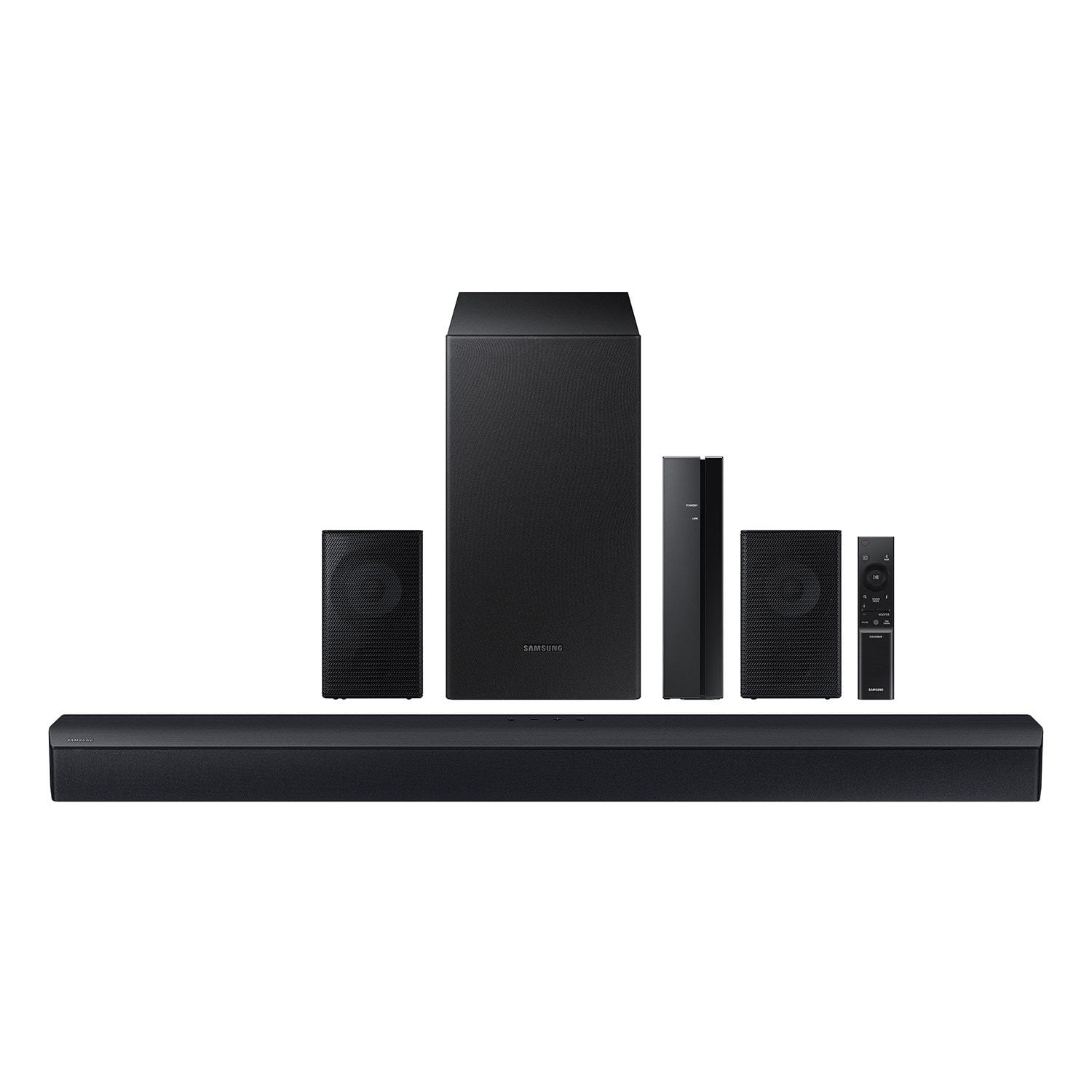
Samsung 4.1 Channel Soundbar w/Subwoofer - HW C47M
4.2 out of 5 stars
stars
800 ratings790 reviews
  1. 5 stars66% (531)
  2. 4 stars12% (98)
  3. 3 stars6% (48)
  4. 2 stars5% (38)
  5. 1 star11% (85)
Sort by |
Showing 441-450 of 790 reviews
Nov 13, 2023
Reviewer name: Abraham
5 out of 5 stars
5 out of 5 stars review

Verified Purchase

Awesome!

Rich bass and overall great experience, would 100% recommend!.

Review from walmart.com
Helpful?6U2SK3AEJBKZ19585623078
Feb 26, 2025
Reviewer name: Travis
5 out of 5 stars
5 out of 5 stars review

Verified Purchase

Great Sound. Lots of Bass

Review from walmart.com
Helpful?6U2SK3AEJBKZ19585623078
Nov 24, 2023
Reviewer name: ted
5 out of 5 stars
5 out of 5 stars review

Verified Purchase

awesomeness

extremely easy wireless set up with my qled samsung tv

Review from walmart.com
Helpful?6U2SK3AEJBKZ19585623078
Apr 21, 2024
Reviewer name: Thomas
2 out of 5 stars
2 out of 5 stars review

Verified Purchase

Not worth the money!

Nothing but problems. For the money should sound better!

Review from walmart.com
Helpful?6U2SK3AEJBKZ19585623078
reply from Samsung

Hi there,<br /><br />I&#39;m sorry to hear that your dissatisfied with the performance of your HW-C47M Soundbar.<br /><br />You can optimize your audio performance to your liking by pressing the SOUND MODE button on your soundbar remote and then selecting the desired sound effect by choosing SURROUND SOUND, GAME, or STANDARD. <br /><br />By pressing the TONE CONTROL button, you can adjust the volume of the treble or bass sound between -6~&#43;6 by using the Up/Down buttons. <br /><br />Additionally, using the WOOFER button on the remote, you can adjust the subwoofer’s volume between -6 to &#43;6 by toggling the button up or down. To set the subwoofer volume level to 0, press the button down. <br /><br />When you press the CH LEVEL button, you can adjust the volume of the VIRTUAL CENTER LEVEL. This will allow you to adjust the overall dialogue between -6 to &#43;6 using the UP/DOWN button on the provided Soundbar remote. When you press the CH LEVEL button when the Wireless Rear Speaker Kit connected to the Soundbar, you can adjust the rear speakers between -6 to &#43;6 using the UP/DOWN buttons. <br /><br />Press and hold the SOUND CONTROL button for about 5 seconds to adjust the sound for each frequency band. 150Hz, 300Hz, 600Hz, 1.2kHz, 2.5kHz, 5kHz, and 10kHz are selectable using the Left/Right buttons and each can be adjusted to a setting between -6 to &#43;6 using the Up/Down buttons. (Make sure the Sound mode is set to “STANDARD”. <br /><br />If we can help with anything else, please call us at 1-800-SAMSUNG (Ask for Soundbars), 8 AM – 12 AM EST, 7 days a week. LiveChat with an agent as well as manuals, software, and warranty info can be found at the ‘Support’ link on our Samsung website. <br /><br />~ Samsung Solutions

Jul 14, 2025
Reviewer name: Yasmany
5 out of 5 stars
5 out of 5 stars review

Verified Purchase

Everything in this bardsound is amazing. I love it👌👌👌

Review from walmart.com
Helpful?6U2SK3AEJBKZ19585623078
Nov 21, 2024
Reviewer name: WalmartCustomer
5 out of 5 stars
5 out of 5 stars review

Verified Purchase

All my electronics are samsumg very good quality and performance.

Review from walmart.com
Helpful?6U2SK3AEJBKZ19585623078
Jan 8, 2025
Reviewer name: alexis
5 out of 5 stars
5 out of 5 stars review

Verified Purchase

Amazing sound

Great quality sound system for a good price

Review from walmart.com
Helpful?6U2SK3AEJBKZ19585623078
Mar 2, 2025
Reviewer name: Tariq
1 out of 5 stars
1 out of 5 stars review

Verified Purchase

It plays for a little then makes a loud static noise and the subwoofer cuts out.

Review from walmart.com
Helpful?6U2SK3AEJBKZ19585623078
reply from Samsung

Hello Tariq,<br /><br />Thank you for taking a moment to review the Samsung HW-C47M Soundbar.<br /><br />There are a few steps you can take to troubleshoot your Soundbar. <br /><br />First, you will want to download the latest software for your Soundbar. You can download the firmware directly from Samsung’s website by clicking “Support” in the top right corner. Then go to “Manuals &amp; Software” &gt; “TVs &amp; Home Audio” &gt; “Home Audio” &gt; “Sound Bars”. From there, you can select the HW-C47M under Standard Series. <br /><br />Download the update and install it via USB thumb stick to your soundbar. If you need additional help, there are how-to instructions on this page. Please know that Samsung Customer Service is here to assist as well.<br /><br />Alternatively, you can download SmartThings on your iOS or Android device. This will allow you to update your Soundbar automatically or manually right from your phone or tablet.<br /><br />Please verify that you are running the latest firmware on your TV. You can check to see what software version your TV is using and if there is an available update through the settings on your TV. Go to: Menu &gt; Settings &gt; Support &gt; Software Update. <br /><br />First, try doing a soft reset, unplug the soundbar from the outlet for roughly 30 seconds and then plug it back in. <br /><br />If this still does not correct your issue, then do a hard reset. With the Soundbar on, press the &#43; &amp; - Volume buttons on the body of the soundbar at the same time for at least 5 seconds. INIT OK” appears on the display and then the Soundbar is reset.<br /><br />If the audio from the wireless subwoofer is dropping out intermittently there are a few things to check before performing any troubleshooting: <br />1) The maximum wireless signal transmission distance is about 33 ft. <br />2) If there is a wall between the sound bar and the subwoofer it may cause interference or not work at all depending on the material in the wall. <br />3) If there is a device that uses the same wireless frequency (2.4 GHz) near the Soundbar, interference may cause some sound interruption. <br />4) Check all the sources on the soundbar. If the audio is dropping while watching TV it could be an issue with the broadcast.<br /><br />If you need more help, Samsung is here for you. Please call us at 1-800-SAMSUNG, 8AM - 12AM EST (Ask for Soundbars), 7 days a week. Our Live Chat agents are also available by clicking on the ‘Support’ link on our website.<br /><br />~ Samsung Solutions

Sep 20, 2024
Reviewer name: afusat
1 out of 5 stars
1 out of 5 stars review

Verified Purchase

It keeps disconnecting every time

Review from walmart.com
Helpful?6U2SK3AEJBKZ19585623078
reply from Samsung

Hello afusat,<br /><br />We appreciate you taking a moment to review the Samsung HW-C47M Soundbar.<br /><br />An optical cable is also another way to connect your soundbar to your TV. You can also connect your devices (cable boxes, video game systems, and Blu-ray players) to the TV, and have the sound output from the TV to the soundbar.<br />1. With the TV and soundbar turned on, connect one end of a digital optical cable to the OPTICAL OUT port on the TV.<br />2. Then, connect the other end to the DIGITAL AUDIO IN (OPTICAL) port on the soundbar.<br />3. Press Source on the remote or soundbar, and then set the soundbar to the D.IN. setting.<br />4. Finally, on the TV, you need to set the speaker output to external speakers.<br />5. Navigate to Settings, and then press Up on the navigation arrows to highlight Quick settings.<br />6. Press the right directional arrow to highlight TV Speaker and press select to change it to Optical (external speakers). The TV&#39;s sound will now play from the soundbar.<br /><br />If you need more help, Samsung is here for you. Please call us at 1-800-SAMSUNG, 8AM - 12AM EST (Ask for Soundbars), 7 days a week. Our Live Chat agents are also available by clicking on the ‘Support’ link on our website.<br /><br />~ Samsung Solutions

May 6, 2024
Reviewer name: ellis
1 out of 5 stars
1 out of 5 stars review

Verified Purchase

Terrible

The power cords are missing for the sound bar and amp plus no instructions and remote

Review from walmart.com
Helpful?6U2SK3AEJBKZ19585623078
reply from Samsung

ellis,<br /><br />Please know you are leaving a review for the HW-C47M, not the service provided by Walmart. Please follow up directly with Walmart for further assistance. We hope your issue is resolved in a timely manner. <br /><br />Should you have questions regarding Samsung Products, please contact Samsung Support at 1-800-SAMSUNG, 8AM - 12AM EST, 7 days a week. Our LiveChat agents are also available by clicking on the ‘Support’ link on our website. <br /><br />~ Samsung Solutions