Skip to Main Content
Sam's Club
Sam's Club
All Departments
All Services
Customer reviews for Samsung 4.1 Channel Soundbar w/Subwoofer - HW C47M for
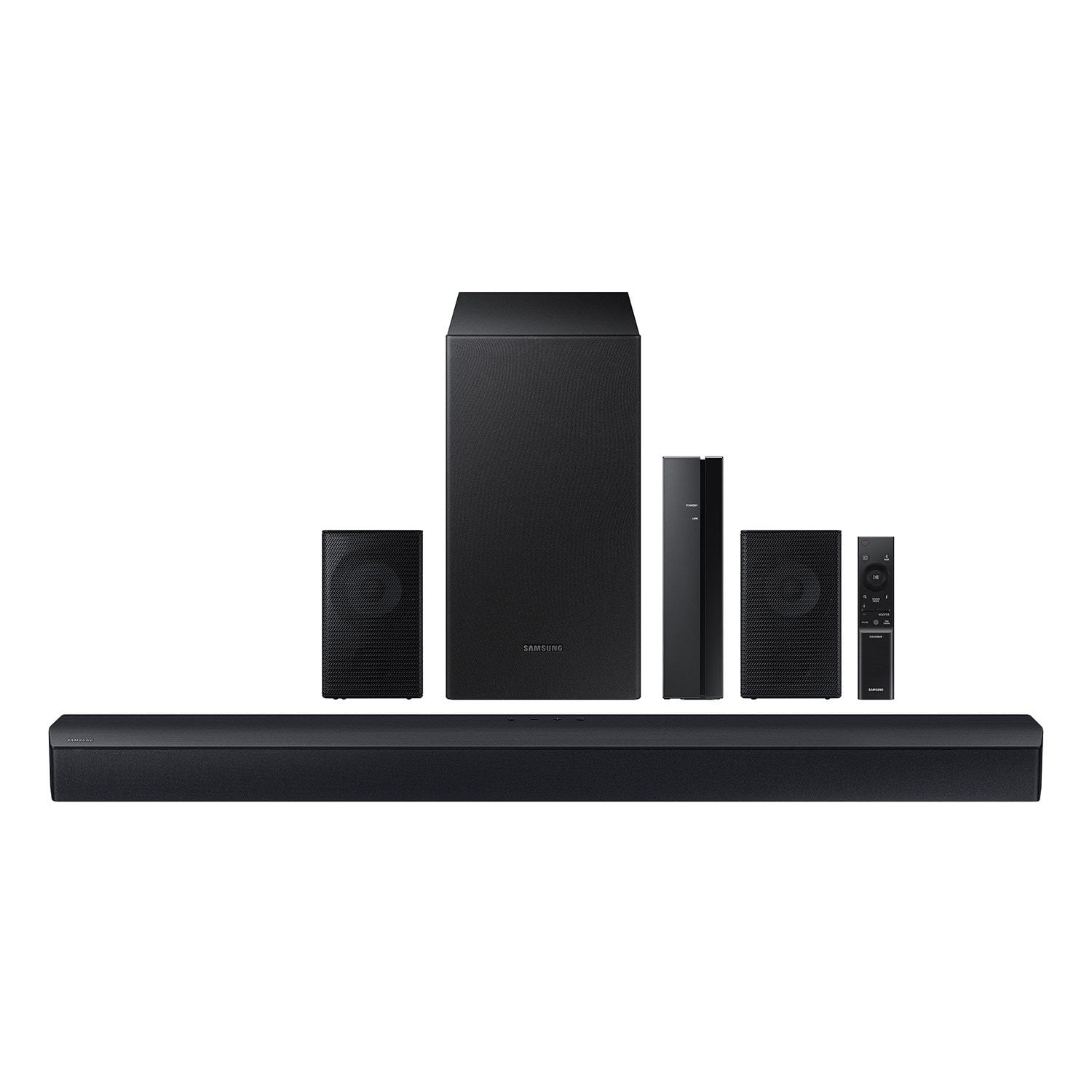
Samsung 4.1 Channel Soundbar w/Subwoofer - HW C47M
4.2 out of 5 stars
stars
800 ratings790 reviews
  1. 5 stars66% (531)
  2. 4 stars12% (98)
  3. 3 stars6% (48)
  4. 2 stars5% (38)
  5. 1 star11% (85)
Sort by |
Showing 411-420 of 790 reviews
Nov 17, 2023
Reviewer name: carrie
1 out of 5 stars
1 out of 5 stars review

Verified Purchase

Great Sound

Easy set- up - complete wireless with Bluetooth

Review from walmart.com
Helpful?6U2SK3AEJBKZ19585623078
reply from Samsung

Hello carrie,<br /><br />Thank you for purchasing the Samsung HW-C47M and for your review. I am glad to hear that you are happy with the performance of your new soundbar. <br /><br />If you are experiencing specific issues that caused you to give this a 3-star rating, please know Samsung Customer Support is here to help.<br /><br />Call us at 1-800-SAMSUNG (ask for Soundbars), available 8 AM – 12 AM EST, 7 days a week.<br /><br />LiveChat with an agent by clicking the ‘Support’ link on the Samsung website.<br /><br />~Samsung Solutions

Nov 25, 2023
Reviewer name: Norma
5 out of 5 stars
5 out of 5 stars review

Verified Purchase

I really love the sound it puts out.

Review from walmart.com
Helpful?6U2SK3AEJBKZ19585623078
Oct 23, 2024
Reviewer name: Gary
2 out of 5 stars
2 out of 5 stars review

Verified Purchase

Rear speakers are not working

Review from walmart.com
Helpful?6U2SK3AEJBKZ19585623078
reply from Samsung

Hello WalmartCustomer,<br /><br />We appreciate you taking a moment to review the Samsung HW-C47M Soundbar.<br /><br />When powered on for the first time, the rear speakers and subwoofer should automatically connect wirelessly. If the auto-connection process fails, you can try manually connecting the rears to the soundbar.<br /><br />To setup the wireless rear speaker kit included with the soundbar, first use the color-coded speaker wires to connect the rear speakers to its wireless module and place these three in the back of your room. Plug the wireless receiver module power cord into an electrical outlet and into the wireless receiver module to turn on the wireless receiver module. <br /><br />Press and hold the ID SET button on the back of the wireless module for at least 5 seconds or until the blue light starts blinking. Turn off your soundbar and press the Up button on the remote for 5 seconds. The ID SET message will appear on the soundbar for a short time and then disappear. After the ID SET process, the soundbar power is automatically turned on. The LINK LED indicator stops blinking and glows a solid blue when a connection is established between the soundbar and the wireless receiver module.<br /><br />In addition to adjusting the settings through the soundbar, you may want to try checking the sound format on your TV to ensure you are getting the best experience for a surround sound setup.<br /><br />If your Digital Output Audio Format is set to PCM then you will likely notice decreased performance with surround sound audio systems. Dolby options are designed for surround systems (like 3.1.2 or 7.1), whereas PCM provides great sound quality for stereo speakers.<br /><br />On a Samsung TV this setting can be found at Home &gt; Settings &gt; Sound &gt; Expert Settings. (It can also be found in the Quick Settings.)<br /><br />If you need more help, Samsung is here for you. Please call us at 1-800-SAMSUNG, 8AM - 12AM EST (Ask for Soundbars), 7 days a week. Our Live Chat agents are also available by clicking on the ‘Support’ link on our website.<br /><br />~ Samsung Solutions

Jan 5, 2025
Reviewer name: Rodney
5 out of 5 stars
5 out of 5 stars review

Verified Purchase

The price was pretty good and it sounds nice in my room.

Review from walmart.com
Helpful?6U2SK3AEJBKZ19585623078
Mar 23, 2025
Reviewer name: Chance
3 out of 5 stars
3 out of 5 stars review

Verified Purchase

Quality is not the greatest, and the sound cuts off every hour for about 5 seconds

Review from walmart.com
Helpful?6U2SK3AEJBKZ19585623078
reply from Samsung

Hello Chance,<br /><br />Thank you for taking a few moments to review the Samsung HW-C47M Soundbar.<br /><br />Updating the firmware on your soundbar gives you all the benefits of the latest improvements. When an update is available, you can update the Soundbar by connecting the USB drive that contains the update firmware to the SERVICE port of the Soundbar.<br /><br />1.Go to the Samsung Electronics website (www.samsung.com) → click on the “Support” option in the upper right corner. <br />2.Click on “Manuals &amp; Software” from the pop-up list &gt; TVs &amp; Home Theater &gt; Home Theater &gt; Select your model<br />2. Download the firmware file (USB type). <br />3. Unzip the file to create a folder with the file name. <br />4. Store the created folder in a USB and then connect it to the Soundbar. <br />5. A sequence of “UPDATE” &gt; “BYE” &gt; “ON” will appear on the display 3 times. This will take around 6 minutes.<br /> - During update, do not turn it off or remove the USB. <br /> - If “UPDATE” does not appear on the display window, remove the power cord from the Soundbar and then reconnect it.<br /> - When the latest Version is installed, no update is performed. <br /> - Depending on the USB type, update may not be supported.<br />6. After the 3 cycles are complete, the Soundbar will restart and last source used will appear on the display for about 20 seconds and then it will go off (“UPDATE” &gt; “BYE” &gt; “ON”) 3 times “D.IN” &gt; off<br /><br />You can also try doing a soft reset, unplug the soundbar from the outlet for roughly 30 seconds and then plug it back in. <br /><br />If this still does not correct your issue, then do a hard reset. With the Soundbar on, press the &#43; &amp; - Volume buttons on the body of the soundbar at the same time for at least 5 seconds. INIT OK” appears on the display and then the Soundbar is reset.<br /><br />If you need more help, Samsung is here for you. Please call us at 1-800-SAMSUNG, 8AM - 12AM EST (Ask for Soundbars), 7 days a week. Our Live Chat agents are also available by clicking on the ‘Support’ link on our website.<br /><br />~ Samsung Solutions

Apr 15, 2024
Reviewer name: Steven
5 out of 5 stars
5 out of 5 stars review

Verified Purchase

[This review was collected as part of a promotion.] Great product at a great price.

Review from walmart.com
Helpful?6U2SK3AEJBKZ19585623078
Dec 8, 2023
Reviewer name: Debra
5 out of 5 stars
5 out of 5 stars review

Verified Purchase

Highly recommend!

Easy to set up. Has good sound quality. Love the wireless rear speaker set!

Review from walmart.com
Helpful?6U2SK3AEJBKZ19585623078
Jul 9, 2024
Reviewer name: RYAN
2 out of 5 stars
2 out of 5 stars review

Verified Purchase

ONN brand blows this out of the water.

This system is weak. Very weak. If you’re looking for bass and clarity, go with the ONN system.

Review from walmart.com
Helpful?6U2SK3AEJBKZ19585623078
reply from Samsung

RYAN,<br /><br />I’m sorry to hear that you’re dissatisfied with the performance of your HW-C47M Soundbar.<br /><br />You can optimize your audio performance to your liking by pressing the SOUND MODE button on your soundbar remote and then selecting the desired sound effect by choosing SURROUND SOUND, GAME, or STANDARD. <br /><br />By pressing the TONE CONTROL button, you can adjust the volume of the treble or bass sound between -6~&#43;6 by using the Up/Down buttons. <br /><br />Additionally, using the WOOFER button on the remote, you can adjust the subwoofer’s volume between -6 to &#43;6 by toggling the button up or down. To set the subwoofer volume level to 0, press the button down. <br /><br />When you press the CH LEVEL button, you can adjust the volume of the VIRTUAL CENTER LEVEL. This will allow you to adjust the overall dialogue between -6 to &#43;6 using the UP/DOWN button on the provided Soundbar remote. When you press the CH LEVEL button when the Wireless Rear Speaker Kit connected to the Soundbar, you can adjust the rear speakers between -6 to &#43;6 using the UP/DOWN buttons. <br /><br />Press and hold the SOUND CONTROL button for about 5 seconds to adjust the sound for each frequency band. 150Hz, 300Hz, 600Hz, 1.2kHz, 2.5kHz, 5kHz, and 10kHz are selectable using the Left/Right buttons and each can be adjusted to a setting between -6 to &#43;6 using the Up/Down buttons. (Make sure the Sound mode is set to “STANDARD”. <br /><br />If we can help with anything else, please call us at 1-800-SAMSUNG (Ask for Soundbars), 8 AM – 12 AM EST, 7 days a week. LiveChat with an agent as well as manuals, software, and warranty info can be found at the ‘Support’ link on our Samsung website. <br /><br />~ Samsung Solutions

Nov 16, 2024
Reviewer name: WalmartCustomer
5 out of 5 stars
5 out of 5 stars review

Verified Purchase

We have price shopped and this was the best price we found

Review from walmart.com
Helpful?6U2SK3AEJBKZ19585623078
Feb 26, 2025
Reviewer name: Travis
5 out of 5 stars
5 out of 5 stars review

Verified Purchase

Great Sound. Lots of Bass

Review from walmart.com
Helpful?6U2SK3AEJBKZ19585623078