Skip to Main Content
Sam's Club
Sam's Club
All Departments
All Services
Customer reviews for ASUS RT-BE58 Go Dual-Band WiFi 7 Portable Travel Router for
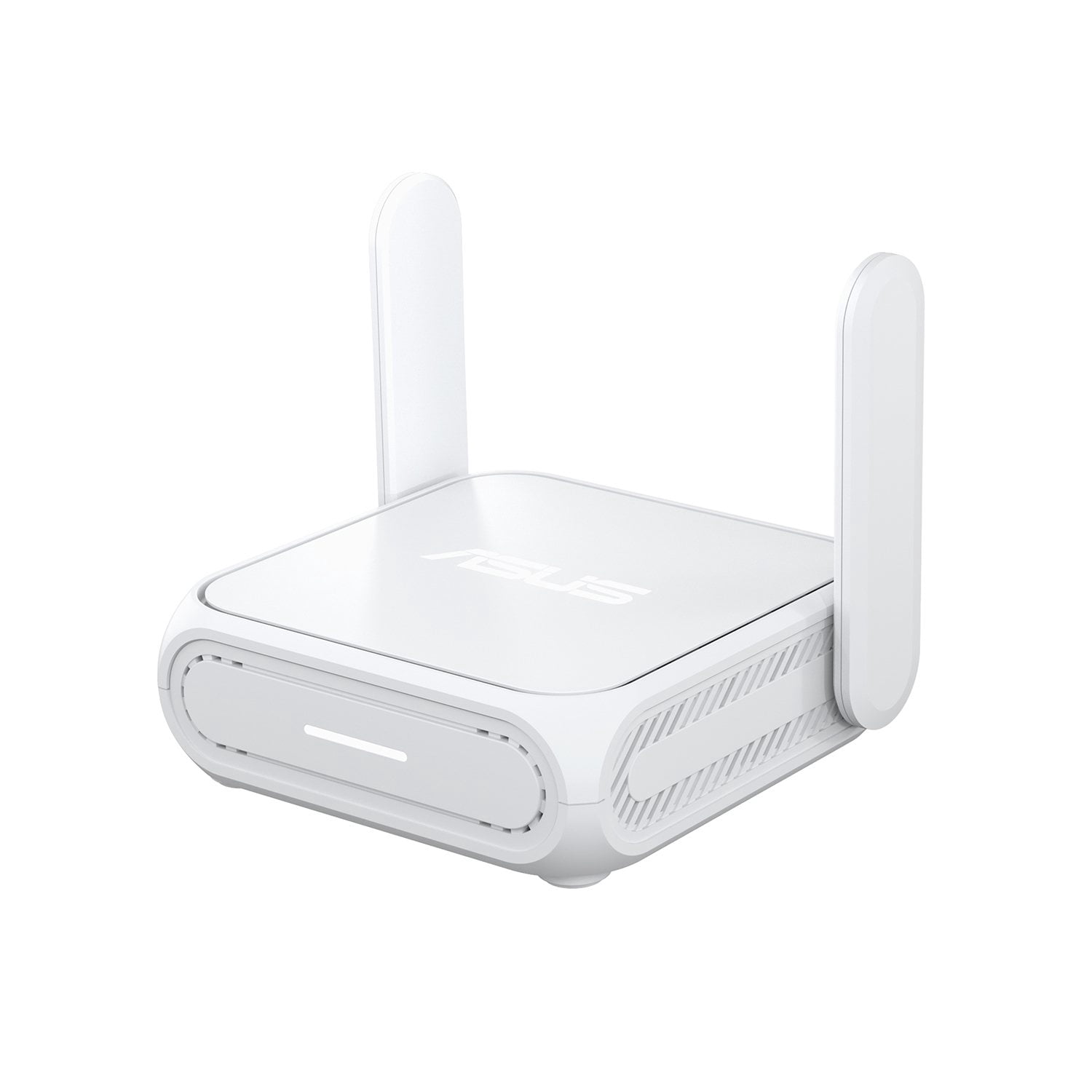
ASUS RT-BE58 Go Dual-Band WiFi 7 Portable Travel Router
3.9 out of 5 stars
stars
20 ratings20 reviews
  1. 5 stars60% (12)
  2. 4 stars10% (2)
  3. 3 stars5% (1)
  4. 2 stars10% (2)
  5. 1 star15% (3)
Sort by |
Showing 11-20 of 20 reviews
Dec 28, 2025
Reviewer name: jmrblues
5 out of 5 stars
5 out of 5 stars review

Verified Purchase

good with easy setup but no 6 ghz band

I have an att fiber modem in the basement that gives around 800 Mbs on wireless. Have this router upstairs and get 2400 Mbs. Since i don't know much about this, i thought since it is wifi 7 it would have a 6 ghz band. Not so unfortunitely. So I won't get the benefits of less conjestion on the network from multiple simultaneous users. Fortunitely I am the only user since I live alone. I bought this as a dedicated router for VR. I use the 5 ghz band with ethernet cable to the PC from this router with the WAN from the att modem feeding this router. With the PC using only ehternet and the Quest 3 linked wirelessly with this router, I get a 3x better bitrate while using the headset. It seems to give better performance at higher resolutions with a lower latency. For my purposes, its all I need and with the lowest price I've seen on wifi 7 routers and having the ASUS label on it, it's a no brainer. So in conclusion, know what you are using for and if it fits your particular needs. Quality seems excellent, but then it is an ASUS.

Review from https://www.asus.com
Helpful?617S8X11N38N18902155323
Sep 26, 2026
Reviewer name: Alexia
1 out of 5 stars
1 out of 5 stars review

Verified Purchase

Worked only for one day

[This review was collected as part of a promotion.] Connected once and then disconnected

Review from walmart.com
Helpful?617S8X11N38N18902155323
Jul 30, 2026
Reviewer name: SONIA
3 out of 5 stars
3 out of 5 stars review

Verified Purchase

[This review was collected as part of a promotion.] The router gets hot during use. Not a fan of this product.

Review from walmart.com
Helpful?617S8X11N38N18902155323
reply from ASUS Answers

Dear SONIA, Thank you for sharing your feedback regarding the ASUS RT‑BE58 Go Router. We sincerely apologize for the inconvenience caused by the router becoming hot during use and for the disappointment this product has caused. This is not the level of quality or reliability we aim to provide, and we regret that your experience did not reflect our standards. To further investigate the issue and explore possible repair or support options, we kindly recommend contacting our ASUS Support team directly at https://www.asus.com/us/support/callus/. Our specialists will be able to assist you with diagnostics and provide guidance on the next steps. We stand behind our products and continuously strive to improve our products and processes to achieve customer service excellence. For more information, email us at customerloyalty@asus.com and include the case number "N2608000548-0001" as a reference. We will do our best to resolve your case quickly. Your feedback is very important to us and enables us to improve our support channels. Thank you for choosing ASUS. Best Regards, Chantae ASUS Customer Loyalty US Support

Aug 16, 2026
Reviewer name: GDischer
5 out of 5 stars
5 out of 5 stars review

Verified Purchase

Excellent Router

Works perfectly with different networks in public, and is very easy to set up in WISP mode.

Review from https://www.asus.com
Helpful?617S8X11N38N18902155323
Apr 30, 2026
Reviewer name: Tom and Jerry
5 out of 5 stars
5 out of 5 stars review

Verified Purchase

Safe, Strong, Smart

It's a very unique character in home network solution, a router will be possibly named as Walkman or iPhone.

Review from https://www.asus.com
Helpful?617S8X11N38N18902155323
Apr 30, 2026
Reviewer name: Anonymous
2 out of 5 stars
2 out of 5 stars review

Verified Purchase

Problems with router

I only own the device for three week and have problems with it for three week it was not a reliable device to work with.

Review from https://www.asus.com
Helpful?617S8X11N38N18902155323
reply from CLM

Dear Valued Customer, Thank you for your comment. We do understand your disappointment with the router and the inconvenience this may have caused if you are experiencing connection problems. To resolve the unstable connection, ensure the router is running with the most current firmware version. Firmware is available for download at: https://www.asus.com/networking-iot-servers/wifi-7/all-series/rt-be58-go/helpdesk_bios?model2Name=RT-BE58-Go. After a firmware update, it is highly recommended to perform a "hard" factory reset. Use a pin to hold the reset button for 10 seconds. Additionally, try to disable "Smart Connect" and try connecting your PC or device manually to either 2.4GHz or 5GHz. Furthermore, If you are using this as a travel router, use WISP mode for better stability when connecting to public or hotel Wi-Fi. Should you need further assistance with the product, please email me at cl-rodel@asus.com and I would be more than happy to help. Or, you are most welcome to call Product Support Hotline at: 1(888) 678-3688. Also, you can chat with an ASUS live support agent from the link: https://www.asus.com/us/support/article/1135/. Thank you for choosing an ASUS product. Regards, Rodel ASUS Customer Loyalty

Jun 8, 2026
Reviewer name: Alma
1 out of 5 stars
1 out of 5 stars review

Verified Purchase

Doesn't work with Mobile internet

Doesn't work, don't bother. I took hours for the set up.

Review from https://www.asus.com
Helpful?617S8X11N38N18902155323
reply from CLM

Dear Alma, Thank you for your comment. We do understand your disappointment with the router and the inconvenience this may have caused if you are experiencing problem connecting it to your mobile internet. To connect this RT-BE58 Go to mobile internet, you need to use USB Tethering. Use a USB cable to plug your phone into the router's USB port, turn on mobile data, and enable USB Tethering in your phone's settings. Additionally, you can connect wirelessly by toggling the physical switch to Travel mode and turn on Hotspot on your phone. For helful tips on how to setup this router properly, visit our Product Support pages: https://www.asus.com/rs-en/support/faq/1056998/, https://www.asus.com/support/faq/1030645/, Should you need further assistance with the product, please email me at cl-rodel@asus.com and I would be more than happy to help. Or you are most welcome to call Product Support Hotline at: 1(888) 678-3688. Also, you can chat with an ASUS live support agent from the link: https://www.asus.com/us/support/article/1135/. Thank you for choosing an ASUS product. Regards, Rodel ASUS Customer Loyalty

Jun 12, 2026
Reviewer name: Michael Chapa
5 out of 5 stars
5 out of 5 stars review

Verified Purchase

Is worth what u pay for .

Great product . I really like it. Is worth every penny.

Review from https://www.asus.com
Helpful?617S8X11N38N18902155323
Apr 24, 2026
Reviewer name: SAPPER12B
5 out of 5 stars
5 out of 5 stars review

Verified Purchase

Good price, awesome results, it does the job great

Great product, quick to setup, small, dont take much space. Great for Rveers.

Review from https://www.asus.com
Helpful?617S8X11N38N18902155323
Jul 9, 2026
Reviewer name: Christina
5 out of 5 stars
5 out of 5 stars review

Verified Purchase

Game changer

Game changer!!! Amazing

Review from walmart.com
Helpful?617S8X11N38N18902155323