Skip to Main Content
Sam's Club
Sam's Club
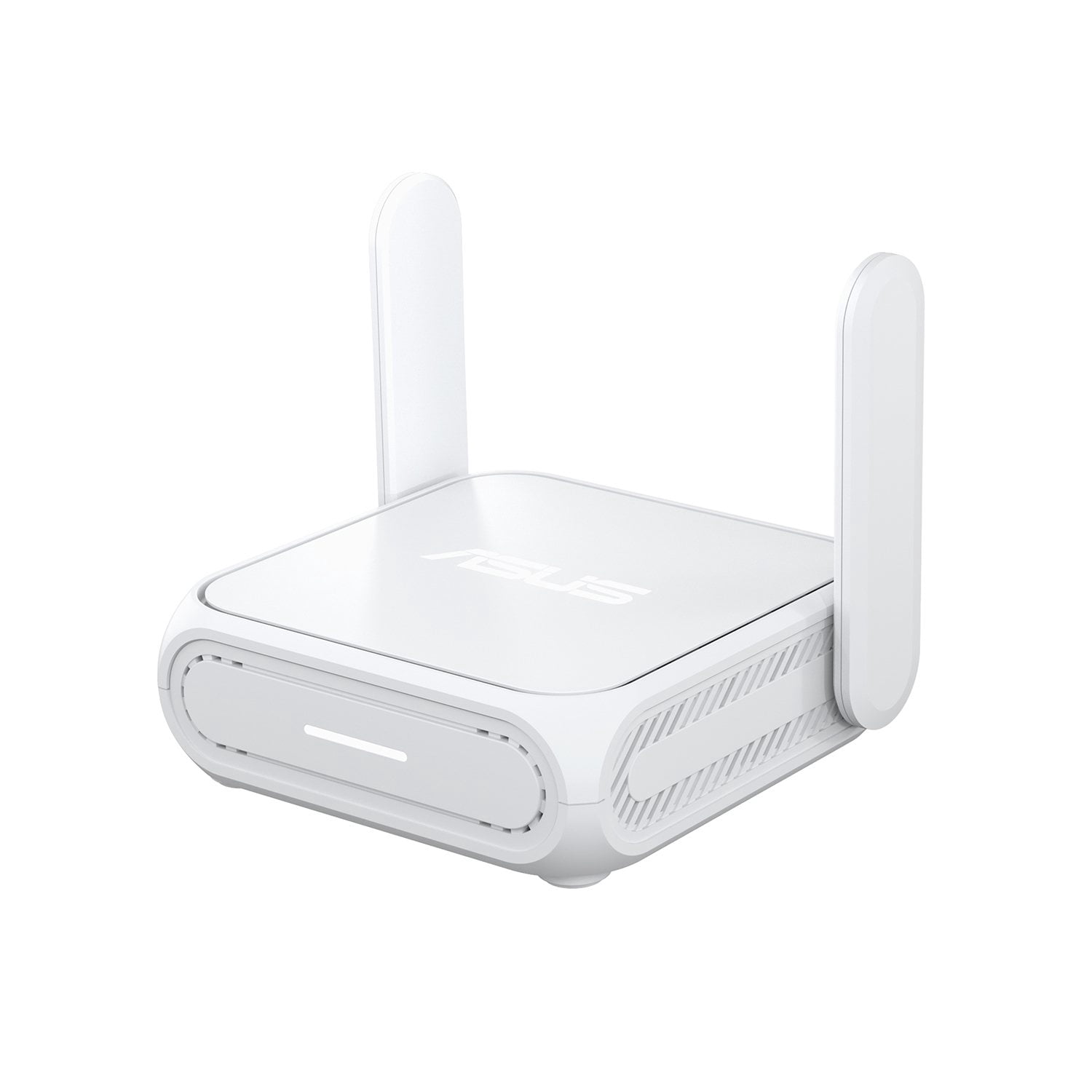
Customer reviews for ASUS RT-BE58 Go Dual-Band WiFi 7 Portable Travel Router for
ASUS RT-BE58 Go Dual-Band WiFi 7 Portable Travel Router
Sort by |
Showing 1-6 of 6 reviews
May 11, 2026
Dragan
5 out of 5 stars review

Verified Purchase

Little Giant

(This review was collected as part of a promotion.) It does everything you can think of, plus some extras. Easy to set up and use. Asus did it again.

Review from https://www.asus.com
Helpful?617S8X11N38N18902155323
Dec 28, 2025
jmrblues
5 out of 5 stars review

Verified Purchase

good with easy setup but no 6 ghz band

I have an att fiber modem in the basement that gives around 800 Mbs on wireless. Have this router upstairs and get 2400 Mbs. Since i don't know much about this, i thought since it is wifi 7 it would have a 6 ghz band. Not so unfortunitely. So I won't get the benefits of less conjestion on the network from multiple simultaneous users. Fortunitely I am the only user since I live alone. I bought this as a dedicated router for VR. I use the 5 ghz band with ethernet cable to the PC from this router with the WAN from the att modem feeding this router. With the PC using only ehternet and the Quest 3 linked wirelessly with this router, I get a 3x better bitrate while using the headset. It seems to give better performance at higher resolutions with a lower latency. For my purposes, its all I need and with the lowest price I've seen on wifi 7 routers and having the ASUS label on it, it's a no brainer. So in conclusion, know what you are using for and if it fits your particular needs. Quality seems excellent, but then it is an ASUS.

Review from https://www.asus.com
Helpful?617S8X11N38N18902155323
Apr 30, 2026
Tom and Jerry
5 out of 5 stars review

Verified Purchase

Safe, Strong, Smart

It's a very unique character in home network solution, a router will be possibly named as Walkman or iPhone.

Review from https://www.asus.com
Helpful?617S8X11N38N18902155323
Apr 24, 2026
SAPPER12B
5 out of 5 stars review

Verified Purchase

Good price, awesome results, it does the job great

Great product, quick to setup, small, dont take much space. Great for Rveers.

Review from https://www.asus.com
Helpful?617S8X11N38N18902155323
May 18, 2026
Brian
2 out of 5 stars review

Verified Purchase

Constantly Resetting

I want to like this router but I no sooner get configure and connect to it and the SSID stops broadcasting and none of my devices will connect. Very frustrating!!

Review from https://www.asus.com
Helpful?617S8X11N38N18902155323
reply from CLM

Dear Brian, Thank you for your comment. We do understand your disappointment with the product and the inconvenience this may have caused if you are experiencing connection problems. To resolve this, verify if the router’s security settings matches with your ISP’s modem credentials, verify if the PC or device connecting to the router is working properly and within range to the router, the router is within 30 feet to the ISP's modem, if not wired with a network cable, and ISP's internet service or connection is working properly or stable. Legacy devices may not work properly with WIFI-6E or WIFI-7, please check updates for these devices. Also, try to disable "Smart Connect" and try connecting these manually to either 2.4GHz or 5GHz. Try resetting the router and reconfigure or set up the devices. Also, we recommend updating the router's firmware if it is running with an older version. Firmware is available for download at: https://www.asus.com/networking-iot-servers/wifi-7/all-series/rt-be58-go/helpdesk_bios?model2Name=RT-BE58-Go. For helpful tips on how to setup the router properly, visit our Product Support page: https://www.asus.com/us/support/faq/1016107/ Should you need further assistance with the product, please email me at cl-rodel@asus.com and I would be more than happy to help. Or, you are most welcome to call Product Support Hotline at: 1(888) 678-3688. Also, you can chat with an ASUS live support agent from the link: https://www.asus.com/us/support/article/1135/. Thank you for choosing an ASUS product. Regards, Rodel ASUS Customer Loyalty

Apr 30, 2026
Anonymous
2 out of 5 stars review

Verified Purchase

Problems with router

I only own the device for three week and have problems with it for three week it was not a reliable device to work with.

Review from https://www.asus.com
Helpful?617S8X11N38N18902155323
reply from CLM

Dear Valued Customer, Thank you for your comment. We do understand your disappointment with the router and the inconvenience this may have caused if you are experiencing connection problems. To resolve the unstable connection, ensure the router is running with the most current firmware version. Firmware is available for download at: https://www.asus.com/networking-iot-servers/wifi-7/all-series/rt-be58-go/helpdesk_bios?model2Name=RT-BE58-Go. After a firmware update, it is highly recommended to perform a "hard" factory reset. Use a pin to hold the reset button for 10 seconds. Additionally, try to disable "Smart Connect" and try connecting your PC or device manually to either 2.4GHz or 5GHz. Furthermore, If you are using this as a travel router, use WISP mode for better stability when connecting to public or hotel Wi-Fi. Should you need further assistance with the product, please email me at cl-rodel@asus.com and I would be more than happy to help. Or, you are most welcome to call Product Support Hotline at: 1(888) 678-3688. Also, you can chat with an ASUS live support agent from the link: https://www.asus.com/us/support/article/1135/. Thank you for choosing an ASUS product. Regards, Rodel ASUS Customer Loyalty