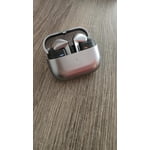
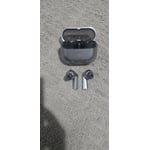
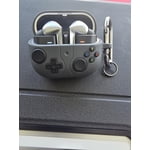
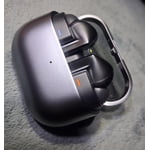
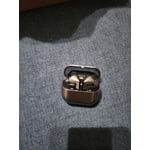
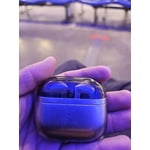
Member photos


+3767 images
Verified Purchase
I want my buds 2 back.
I want my buds 2 back. I spend more time getting the budsb3 pro to connect to my phone. My buds 2 would connect as soon as they hit my ears and were flawless everytime. I connected the buds 2 once and they worked perfect for years. These buds 3 havent connected successfilly once since i got them. They connected the first time with some difficulty and now every time i want to use them i spend a whole putting them back into the case pulling them out, pressing the sync button, putting them back in my ears, putting them back in the case, closing the case, opening the case. Trying all of these over and over to eventually get 1 bud to connect and thats it. I just wish i didnt trade my buds 2 in. Very unhappy with these buds.
It's great to hear from you, Chris. Thanks for sharing your feedback on the Galaxy Buds3 Pro. The Buds3 Pro allows you to find your sound sanctuary. Mindfulness requires daily practice, and with just the press of a button, you can escape to a worry-free world with Samsung Health powered by Calm. Alleviate stress with peaceful melodies from nature, enhance your focus with white noise, or relax with ASMR for a happier, healthier you. We hate to see that you've experienced difficulties keeping your earbuds connected to your phone. To resolve this, ensure there's no interference by moving both the earbuds and the connected device away from Wi-Fi routers or microwaves, ensuring an unobstructed path for the signal. Additionally, try restarting the earbuds by placing them back in the case and closing the lid for about 7 seconds until the light goes out, then attempt to reconnect. Products sold by Samsung are warranted against manufacturing defects in material and workmanship for the limited 12-month warranty period specified for each product. We also provide the option to add additional coverage with Samsung Care+ on eligible devices, which offers extended protection and additional support. All eligible mobile devices can be enrolled on Samsung.com at the time of device purchase, or within 60 days of device purchase at samsungcareplus.com. If you continue to encounter this, please reach out to us at Samsung Support! smsng.us/Samsung-Support smsng.us/Facebook-Messenger smsng.us/X-Messages smsng.us/Samsung-Community smsng.us/Warranty-Info smsng.us/Samsung-Care-Plus
Verified Purchase
Great with phone an tablet, terrible with PC.
So far, ive had a moderately good experience, but there is room for improvement. I like the fit and new style, they seem lighter in my ears, and that helps with comfort. When connected to my Fold 5 or Tab S9, they sounds great. My biggest beef is the connection to my Samsung Galaxy Book 4 Pro 360. They sound terrible. When I first got them, I had the hardest time just getting them to connect, and stay connected. The drivers are terrible. They sound like im in a tunnel. I uninstalled, reinstalled drivers several times, nothing helped. I even went as far as to reinstall Windows 11 on my PC. This helped a little, but compared to the sound when connected to phone or tablet, it is still subpar. Its really disappointing that Samsung earbuds dont work perfectly with Samsung laptop. Hopefully more attention will be paid to the drivers, and they can correct the problem.
Hi there Boomer, thank you for sharing your thoughts with us about your Samsung Galaxy Buds3 Pro. We are happy to hear how much you are enjoying the features and fit of your earbuds. We have provided a link to the Samsung Support Team to help you with the connection and functionality with your Samsung Galaxy Book4 Pro 360. Thank you for being a Samsung customer. -Elizabeth Samsung Support smsng.us/Samsung-Support Samsung Community smsng.us/Samsung-Community Facebook smsng.us/Facebook-Messenger X https://smsng.us/X-Messages
Samsung Airbud 3pro
[This review was collected as part of a promotion.] These are the best Airbuds I've ever used! I use them for music while being at work and also allows me to answer incoming calls with ease! They are very comfortable without falling off and blocks outside noise very good. The sound quality for music is outstanding!
Verified Purchase
Great range. Build feels unrefined.
Great audio quality. Neat features. Genius use of the bar design. The device is not quite polished. The engineering renders it susceptible to damage and there are now more structural points of failure. The buds previous circular/oval design allowed it to avoid damage via rolling or pinching away. That's no longer possible. I can feel the plastic stress as I grip it while on my ears. Decent battery life and excellent range. The audio cancelation is superb for its package size. Here's hoping for a metal frame version.
Verified Purchase
I have never heard music like this before.
Huge improvment over the first GBP. Better than my wifes Airpods Pro. Phone calls are crystal clear. AI and voice controls are handy. Stem controls are much easier to use than the first GBP. The fitment is miles ahead of the first GBP which I always had issues with and would always fall out while running. These GBP3 seal better and stay in no problem. I have not had tearing issus with the ear tips. The only thing that is a little odd is I find myself having to use a little brain power to put them back in their case. Other ear buds just fall into place when they touch their case. These have to be positioned just right since the stem isnt round. I wouldn't let this deter you from them. They are great.
Verified Purchase
Great sound quality and voice clarity.
The sound quality is excellent at 24 bit 96khz. The voice quality when making phone calls or doing Video Chats is a big improvement over the Galaxy Buds 2 Pro. The voice translation works well with my Samsung phone. They have excellent battery life with the charging case. They have a good fit. The free clip case for preordering was nice too. The only thing that's not as good as Galaxy Buds 2 Pro is the ANC. other than that I am highly satisfied with my upgrade and would recommend these earbuds to any one especially if you have Samsung Phone.
Verified Purchase
Problems with charging.
I've had the Buds Pro 3 less than a month, and I'm already having problems charging them. I get a red blinking light on the case and a notification on my phone that says, "Earbud charging stopped. Make sure the case is charged and check the earbud charging tips and inside of the case for sweat, moisture, or other foreign material." I've owned both the Buds Pro 1 and 2 and never had this problem.
Thank you for sharing your experience with the Galaxy Buds Pro3, Alfredo! We appreciate your support for our audio technology. We noted your concern regarding the charging notifications and the red blinking light. To address this, please ensure that the charging case is fully charged by connecting it to a power source using the supplied USB-C cable. It's also important to inspect both the earbud charging tips and the inside of the case for any dust, moisture, or debris that could affect charging. Cleaning the charging contacts with a dry, soft cloth can help with this. If the charging status continues to be an issue, consider resetting your earbuds through the Galaxy Wearable app by selecting ‘Reset’ after opening the app. We value your loyalty to the Buds line and hope you continue to enjoy your listening experience. If this persists, please do not hesitate to reach out to us at Samsung Support. -Kelvin smsng.us/Samsung-Support smsng.us/Facebook-Messenger smsng.us/X-Messages smsng.us/Samsung-Community smsng.us/Warranty-Info smsng.us/Samsung-Care-Plus
Verified Purchase
uncomfortable and annoying
The design very uncomfortable. Earbuds don't stay in there place if you are walking or changing head position. I tried all three available silicons but still couldn't find a proper fit. The buttons are pretty annoying 😑, when these get misplaced in your ear, if you try to adjust by holding the bud, some button gets clicked. I patiently waited to adjust but this is testing my patience. really disappointed with this version.
Hello Satya! Thank you for your honest feedback regarding the Galaxy Buds3 Pro. We appreciate you sharing your experience with the fit and comfort. We designed these buds with various silicone tips to accommodate different ear shapes, so it’s unfortunate that you couldn't find a suitable fit. We encourage you to also try using the Fit test using the Wearable app to further help you get the right fit. Regarding your concerns about the buttons, many users find the intuitive controls helpful. However, we understand how they can be accidentally activated while adjusting the earbuds. We suggest adjusting the buds from the top in order to avoid activating one of the pinch controls. Your patience is appreciated, and your satisfaction is important to us. Thank you again for sharing your thoughts, and we hope you might you have a better experience with the Galaxy Buds3 Pro in the future! For any further concerns or questions, please be sure to reach out to us at Samsung Support. -Kelvin smsng.us/Samsung-Support smsng.us/Facebook-Messenger smsng.us/X-Messages smsng.us/Samsung-Community smsng.us/Warranty-Info smsng.us/Samsung-Care-Plus
Verified Purchase
Love them! Sound is Amazing!
They fit great, exceptional sound quality, and love the feature that automatically adjusts the volume when I speak. My only downside is the battery life but I have not owned them long enough to condition the battery just yet and I'm getting about 7 hours out of them on one charge. Highly recommend!
Verified Purchase
Samsung Buds Pro 3
The sound quality of these headphones is decent, especially for music—it delivers fine audio clarity and an enjoyable listening experience. However, the overall user experience is marred by design flaws. The controls are not user-friendly, making it difficult to navigate basic functions. Additionally, the earbuds stick more than they should, which makes them prone to falling out during use. This also complicates the process of putting them back into the case, which can be quite frustrating. While the sound performance is satisfactory, the ergonomic issues significantly detract from their convenience and usability. If ease of use and fit are priorities for you, these headphones might not be the best choice.Music sounds fine but these are not easy to control and stick more and therefore falling out and harder to put back into the case.
Thank you for sharing your feedback on the Galaxy Buds3 Pro, Volod. We’re glad you enjoyed the sound quality and found it great for music, but we hate to see that the design and usability aspects didn’t meet your expectations. To enhance your experience, we recommend exploring tips for adjusting the fit and controls. Make sure to use the right-sized ear tips for your ears to prevent sound leaks and ensure optimal audio performance. For instructions on changing the tips, you can consult our guide for the Buds3 Pro. Once the correct tips are on, check that you insert the earbuds correctly—look for the directional marks (L and R) on the bottom of the earbuds and ensure that they fit comfortably in your ears. You can also run an earbud fit test in the Galaxy Wearable app to confirm that you have the proper fit. Your insights are valuable and help us make our products even better. If you have any further concerns or questions, please be sure to reach out to us at Samsung Support. -Kelvin smsng.us/Samsung-Support smsng.us/Facebook-Messenger smsng.us/X-Messages smsng.us/Samsung-Community smsng.us/Warranty-Info smsng.us/Samsung-Care-Plus