Average at Best
Audio quality is good enough. The fit is meh for me, even though the silicone that goes in my ear is the right size. I have trouble keeping the headphones in without needing to readjust every few minutes or so.
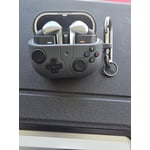
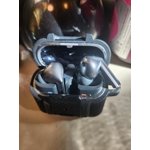
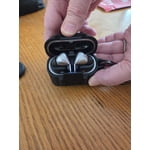
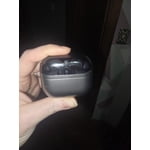
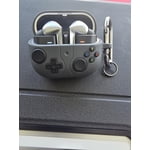
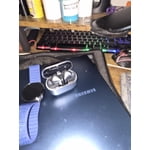
They look like knock off Air Pods. The Galaxy Buds used to have such a unique look with a great fit, and this new design really derailed that experience for me, personally. Love the sleekness of the silver color, though.
Touch controls are SO finicky. I hate them. The little arms where touch controls are located are hard for me to grip to "pinch" because of the angle of them. Especially to turn on/off the light feature. I managed to turn it on once and never again. I try to pinch at the same time, and it's only recognizing the input from one Bud, so it is adjusting the ambient sound controls instead of toggling the light (why would I need to adjust the ambient sound levels/options when the headphones aren't in my ears?)
Overall, very average at best. I'll likely move on to a new brand of headphones in the future if this design/touch control input stays the same. I don't find them very user friendly at all.
reply from R&R Team
Hey Bobcat305. Thank you for sharing your experience with the Galaxy Buds3 Pro! It's great to see that you enjoy the audio quality and appreciate the sleek silver design. With the Buds3 Pro, you can share sound with those around you by connecting multiple pairs of Buds to a TV or smartphone. This feature allows you to stream audio across various connected devices, making it perfect for sharing experiences with friends, whether it’s for silent discos or movie nights. We noted your concerns regarding the fit. The Galaxy Buds3 Pro is designed for comfort and stability. If you’re finding it a bit challenging to keep them in place, we recommend trying out the different ear tip sizes that come included. Achieving the right fit can make a significant difference in how securely they sit in your ears. You can also run a fit test using the wearable app. Regarding the touch controls, they are crafted for ease of use. For optimal performance, ensure you’re giving a firm pinch to the touch sensors. Adjusting your grip or angle slightly can also enhance your control experience. To make the most out of the light feature, be sure to have your earbuds updated to the latest software version using the Samsung Wearable app. Keeping your device updated will enhance overall performance and responsiveness. The ambient sound feature is there to enhance your listening experience. If you find it doesn’t suit your current needs, you can easily customize these settings in the app. We appreciate your insights and are confident that these tips will help you enjoy the full capabilities of your Galaxy Buds3 Pro. If you have any more questions or need assistance, don’t hesitate to reach out to us at Samsung Support. Your satisfaction is our top priority! -Kelvin
smsng.us/Samsung-Support
smsng.us/Facebook-Messenger
smsng.us/X-Messages
smsng.us/Samsung-Community
smsng.us/Warranty-Info
smsng.us/Samsung-Care-Plus