Skip to Main Content
Sam's Club
Sam's Club
All Departments
All Services
Customer reviews for Samsung Galaxy Buds3 Pro for
Samsung Galaxy Buds3 Pro

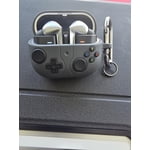
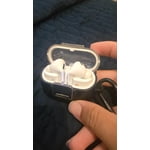
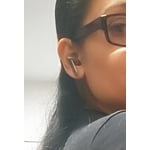
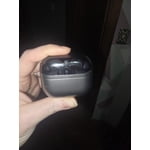
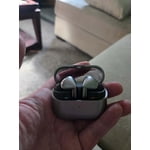
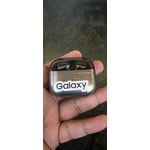
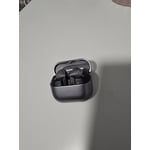
Member photos

  • +3767 images
Sort by |
Showing 801-810 of 14,109 reviews
Feb 22, 2025
Angie
5 out of 5 stars review

Verified Purchase

Love them 💕

There are really good i really didn't expect to love these no models because I was so use to the buds in my ears I did have to change to a smaller size on the ear piece but love it, love the noise canceling and how clear it still i feel like the volume is a little lower than the previous ear buds but its so smoothe you don't even notice much, it was a great buy.

Review from Samsung US
Helpful?3MTCIEJ7RGUC18797511992
Sep 18, 2024
Jeff G
2 out of 5 stars review

Verified Purchase

Buds Pro 2 are better

I have returned the buds 3 pro. The volume controls were very difficult to adjust on the stem.In regards to sound quality is sounded very staticky at peak volume.The maximum volume that you get with these is essentially half of what you get with the buds pro 2. Also the buds pro 2 has better noise reduction and sound quality.

Review from Samsung US
Helpful?3MTCIEJ7RGUC18797511992
reply from Social Commerce

Hi there Jeff G, we appreciate you sharing your thoughts with us about your Samsung Galaxy Buds3 Pro. We would love to help you troubleshoot any frustration you are experiencing with your device and maximize your experience with your new earbuds. We have provided a link to an article to help you with the audio quality of your earbuds. We have also shared a link to the full device manual to help you with the settings and features to help you align them to your preferences and needs. Lastly, we have shared a link to the Samsung Support Team if this experience continues and you would like additional assistance. Thank you for being a Samsung customer. -Elizabeth No, low, or poor audio quality on Samsung earbuds https://www.samsung.com/us/support/troubleshooting/TSG01111323/ Product Manuals https://www.samsung.com/us/support/downloads/ Samsung Support smsng.us/Samsung-Support Samsung Community smsng.us/Samsung-Community Facebook smsng.us/Facebook-Messenger X https://smsng.us/X-Messages

Sep 17, 2024
Elizabeth
4 out of 5 stars review

Verified Purchase

Best Buds on the market 👌

They work wonderfully. Just the left bud doesn't light up much and the extra ear tips are helpful but they still fall out. I need to go online for foam tips. They charge up quickly, last a long time and pair perfectly. I love I can charge them on my phone. The style and quality is great. My ear must be too small. I already recommended them to friends and family. Keep up the good work.

Review from Samsung US
Helpful?3MTCIEJ7RGUC18797511992
Jul 26, 2024
Logan
4 out of 5 stars review

Verified Purchase

Great sound upgrade, downgrade in look

They sound great, a slight set up from the buds 2 pros, ANC seems a tad better too based on my regular usage in places I require it. My only real gripe is the color options and the finish makes these look cheap asf, I loved the bud 2s and sad these don't look as nice.

Review from Samsung US
Helpful?3MTCIEJ7RGUC18797511992
Oct 27, 2024
Brian
3 out of 5 stars review

Verified Purchase

Could be better

I really enjoyed the features of the headphones and the detail they put behind the technology. The most disappointing thing about these headphones are that they do not hold in your ears. Anytime you're doing any form of fast walk, exercise or any form of quick movements, they tend to fall out your ears and again, this is dependent on your earlobe. As everybody is different, but this is very disappointed.Otherwise, they are great with all the features otherise this would been by far the best ear buds

Review from Samsung US
Helpful?3MTCIEJ7RGUC18797511992
reply from Social Commerce

Hi there Brian, we appreciate your feedback on your Samsung Galaxy Buds3 Pro. We are thrilled to hear you are enjoying the audio quality and overall detailed appearance of your device. We would love nothing more than to help you troubleshoot the fit of your earbuds for an uninterrupted listening experience for a full range of daily activities. We have provided links to an article and a video to help you with the placement and changing the ear tips to align to your ears. We also recommend doing a fit test with your earbuds while you are connected in the Samsung Wearables App. Lastly, we have provided a link to the Samsung Support Team if you continue to experience this frustration and would like additional assistance. Thank you for being a Samsung customer. -Elizabeth How to wear your Samsung Galaxy Buds3 and 3 Pro https://www.samsung.com/us/support/answer/ANS10003519/ Replacing the ear tips on your Galaxy Buds3 Pro for a perfect fit https://www.youtube.com/watch?v=i3SBh9ySfgA Samsung Support smsng.us/Samsung-Support Samsung Community smsng.us/Samsung-Community Facebook smsng.us/Facebook-Messenger X https://smsng.us/X-Messages

Oct 18, 2024
Corey B
4 out of 5 stars review

Verified Purchase

Great sounding earbuds, ANC troubles

The sound on these is not something to be overlooked - mids and highs reproduced by a 6.1mm planar speaker, allowing for relatively low audio distortion for a consumer audio product. These provide a very pleasant listening experience, especially with Lossless audio codecs pumped through the Buds. My criticism focuses on the ANC features. It feels like AI is trying constantly adjust the noise cancelation in the moment which leads to inconsistent ANC performance. On one instance, the Buds3 Pro thought a piercing loud noise was a viable sound to allow pass through, it caused me to rip the Buds from my ears in pain and turn off the machinery I was working with. Maybe the software needs to be adjusted and tweaked in an update to fix the ANC issues, or give users the option to use a broad noise cancelation without AI helping out.

Review from Samsung US
Helpful?3MTCIEJ7RGUC18797511992
reply from Social Commerce

Hi there Corey B, thank you for shariing your experience with your Samsung Galaxy Buds3 Pro with us. We are happy tohear you are pleased overall with the audio quality of your earbuds, and we would love to help you with tips and tricks to maximize your listening experience. We have provided a link to the full device manual that highlights the differences between the Adaptive audio setting and the ANC setting. You can also use the Samsung Wearables App to increase or decrease the intensity of the ANC setting depending upon your surroundings. We have provided a link to the Samsung Support Team to offer additional assistance through chat if you believe your earbuds are not operating as intended. Thank you for being a Samsung customer. -Elizabeth Product Manuals https://www.samsung.com/us/support/downloads/ Samsung Support smsng.us/Samsung-Support Samsung Community smsng.us/Samsung-Community Facebook smsng.us/Facebook-Messenger X https://smsng.us/X-Messages

Sep 19, 2024
stingraysix
3 out of 5 stars review

Verified Purchase

Prefer BUDS 2

It sounds excellent, and the stick operates smoothly. However, (1) it never gave me a "good fitting", and when I tried to replace to a different size insert, the plastic ring broke off and left on the unit and I don't want to force it out so I returned the unit. (2) I prefer BUDS 2 design a lot more, so I'll keep using it, or buy another one since this set occassionally disconnected itself.

Review from Samsung US
Helpful?3MTCIEJ7RGUC18797511992
reply from Social Commerce

Hi there Stingraysix, thank you for sharing your thoughts about your Samsung Galaxy Buds3 Pro with us. We completely understand how vital the ideal fit of your earbuds is to range of daily activities. We have some great resources available online to help you with the placement of your earbuds and another to a video to help you change the ear tips without damage. We have also shared a link below to help with the bluetooth connection of your earbuds to your device. We have lastly shared a link to the Samsung Support Team if you would like any additional assistance with your Samsung products. Thank you for being a Samsung customer. -Elizabeth How to wear your Samsung Galaxy Buds3 and 3 Pro https://www.samsung.com/us/support/answer/ANS10003519/ Replacing the ear tips on your Galaxy Buds3 Pro for a perfect fit https://www.youtube.com/watch?v=i3SBh9ySfgA Galaxy Buds disconnect from phone often https://www.samsung.com/us/support/troubleshooting/TSG01208805/ Samsung Support smsng.us/Samsung-Support Samsung Community smsng.us/Samsung-Community Facebook smsng.us/Facebook-Messenger X https://smsng.us/X-Messages

Feb 20, 2025
Derek
3 out of 5 stars review

Verified Purchase

falls short of what the buds live just works for

Good sound Comfy oval tips More premium feeling Bad case design: cannot take it out of the case and into the corresponding ear without having to delicately remove and rotate it to then put it in. Poor features: removed tap to play/pause in favor of a finicky pinch and swipe maneuver that only does volume control. Mic quality still needs improvement Have had 1 bud fall out on its own.

Review from Samsung US
Helpful?3MTCIEJ7RGUC18797511992
reply from R&R Team

Thank you for sharing your thoughts on the Galaxy Buds3 Pro!, Derek. We’re thrilled to see you appreciate the good sound quality and the comfort of the oval tips. We noted your concerns regarding the case design. The Galaxy Buds3 Pro is designed to be easy to use, and we appreciate your feedback regarding the design. Your input helps us improve the overall experience. The new pinch controls provide a more intuitive way to make adjustments while on the go. With a single pinch, you can play or pause a song, answer or end a call, or stop features like “Read Notifications Aloud,” “Voice Detection,” or “Siren Detection.” A double pinch will allow you to play the next song, while a triple pinch will play the previous song; if you pinch the earbuds three times within three seconds after a song starts, it will restart from the beginning. Additionally, pinching and holding activates the preset function, which by default is set to noise control mode, or allows you to reject a call. For volume adjustments, simply swipe up or down. You can also customize these controls through the Galaxy Wearable app. Just open the app, select your earbuds, and then go to "Earbud controls" to enable or disable the features you'd like to use. Thank you for your insights, and we hope you continue to enjoy your Galaxy Buds3 Pro! For any questions or concerns, please do not hesitate to reach out to us at Samsung Support. -Kelvin smsng.us/Samsung-Support smsng.us/Facebook-Messenger smsng.us/X-Messages smsng.us/Samsung-Community smsng.us/Warranty-Info

Dec 14, 2024
Jason
5 out of 5 stars review

Verified Purchase

Amazing earbuds

I love the Galaxy Buds Pro 3.vI upgraded from the original Galaxy Buds, and these are so much better and more comfortable. I love the shape and the post, makes them way easier to get in your ear and adjust. I love the "click" function, and the sound is great. Just an all around great earbud.

Review from Samsung US
Helpful?3MTCIEJ7RGUC18797511992
Sep 13, 2024
Scott
5 out of 5 stars review

Verified Purchase

Great earbuds! major upgrade from previous models

These sound incredible and are very comfortable to wear. Unlike so many others, they stay in place without problem while running, working out, etc. Currently using them with an S24 Ultra and enjoy controlling them through that app. I’ve had several other brands that never seemed to hold a Bluetooth connection with my phones, but this has been without any issue.

Review from Samsung US
Helpful?3MTCIEJ7RGUC18797511992