Skip to Main Content
Sam's Club
Sam's Club
All Departments
All Services
Customer reviews for Samsung Galaxy Buds3 Pro for
Samsung Galaxy Buds3 Pro

Member photos

  • +3768 images
Sort by |
Showing 7,791-7,800 of 14,110 reviews
Feb 11, 2025
LoveSound
5 out of 5 stars review

Possibly the best Bluetooth earphones

[This review was collected as part of a promotion.] I've had a couple of the first buds made and always had issues with the recipient not being able to hear me, or they'd hear me muffled, or as if I was underwater. However, with the Buds Pro 3, I have yet to hear a complaint from the other end. I do appreciate the light feature in case you misplace them in the dark. The sound that comes from the speakers is amazing. Especially since you can tune them to your own personal hearing settings. Overall, definitely an improvement.

Review from Samsung US
Helpful?3MTCIEJ7RGUC18797511992
Aug 26, 2024
Smokey
5 out of 5 stars review

Sound amazing. Love the new design.

[This review was collected as part of a promotion.] My galaxy buds really sound amazing and so far the best sounding earbuf. I really like how the blade is use to control the sound instead od tap because from the previous gen I would accidentally tap the TouchPad while readjusting the earbud. I don't think the battery life is as good as previous gens but it honestly a small price to pay compared to how they sound. (It's just a 2-3 hour difference I think). Then the ambient sound really makes it sound like the buss aren't even in my ear. Mic quality is great also but in order to be heard you do have to speak really clear. I'm not sure if there are mic setting in the app to change it or not. And the galaxy ai being used for the adaptive mode to know when to switch while talking to someone or when to switch to noise canceling is pretty good. Overall, great earbuds. Definitely would recommend at least trying them out and just send back if they're not your cup of tea.

Review from Samsung US
Helpful?3MTCIEJ7RGUC18797511992
Mar 11, 2025
OceanRider
5 out of 5 stars review

Great Upgrade

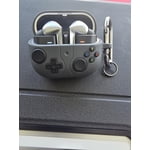
[This review was collected as part of a promotion.] This was a huge upgrade from my Galaxy Earbuds. The features I like the most in the Pro 3s are - the Backlight; it helps me find them in a dark room, the 360 featurce to sync with videos and its real time language translation is pretty cool too. However, the two features I rely the most on are its ability to adjust the audio based on its surrounding noise or speech and its long battery life. After a week, i realised it senses alamrs or sirens around you as well. With so many cool features, for some time it felt like I was exploring new features everyday, haha. I must say, I am bit spoilt by now and look forward to the galaxy next upgrade. I got the extra protective case at no additional cost with my purchase which I feel is a must given the glass cover of the charging case.

Review from Samsung US
Helpful?3MTCIEJ7RGUC18797511992
Nov 8, 2024
Germain
5 out of 5 stars review

Great sound quality!

[This review was collected as part of a promotion.] I switched from Buds2 Pro and I can definitely feel the difference in the sound quality - it is very crisp, especially the low frequency sounds. The noise isolation is so much better, and it works even in crowded areas. I also like the new touch panel, as it is easier to use and my gestures are rarely confused by the buds. I am a bit unsure about some features like the "Adaptive" sound mode, as I am not sure what exactly it does compared to the "Ambient" one. Similarly, I am not sure what exactly the "Adjust sound to fit" does.

Review from Samsung US
Helpful?3MTCIEJ7RGUC18797511992
Jul 28, 2025
LightnSweet68
5 out of 5 stars review

This product has great sound quality

[This review was collected as part of a promotion.] Improved Sound Quality: The Buds 3 Pro feature a balanced sound signature, with good clarity and detail, and they are considered high-fidelity. Comfortable Fit: The stem-style design is generally well-received for its comfort and snug fit. Effective Noise Cancellation: The active noise cancellation (ANC) has seen improvements and is considered effective at blocking out a range of background noises.

Review from Samsung US
Helpful?3MTCIEJ7RGUC18797511992
Mar 7, 2025
Andrew
2 out of 5 stars review

The auto volume adjustment is stupid!

Sound great but they are annoying. They have auto adjusting volume and it's stupid. I work in a loud environment and the head phones constantly turn themselves down and samsung offers no way to turn this off. Good sound quality offers no benefit it if you can't hear anything.

Review from Samsung US
Helpful?3MTCIEJ7RGUC18797511992
reply from R&R Team

It's awesome to hear from you, Andrew. Thank you for sharing your thoughts on the Galaxy Buds3 Pro. We understand how important it is to have a consistent audio experience, especially in a loud work environment like where you work. The Galaxy Buds3 Pro is designed to provide an enhanced listening experience with features like Ambient sound, Adaptive sound, and Active noise canceling. These sound options can automatically adjust based on your surroundings. However, we understand that in your case, this might be causing more frustration than benefit. To manually control these features, you can use the Galaxy Wearable app. Make sure your Galaxy Buds3 Pro is connected to your phone or tablet, and then navigate to and open the Galaxy Wearable app. You’ll see a control bar at the top of the screen that can be used to manually enable or disable Ambient sound, Adaptive sound, and Active noise canceling. Simply tap your desired option to begin using it, and adjust the sliders as needed to control the volume and noise cancelation levels. We hope this helps improve your experience with your Galaxy Buds3 Pro. If you have any further questions or concerns, please be sure to reach out to us at Samsung Support. -Kelvin smsng.us/Samsung-Support smsng.us/Facebook-Messenger smsng.us/X-Messages smsng.us/Samsung-Community smsng.us/Warranty-Info smsng.us/Samsung-Care-Plus

Oct 17, 2024
Yavoo11
5 out of 5 stars review

I love my buds

[This review was collected as part of a promotion.] I love the use of galaxy AI in my buds for ease of use. The lights on the edge of the buds are a cool detail and optional which i love. Sound quality is definitely better than my bud 2 pros and the earbuds dont slide out the way my old ones would.

Review from Samsung US
Helpful?3MTCIEJ7RGUC18797511992
Mar 11, 2025
NovaLynn
5 out of 5 stars review

Best galaxy buds yet

[This review was collected as part of a promotion.] I was kinda hesitant because of the changed style, but they are really comfortable. Before these I was using the galaxy buds 2 pro. I like that they added AI feature and the ability to translate languages. That would come in handy at my husband's job where they hire people that can't speak English or speak it very well. I love that I can controll my buds with my watch as well.

Review from Samsung US
Helpful?3MTCIEJ7RGUC18797511992
Feb 15, 2025
JJ84
5 out of 5 stars review

Great sound great feel

I've had almost every iteration of galaxy buds. I'm a bit of an audiophile when it comes to sound. These buds are by far the best pair yet. Sound is great the features set is more than I will ever need. The ear tip process to remove and install new tips is a little complicated but other than that I love them.

Review from Samsung US
Helpful?3MTCIEJ7RGUC18797511992
Jan 19, 2025
Igor
1 out of 5 stars review

Bad choice

1. When you install only the right earphone, a sharp squeak (grinding) appears from it, and it is constantly repeated if the left earphone is not installed. If you install the left earphone before the right one, then this does not happen. When I first bought these headphones, this problem did not exist, it appeared after 2–3 months of using them. 2. Regardless of what size rubber earbuds you use, the headphones do not stay in your ears, you have to constantly adjust them. I really regret that I changed the Galaxy Buds2 Pro headphones to Galaxy Buds3 Pro

Review from Samsung US
Helpful?3MTCIEJ7RGUC18797511992
reply from R&R Team

Thank you for sharing your experience with the Galaxy Buds3 Pro, Igor. Your feedback is invaluable, and we want to address your concerns. We understand that it can be surprising to hear a sharp squeak from the right earphone when the left one isn't installed. To enhance your experience, please ensure that the earphones are updated to the latest software version through the Galaxy Wearable app. Additionally, resetting the earbuds by pressing and holding the touchpads on both earbuds until you hear a series of beeps may improve performance. Regarding the fit, it's essential for the earbuds to sit securely. Trying out all the different sizes of rubber tips that come with the Galaxy Buds3 Pro can help you find the most comfortable and stable fit. The Earbud Fit Test feature in the Galaxy Wearable app is also available to assist in choosing the best option for your ears. The goal is to ensure everyone enjoys the Galaxy Buds3 Pro to the fullest, and we hope these suggestions help! If there are any additional questions or if further support is needed, please feel free to reach out to us at Samsung Support. -Kelvin smsng.us/Samsung-Support smsng.us/Facebook-Messenger smsng.us/X-Messages smsng.us/Samsung-Community smsng.us/Warranty-Info smsng.us/Samsung-Care-Plus