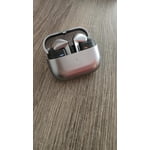
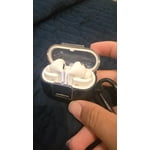
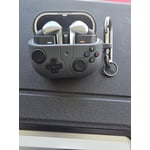
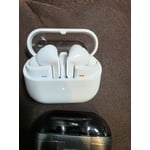
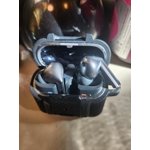
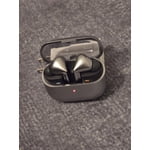
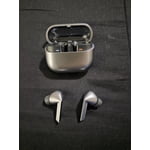
Member photos


+3771 images
Average at Best
Audio quality is good enough. The fit is meh for me, even though the silicone that goes in my ear is the right size. I have trouble keeping the headphones in without needing to readjust every few minutes or so. They look like knock off Air Pods. The Galaxy Buds used to have such a unique look with a great fit, and this new design really derailed that experience for me, personally. Love the sleekness of the silver color, though. Touch controls are SO finicky. I hate them. The little arms where touch controls are located are hard for me to grip to "pinch" because of the angle of them. Especially to turn on/off the light feature. I managed to turn it on once and never again. I try to pinch at the same time, and it's only recognizing the input from one Bud, so it is adjusting the ambient sound controls instead of toggling the light (why would I need to adjust the ambient sound levels/options when the headphones aren't in my ears?) Overall, very average at best. I'll likely move on to a new brand of headphones in the future if this design/touch control input stays the same. I don't find them very user friendly at all.
Hey Bobcat305. Thank you for sharing your experience with the Galaxy Buds3 Pro! It's great to see that you enjoy the audio quality and appreciate the sleek silver design. With the Buds3 Pro, you can share sound with those around you by connecting multiple pairs of Buds to a TV or smartphone. This feature allows you to stream audio across various connected devices, making it perfect for sharing experiences with friends, whether it’s for silent discos or movie nights. We noted your concerns regarding the fit. The Galaxy Buds3 Pro is designed for comfort and stability. If you’re finding it a bit challenging to keep them in place, we recommend trying out the different ear tip sizes that come included. Achieving the right fit can make a significant difference in how securely they sit in your ears. You can also run a fit test using the wearable app. Regarding the touch controls, they are crafted for ease of use. For optimal performance, ensure you’re giving a firm pinch to the touch sensors. Adjusting your grip or angle slightly can also enhance your control experience. To make the most out of the light feature, be sure to have your earbuds updated to the latest software version using the Samsung Wearable app. Keeping your device updated will enhance overall performance and responsiveness. The ambient sound feature is there to enhance your listening experience. If you find it doesn’t suit your current needs, you can easily customize these settings in the app. We appreciate your insights and are confident that these tips will help you enjoy the full capabilities of your Galaxy Buds3 Pro. If you have any more questions or need assistance, don’t hesitate to reach out to us at Samsung Support. Your satisfaction is our top priority! -Kelvin smsng.us/Samsung-Support smsng.us/Facebook-Messenger smsng.us/X-Messages smsng.us/Samsung-Community smsng.us/Warranty-Info smsng.us/Samsung-Care-Plus
Incredible Sound and Intelligent Features
[This review was collected as part of a promotion.] I've been thoroughly impressed with the Galaxy Buds Pro. They have seamlessly integrated into my daily routine, from taking work calls to streaming music at the gym. The sound quality is exceptional, providing a rich and immersive experience whether I'm listening to podcasts or gaming. The Active Noise Cancellation is fantastic for helping me focus in loud environments. What really sets these apart is the integration with Galaxy AI. Features like Live Translate have been surprisingly useful when watching foreign films. The intelligent switching between my Samsung phone and tablet is effortless. These earbuds have genuinely improved how I interact with my devices for both work and entertainment, offering comfort and reliability all day long.
I can jam like a pro
[This review was collected as part of a promotion.] The amazing command features for the buds make the experience all the better. The headsets are very nice, elegant, and modern. The only recommendation is that the bass for the pros could be amplified more. Also I miss the ability for the pros to fade out/down while speaking. Other than that it's an amazing experience.
Hey there Samsungferno, we appreciate your feedback on your Samsung Galaxy Buds3 Pro. We are pleased to hear you are enjoying the enhancements and capabilities of your new earbuds. These earbuds do have the feature of conversational awareness to turn down the volume while you are speaking. We have provided a link to the full device manual to help you with this setting as well as the settings in audio quality to best align to your preferences. We apprecicate you being a Samsung customer. -Elizabeth Product Manuals https://www.samsung.com/us/support/downloads/ Samsung Support smsng.us/Samsung-Support Samsung Community smsng.us/Samsung-Community Facebook smsng.us/Facebook-Messenger X https://smsng.us/X-Messages
Galaxy Buds3 Pro–Premium Sound with Smart Features
[This review was collected as part of a promotion.] The Galaxy Buds3 Pro delivers an outstanding audio experience with rich, balanced sound and deep bass. The improved Active Noise Cancellation (ANC) effectively blocks out background noise, making them perfect for commuting or working in noisy environments. The new Ambient Mode is seamless, allowing clear conversations without removing the earbuds. Comfort-wise, the fit is snug and lightweight, making them easy to wear for long periods without discomfort. The battery life is impressive, lasting several hours on a single charge, and the quick charge feature is a great bonus. Connectivity is flawless with Samsung devices, and the new touch controls are more responsive and intuitive. The AI-powered call enhancement ensures crystal-clear voice quality, and the multipoint connectivity makes switching between devices effortless. Overall, the Galaxy Buds3 Pro is a premium choice for anyone looking for high-quality sound, smart features, and a comfortable fit. Highly recommended!
Great sound!
[This review was collected as part of a promotion.] The sound on these are amazing and I couldn't be happier. All the customization for sound features is great. I can go from ambient sound to active noise canceling whenever I want. I really like the bass on the headphones when playing music. Call quality is very clear and everything runs smoothly.
The Sound of Real Life, Amazing!
[This review was collected as part of a promotion.] I love my Galaxy Buds 3 pro. This is my second pair of Galaxy Buds. I was a little hesitant to upgrade at first. I love my last set of Galaxy buds 2 I love to stream music and audio books while I get my in while walking at the park. But, a real good friend suggested that I would fall in love with the Galaxy Buds 3 Pro. I said then loan me yours for a week. After some hesitation and me loaning her my 2's for the week we switched. Well, needlessly to say... it only took a day for me to totally hear the massive difference. I order mine Monday, they arrived Wednesday, and we switched back Wednesday as well. Not that the 2's were subpar, not st all. The 3's just fit my ears differently and allow for a fuller, richer sound quality. I still travel with my 2's in my backpack and my 3's in my pocket. And I sometimes switch for different sounds and so my 3's don't have ss much as chance to be stolen. Just keep it real. You know you'd do the same. JVC on the bus SAMSUNG buds 3 pro at the desk!! It's all good that way! And I must say they are much better than any Beats I've had. And I've listened to some Boise too... nope neither come close to my Buds 3 pro!! Thats keeping it real!! Peace out man.
Disconnect
They sound good. The bult quality is ok. They disconnect from my phone (s24u) at random and try to connect to my laptop (360 pro 4) and vice versa. They end up connecting back to neither. That is sooooo frustrating. You'd think that after so many gens they would get that right, right? Noise canceling is good. Controls are good. Seal is good.
Thank you for sharing your experience with the Galaxy Buds3 Pro! We truly appreciate your feedback. It’s great to see that you enjoy the sound quality, build quality, noise canceling, controls, and seal. These features are designed to provide an exceptional listening experience, and we’re glad they resonate with you. For the connectivity aspects you mentioned, let's explore some steps to enhance your pairing experience. First, ensure that both your Galaxy S24 Ultra and Galaxy Book Pro 360 are running the latest software updates. Keeping your devices updated can significantly enhance connectivity stability. Next, you might want to clear the Bluetooth cache on both devices. For your phone, go to Settings > Apps > Show system apps > Bluetooth > Storage > Clear Cache. This can help refresh the Bluetooth connection. Additionally, make sure that both devices are within close range when connecting. If you’d like more control over which device the Galaxy Buds connect to, consider turning off the 'Auto Switch' feature temporarily. You can do this in the Wearable app by going to the Advanced settings and toggling off Auto Switch. This adjustment may help maintain a stronger connection with your preferred device. We want your experience with the Galaxy Buds3 Pro to be nothing short of incredible. If you have any further questions, please don’t hesitate to reach out to us at Samsung Support. We’re here to help! -Kelvin smsng.us/Samsung-Support smsng.us/Facebook-Messenger smsng.us/X-Messages smsng.us/Samsung-Community smsng.us/Warranty-Info smsng.us/Samsung-Care-Plus
The buds ever
[This review was collected as part of a promotion.] Although I thought I wouldn't like the new shape of the buds, but I was fascinated and their new gesture functions although I cost to adapt but they are perfect, after trying them carefully and comparing them with my buds 2 pro but now the change in both form and audio quality is huge, at first I think I wouldn't like them, but now I recognize that I love them.
Samsungs BEST headphones
[This review was collected as part of a promotion.] From the revision in design, and quality is know and love from samsung to the newest features like Ai integration, the GalaxyBuds Pro 3 are an essential item I bring with me everywhere. I upgraded from my galaxy buds 2 and I love the updated ambient noise/noise canceling and sound quality.
I'm disappointed
I bought these because I thought they would be more comfortable than the galaxy buds live. Regretting my decision. The do not stay in place. I had by husband try them for a week and he experienced the same issue. I can't use them because I'm afraid they will pop out and I loose them. I want to get something else but my options are limited as there are no suitable replacements.
Thanks for taking the time to share your feedback on the Galaxy Buds3, Rho. We always love getting insights from our valued customers. To enhance your experience, it's crucial to ensure you're using the right-sized ear tips. The Galaxy Buds3 Pro comes with different ear tip sizes to provide a secure fit and optimal sound quality. If you’re unsure which size works best for you, please refer to our guide on changing ear tips for step-by-step instructions. Once you have the correct tips on your earbuds, make sure to correctly position the earbuds in your ears. Look for the directional marks—there’s an ‘L’ for the left earbud and an ‘R’ for the right. Insert the right earbud (R) with the ‘R’ facing you, and do the same for the left (L). A slight angle adjustment can help too; try tilting the microphone towards your mouth, which can also improve your overall experience. Additionally, for a more personalized fit, you can run an Earbud Fit Test using the Galaxy Wearable app. This feature helps ensure you're getting the best seal and audio performance for your unique ear shape. Once again, we appreciate your feedback and hope these tips help you enjoy your Galaxy Buds3 Pro to the fullest! If you have any questions, feel free to reach out to us at Samsung Support. -Kelvin smsng.us/Samsung-Support smsng.us/Facebook-Messenger smsng.us/X-Messages smsng.us/Samsung-Community smsng.us/Warranty-Info smsng.us/Samsung-Care-Plus