
Member photos

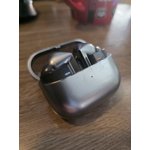
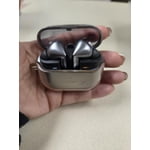
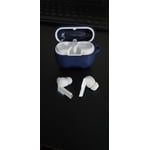
 +3977 images
Verified Purchase
Buds 3 pro are the best sounding earbuds I ever ha
Best earbuds I ever had. The sound quality is supreme, coming from buds+, Live and 2 Pro's the 3 Pro's are a great evolution in terms of sound quality, very well balanced sound, amazing bass, and with some EQ it's almost perfect. The only aspect that I think it can be improved is ANC, I don't know if it's because a hardware problem or just the ear tips are not the best, because with even maxed out the ANC on the wear app and I still can hear some outside noise. But other than that 10 on sound quality and comfort.

Verified Purchase
These are Great
I think that the sound quality is amazing. I have been using them for a couple weeks now and they keep up with my use using them for hours everyday. It would be nice if they had some more features for Samsung health, something like heart rate monitor or maybe a thermal sensor that tells you your temperature when working out.
Hi Brayden, we appreciate your feedback on your Samsung Galaxy Buds3 Pro. We love know you are finding these earbuds to be so wonderful every day during your usage. We have provided a link to the full device manual to help you discover additional features that may further enhance your daily experience. We have also shared a link to the Samsung Support Team if you have questions about any of your Samsung products. Thank you for being a Samsung customer. -Elizabeth Product Manuals https://www.samsung.com/us/support/downloads/ Samsung Support smsng.us/Samsung-Support Samsung Community smsng.us/Samsung-Community Facebook smsng.us/Facebook-Messenger X https://smsng.us/X-Messages
Verified Purchase
Good Quality
These are very high quality earbuds, the only issue I have found with them is it is difficult to remove the soft earbud tips and I accidently ripped one trying to remove it, other than that they work well and I think I enjoy them even better than the galaxy buds 2.
Verified Purchase
Great quality and comfortable fit!
These have been a huge improvement from my Buds+! I've used my same pair of Galaxy Buds+ for years now and was reluctant to try anything new since they've always worked well for me. When I bought my new S25 Ultra and had enough credits for the Buds3 Pro to be completely free, I had no reason to say no! I think they sound amazing, they're comfortable, the design is cool (despite reminding me of airpods :( ), and they have great active noise cancelling. All in all, absolutely worth having!
Decent upgrade to the Buds 2
Fitment is excellent. The sound quality and ambient sound translation is much better than the Buds 2 that I had before. The language translation function is kind of cool but seems like you may need to have your phone with it, though I may have to test that out. It does seem to have a bit of a squelch issue (squealing when you put them in) that I believe is likely causes by the proximity of the ambient mic and the speakers compared to the volume and sensitivity of the mic. I can also say that I am not a huge fan of the case as there is not much room to insert and remove the headphones between the case and the lid. I hope they hold up to workouts and working outside like the Buds 2 did but time will tell.
Hi Steven, We enjoy hearing your detailed thoughts on the Galaxy Buds3 Pro. The Buds3 Pro are designed to enhance immersion with adaptive ambient sound and clear translation, creating a more natural listening experience. The improved ergonomic fit and mic placement support better call quality, especially during active use. Your feedback highlights the Buds’ versatility and ongoing innovation in audio quality and comfort. We appreciate your continued trust in the Galaxy Buds line as it evolves with each generation. Thank you for sharing your experience and being part of the Galaxy sound journey. Thank you for choosing Samsung as your go-to brand. Ty Samsung Support smsng.us/Samsung-Support Samsung Community smsng.us/Samsung-Community Facebook smsng.us/Facebook-Messenger X https://smsng.us/X-Messages
Verified Purchase
Really good
Sleek and stylish. Truly a premium feeling pair of earphones. Audio quality is great too. My only complaint is that even with the 3 different bud sizes, it still feels like it would slip out of my ears if I move around too much. Would NOT recommend these for working out.
Hi there Stephon, thank you for your feedback on your Samsung Galaxy Buds3 Pro. We love hearing you are enjoying the appearance and feel of your new earbuds along with the enhanced audio quality. We would love to help you troubleshoot the fit of your earbuds to help you have an uninterrupted use regardless of the task. We have provided a link to an article to help you with the placement, and recommend using the Samsung Wearables App to perform a fit test as a follow up. We have also shared a link to the Samsung Support Team if this experience continues or you have any questions about your Samsung products. Thank you for being a Samsung customer. -Elizabeth How to wear your Samsung Galaxy Buds3 and 3 Pro https://www.samsung.com/us/support/answer/ANS10003519/ Samsung Support smsng.us/Samsung-Support Samsung Community smsng.us/Samsung-Community Facebook smsng.us/Facebook-Messenger X https://smsng.us/X-Messages
Verified Purchase
A good pitch, but could use some work.
Sound quality and overall design is good. But a bit of a step back with the ANC and perhaps it being unpolished: metallic and sharp noises that the previous generation had no issues with are now a problem. Heavy vibration and wind also seems to be an issue. Perhaps can be remedied by a few updates, but for now, keep to quieter areas.
Verified Purchase
Just Okay!
Random feedback occurs when readjusting the buds in my ear. On one particular occasion the buds had static nose with a feedback tone blaring through which didn't stop right after putting it back in the case. Slips out easier than the buds 2 pro and quite annoying to wear at the gym. Not the biggest fan of the color.
Hi Dwight, thank you for your feedback on your Samsung Galaxy Buds3 Pro. We completely understand how frustrating it is to have brand new earbuds that are not operating as intended or expected. The feedback you are experiencing may be caused by an obstruction to your microphone during placement or adjustment. We have also provided a link to an article to help you with the fit of your earbuds, and always recommend a fit test be performed in the Samsung Wearables App. We have also shared a link to the Samsung Support Team if these experiences continue and you would like additional assistance. Thank you for being a Samsung customer. -Elizabeth How to wear your Samsung Galaxy Buds3 and 3 Pro https://www.samsung.com/us/support/answer/ANS10003519/ Samsung Support smsng.us/Samsung-Support Samsung Community smsng.us/Samsung-Community Facebook smsng.us/Facebook-Messenger X https://smsng.us/X-Messages
Verified Purchase
Bad Fit for Long Term Wear
After wearing these for 2 hours, the buds made my ears sore. I also didn't like the new touch settings. The swiping up and down along the bar and applying enough pressure is nearly impossible to achieve one-handed. I immediately returned mine and continue to wear the Buds2 Pro.
Hi there RTRT, Thanks for taking the time out of your day to share your thoughts with us about your Samsung Galaxy Buds3 Pro. Your feedback allows us to continue to strive in providing the best products with superior functionality on the market to our customers. Samsung provides a 12-month warranty on our products for manufacturing defects in materials and workmanship, linked below. Wearing your Buds3 Pros improperly can cause discomfort, sound leaks, and makes them more likely to fall out. As you know, the Galaxy Buds3 Pro come with different sized ear tips. The first thing you want to do is make sure they have the right size tips for your ears. You want them to fit so that there isn't a gap between your ear and the ear tip. This helps to avoid sound leaks and ensure optimal audio. Once you have the right tips on your buds: 1. Check the bottom of the earbuds for directional marks. You will see an L and an R. 2. Insert the R bud into your right ear with the R facing you. 3. Insert the L bud into your left ear with the L facing you. 4. Angle the blade slightly so that the microphone on the bottom is pointing towards your mouth rather than straight down. 5. You can adjust the buds by rotating them forwards and backwards until the fit feels right. You can also run an earbud fit test in the Galaxy Wearable app to ensure you have the proper fit. To run an Earbud fit test, 1. Open the Galaxy Wearable app on your connected phone. 2. From the Buds3 Pro screen, tap Sound quality and effects. 3. Tap Earbud fit test. 4. The screen will display either In ear or Not in ear. Make sure both buds are in your ears, and then tap Start. 5. The buds will chime for a few seconds, and then the app will display your results. It may say Poor fit or Good fit. If the fit is poor, make small adjustments and then tap Try again. 6. Continue running the fit test and making adjustments until you get a good fit result for both buds. If you would like to learn more, feel free to review, "How to wear your Samsung Galaxy Buds3 and 3 Pro. If you would like to share any other feedback with us or if you would like further assistance, please let us know by reaching out to Samsung Support at your leisure. Thank you for choosing Samsung! - Debra Samsung Support smsng.us/Samsung-Support Warranty Info smsng.us/Warranty-Info Facebook Messenger smsng.us/Facebook-Messenger X Messages https://smsng.us/X-Messages Samsung Community smsng.us/Samsung-Community Buds3 Pro https://www.samsung.com/us/mobile-audio/galaxy-buds3-pro/ How to wear your Samsung Galaxy Buds3 and 3 Pro https://www.samsung.com/us/support/answer/ANS10003519/
Verified Purchase
Excellent version of earbuds
Samsung have nailed the earbuds with the third try. The Galaxy Buds 3 deliver reliable performance, rich sound quality, and clear audio across all uses—whether you’re taking phone calls, listening to music, or enjoying podcasts. The noise canceling is particularly impressive, easily drowning out background hums such as the steady drone of an airplane.Battery life is strong enough for long days and commutes, and the fit is comfortable without feeling heavy in the ear. Call quality holds up even in noisy environments, making them a dependable option for work and travel alike.