

Member photos

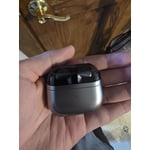
 +3896 images
Verified Purchase
Base Buds -> Galaxy Buds3 Pro
I purchased the Buds3 originally but they wouldn't stay in my ear through daily house chores. Upgraded to the Buds3 Pro and they are working great (as intended). Easy out-of-the-box setup within the Samsung ecosystem. At times voice commands "turn off"; the option will be on, however, the Buds won't recognize the command even when spoken clearly in a quiet environment. Placing them back in the case and removing them "resets" them or something but has worked anytime I've had the issue. I noticed this happens often when I remove them (for whatever reason) then place them back into my ear. Overall, I would highly recommend the Buds3 Pros.
Great sound
[This review was collected as part of a promotion.] Great sound, life, and noise canceling. However seamless switching between phone and watch ultra does not work at all. Half of the time it won't connect to my phone, and the other half of the time it won't connect to watch ultra unless the case is open with both buds connected.
The Best That Have Been Made
[This review was collected as part of a promotion.] The in ear comfort of my Galaxy Buds Pro 3 are serious. Other earbuds in yhe past have hurt my ears but not these. When I need to do dictation and/or use Galaxy AI, I speak into my headphones. I don't like to hold my phone, so I always have my Pro Buds 3 in about 90% of the day.
Verified Purchase
Could Be Better
The sound quality is just as good as the Buds2 Pro with Ambient or ANC off. I still have significant white noise while using either mode. I actually really like the "pinch" functionality despite the airpod design. All in all, I would not suggest an upgrade if you already have the Buds2 Pro unless they are starting to fade in quality.
Thank you for sharing your thoughts on the Galaxy Buds3 Pro, Mike! We’re glad to see you enjoy the sound quality and the pinch functionality! If you’re experiencing static noise, we recommend checking for updates on both your earbuds and the connected device to ensure you’re using the latest software. Restarting or resetting your earbuds can also help clear up any minor glitches. Check out the link attached for more detailed instructions on how to resolve this. We want you to have the best possible experience with the Buds3 Pro, so we hope these suggestions enhance your experience! If you have any further questions or need assistance, feel free to reach out to us at Samsung Support! -Kelvin smsng.us/Samsung-Support smsng.us/Facebook-Messenger smsng.us/X-Messages smsng.us/Samsung-Community smsng.us/Warranty-Info smsng.us/Samsung-Care-Plus
Verified Purchase
Great but the ANC is bad.
The headphones are great. Comfortable with good sound quality and they fit great. The only downside is the Active Noise Cancelling. For whatever reason, it can't cancel out higher frequencies, and instead, kind of amplifies them. Like when I'm working from home with ANC on, I can't hear my wife playing music in th other room, but I can very distinctly hear every click of my keyboard, or my dogs nails on our hardwood floor.
Clear high quality sound
[This review was collected as part of a promotion.] I primarily use the buds 3 pro for gym workouts. ANC works well as long as you get a good seal/correct size ear tips. Pairing with a Samsung phone that supports ssc v2 (the uhq setting), the buds are possibly the best sound quality experience on the tws market. Using a high quality music source, the high bitrate support creates a bright and clear sound that sounds better than much more expensive competitors. The Galaxy AI adaptive noise control is so interesting. It can adjust to your surroundings and create a better experience. Highly recommend if you have a higher end Samsung phone to pair with these buds.
Verified Purchase
Great buds for gym and traveling
Really like wearing them. Very comfortable and secure. Got the first run but not have had any quality issues and did try all sizes of ruuber fittings. Have not fallen out when exercising and wore for hours on a plane with no ear fatigue. Sound is great and noise cancelling works really well. I really like the volume control using the stems. Highly recommend
Verified Purchase
Regretful Purchase
I like how light they are, but none of the three tips make a good fit so the ANC is severely lacking. Worse is that after a run or working out, even with a tiny amount of moisture they won't charge. Even if I dry them with a towel, I have to wait an hour or two before I can put them in the charging case...which means I have to disconnect them from bluetooth, otherwise they stay connected. Sadly, I traded in my Buds2 Pro to offset the cost of these, so if I return them now, I have to pay a restocking fee AND I won't get my Buds2 Pro back.
Hey Rich! Thank you for sharing your experience with the Galaxy Buds3 Pro. It's great to see that you like how light they are! Regarding the fit, the Buds3 Pro comes with replaceable ear tips, allowing you to select the most comfortable option. Adjusting the angle of the earbuds in your ears may also improve stability. For charging after workouts, moisture on the charging contacts can prevent proper charging. Ensuring the earbuds are completely dry before placing them in the case is important. If drying with a towel doesn’t work immediately, allowing extra time for any residual moisture to evaporate can help ensure a reliable charge. We appreciate your feedback and hope these details help enhance your experience with the Galaxy Buds3 Pro. For any further concerns or questions, please reach out to us at Samsung Support. -Kelvin smsng.us/Samsung-Support smsng.us/Facebook-Messenger smsng.us/X-Messages smsng.us/Samsung-Community smsng.us/Warranty-Info smsng.us/Samsung-Care-Plus
Good earbuds + horrible case/charging = useless
They are outstanding earbuds and work great. That being said, the case/charging ability is atrocious and makes using these difficult and frustrating. Every time I use them to go for a run or just charge the case the case will not charge them. It gives an error that charging has stopped and I need to clear the earbuds of moisture/debris. I can wipe them, clean them, use alcohol wipes, etc and nothong will work. Even if I simply charge the case while wearing them without working out I will get that error. I either have to make them sit for 6+ hours out of the case or mess with the charging prongs at the bottom of the vase with a smalls screw driver for it to work. Extremely frustrating. I have had these less than a month and have had the issue since day one. Its always the left ear bud for some reason, but sometimes both of them. There are dozens of reddit threads with this same issue. Wish I saw those before wasting my money on them.
Hi Jake, Thank you for reaching out and sharing your experience with your Galaxy Buds3 Pro. The charging case is considered the central hub for your earbuds. As long as your buds are updated, the charging process should be a breeze. Based on your experience, we would like to tailor our concern. Please reach out to our Samsung Support Team. Keep in mind, Samsung products are warranted against manufacturing defects in material and workmanship for the limited 12-month warranty period specified for each product. We also offer the option to add additional coverage with Samsung Care+ on eligible devices, which offers extended protection and further support. Additionally, for eligible devices, we offer the option to add extra coverage through Samsung Care+, which provides extended protection and additional support. We look forward to assisting you. Thank you for being a part of the Samsung community. Mobile Accessories Support https://www.samsung.com/us/support/mobile/mobile-accessories/ -Ty Samsung Support smsng.us/Samsung-Support Samsung Community smsng.us/Samsung-Community Facebook smsng.us/Facebook-Messenger X https://smsng.us/X-Messages
Verified Purchase
Disappointed
Just overall worse than the previous model of pro, touch controls non existent, sound quality not quite there, almost impossible to work out with, even with the biggest ear size just falls out... pro 2 was the best of the best, even beat out bose imo.
We appreciate your candid feedback, Eric. We hate to see that your buds have not lived up to your expectations but we would love to work with you to resolve your concerns. We've compiled some troubleshooting links at the end of this response. Regarding the sound quality, we recommend checking out the equalizer in the wearable app to better tailor the sound to your liking. Regarding the fit, it's important to check the bottom of the earbuds for directional marks. You'll see an "L" for the left bud and an "R" for the right. Insert the R bud into your right ear with the "R" facing you, and the L bud into your left ear with the "L" facing you. Angle the blade slightly so that the microphone on the bottom is pointing towards your mouth rather than straight down. You can adjust the buds by rotating them forwards and backwards until they feel comfortable. Additionally, you can run an earbud fit test in the Galaxy Wearable app to ensure you have the proper fit. if you have any further concerns or questions, please be sure to contact us at Samsung Support. -Kelvin https://www.samsung.com/us/support/troubleshooting/TSG01208806/#:~:text=Check%20that%20you%20are%20wearing,800%2DSAMSUNG%20to%20request%20service. (Touch controls) smsng.us/Samsung-Support smsng.us/Facebook-Messenger smsng.us/X-Messages smsng.us/Samsung-Community smsng.us/Warranty-Info smsng.us/Samsung-Care-Plus