Skip to Main Content
Sam's Club
Sam's Club
All Departments
All Services
Customer reviews for Samsung Galaxy Buds3 Pro for
Samsung Galaxy Buds3 Pro

Member photos

  • +3765 images
Sort by |
Showing 1,241-1,250 of 14,102 reviews
Sep 25, 2024
Cracky112
5 out of 5 stars review

Verified Purchase

Ambient

I genuinely love the new ear buds the ambient audio is definitely the big improvement for me it's so much more clearer than the previous bud 2 pros. When someone is talking to me while it's I'm ambient mode I can understand them better even with music playing.

Review from Samsung US
Helpful?3MTCIEJ7RGUC18797511992
Mar 17, 2025
Angell
3 out of 5 stars review

Verified Purchase

Good but not great

Previous buds 2 were better fit and noise cancelling. Charging is hit or miss. Sometime when putting the buds in the case they don't charge or stop charging. Frustrating when you think they'll be done charging after all night but only to find out they're still dead

Review from Samsung US
Helpful?3MTCIEJ7RGUC18797511992
reply from R&R Team

Thank you for sharing your thoughts on the Galaxy Buds3 Pro, Angell! We appreciate your feedback and want to ensure you have the best possible experience with our products. We understand that fit and noise cancellation are vital for enjoying your audio. The Galaxy Buds3 Pro are designed with an ergonomic fit and enhanced active noise cancellation features, providing a more comfortable experience and allowing you to immerse yourself fully in your music without distractions. The Galaxy Buds3 Pro comes with different-sized ear tips. The first thing you want to do is make sure they have the right size tips for your ears. You want them to fit so there isn't a gap between your ear and the ear tip. This helps to avoid sound leaks and ensure optimal audio. You can also run an earbud fit test in the Galaxy Wearable app to ensure you have the proper fit. Regarding charging, we’ve introduced improvements to the charging case to help provide a more reliable experience. The Galaxy Buds3 Pro supports both wired and wireless charging, ensuring that you have flexible options to keep your buds powered up. We recommend checking that the charging contacts on both the buds and the case are clean, as this can sometimes affect the charging process. We truly value your feedback as it helps us continually enhance our products. If you have any more questions or need assistance, please feel free to reach out to us at Samsung Support. Enjoy your audio experience with the Galaxy Buds3 Pro! -Kelvin smsng.us/Samsung-Support smsng.us/Facebook-Messenger smsng.us/X-Messages smsng.us/Samsung-Community smsng.us/Warranty-Info smsng.us/Samsung-Care-Plus

Aug 3, 2024
Francis C
5 out of 5 stars review

Verified Purchase

Same awesome company, better, awesome earbuds!!!

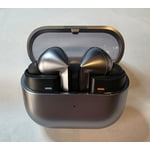
I've had just about all of the samsung buds so it took me a min to get use to the stem/blade on the new Buds 3 pro. But once I did I was just as comfortable using them as all of the other buds from samsung buds, I do like the new updated look & new style,

Review from Samsung US
Helpful?3MTCIEJ7RGUC18797511992
Dec 26, 2024
Anonymous
4 out of 5 stars review

Verified Purchase

Happy With Upgrade

I upgraded from the Buds Pro which I regret trading my Samsung In Ear Bean shaped buds for. The fit of the in ear bean shaped buds and sound was much better. These new Buds Pro3 have a really good fit, sound, and look. The only issue is when using the default video player the videos pause while switching and I have had to press I the stem to get sound to come through again. I also am curious as to how long the battery is supposed to last during use, they seem to drain a little quickly to me. Otherwise I really like them and enjoy yhis upgrade verses the last.

Review from Samsung US
Helpful?3MTCIEJ7RGUC18797511992
Oct 24, 2024
Robb with 2 Bs
2 out of 5 stars review

Verified Purchase

Disappointed.

Ear bud design was horrible, the way they fit in the case was weird and awkward to remove or put back in, they dont sound nearly as good as my Buds 2 Pros. Didnt like the stem design, hope they go back to the other form factor rather than copy other product designs. Sent back the earbuds and the case, Samsung said there was no case in the box and charged me for it.

Review from Samsung US
Helpful?3MTCIEJ7RGUC18797511992
reply from Social Commerce

Hi there Robb with 2 Bs, we appreciate your eedback on your Samsung Galaxy Bds3 Pro. We completely understand how important the ideal listening experience is to you every day. We have provided a link to the full device manual to help you adjust the audio settings to best align to your listening preferences. This can also help you with the new stem design and the touch settings with this feature. We have lastly provided al ihnk to the Samsung Support Team. You can reach out to them through chat if you have any questions about your Samsung products. We appreciate you being a Samsung customer. -Elizabeth Product Manuals https://www.samsung.com/us/support/downloads/ Samsung Support smsng.us/Samsung-Support Samsung Community smsng.us/Samsung-Community Facebook smsng.us/Facebook-Messenger X https://smsng.us/X-Messages

Mar 12, 2025
Daigoro
4 out of 5 stars review

Verified Purchase

These things rock!

I am enjoying my Samsung Galaxy Buds3 Pro Silver ear buds very much. They replace my Galaxy Buds Pro, and the difference between them is night and day. The Buds 3 Pro have a completely different form factor and won't fall out of my ears like my previous buds. I've worn them for air travel and the noise cancelling is pretty effective. I especially liked the feature on the app which lets you check out the effectiveness of the rubber tip. I also really like the integrated LED lights, though they can be difficult to get turned on. Overall, I'm using these way more than my previous buds and enjoying their sonic richness.

Review from Samsung US
Helpful?3MTCIEJ7RGUC18797511992
Apr 11, 2025
Jess
3 out of 5 stars review

Verified Purchase

They're a disgrace for being top of the line

Besides the sound quality, they are not a premium headset as they should be for being the top of the line buds. Having small defects like occasional syncing issues, odd noise whining noise from one bud when you put them in, high pitched noise when you happen to touch the mic when readjusting them in ear.

Review from Samsung US
Helpful?3MTCIEJ7RGUC18797511992
reply from R&R Team

Thank you for sharing your feedback about the Galaxy Buds3, Jess. The sound quality is a standout feature, and we understand the concerns you’ve mentioned. When Active Noise Canceling, Adaptive, or Ambient sound modes are enabled, the sub-microphone adjusts sound based on the noise control mode. If the area around the sub-microphone is touched or covered while putting the earbuds on, taking them off, or adjusting them, it may cause a beeping or howling noise. To avoid this, ensure the sub-microphone is not covered during these actions. For syncing concerns, ensure the earbuds are within the maximum Bluetooth connection range of 10 meters and that there are no obstacles like walls or corners between the earbuds and the connected device. If syncing still doesn’t work, store the buds in the charging case and press the Connect button for more than three seconds to manually enter Bluetooth pairing mode. Regarding the high-pitched noise when touching the mic, it’s important to avoid covering the microphone area while adjusting the earbuds. This can help prevent feedback or unwanted sounds. Thank you for sharing your experience! If any of this persists, please be sure to reach out to us at Samsung Support. -Kelvin smsng.us/Samsung-Support smsng.us/Facebook-Messenger smsng.us/X-Messages smsng.us/Samsung-Community smsng.us/Warranty-Info smsng.us/Samsung-Care-Plus

Jul 26, 2024
Brian
5 out of 5 stars review

Verified Purchase

Great sounding buds

I have had these buds for a almost a week now and have tried using them for numerous activities. While cutting the yard the noise cancelation feature works great. During calls, both personal and for work meetings I can hear and be heard without the distraction of any background noise. I have walked around while wearing them and they are pretty comfortable. You just need the right tips in to hold the buds into place. The AI translation function is the beginning of something great. I don't ever plan on calling a foreign speaking person over the phone to talk to them. Also, I tried watching a commercial and part of a movie in a foreign language. Both you have to record the language and then play it back. So it's hard to keep up. Basically this is for having a one on one conversation. You can't listen to multiple people at one time. I like the idea and I'm sure the advancements will come.

Review from Samsung US
Helpful?3MTCIEJ7RGUC18797511992
Feb 25, 2025
Chris R
5 out of 5 stars review

Verified Purchase

Nice buds.

I like the design of the new case. Noise canceling has gotten much better. But adaptive mode has some issues, while it seems to work well swapping to noise canceling. Some noises create a really loud pop that is kinda painful. I give it 5 stars because I love Samsung products.

Review from Samsung US
Helpful?3MTCIEJ7RGUC18797511992
Dec 28, 2024
Anonymous
3 out of 5 stars review

Verified Purchase

Like Em Don't Luv Them

Like them don't love them. Bought them for the Live Translation along with the S24. Used the Samsung Interpret, Samsung Live Transcribe, and Google Translate. Tried the Spanish and Mandarin and doesn't really transcribe. Going to Dominican Republic, Cambodia, Vietnam, and Thailand for school this summer. Bought specifically for the translation abroad. I downloaded all the languages to my phone. Have my doubts they will work when I travel.

Review from Samsung US
Helpful?3MTCIEJ7RGUC18797511992
reply from R&R Team

Thank you for sharing your thoughts on the Galaxy Buds3 Pro, Samuel. We appreciate your feedback regarding the use of features like Samsung Live Translate and Samsung Interpret during your travels. To get the best out of the Live Translate feature, ensure that your Galaxy Buds3 Pro is connected to a compatible Galaxy device like the Galaxy S24 and that the firmware for both is up to date. Additionally, certain languages and accents might perform better based on the selected region settings, so verifying your language preferences can enhance the experience. For further support with this or anything else, feel free to reach out to us at Samsung Support for additional assistance. We hope these tips improve your experience during your upcoming travels. Please let us know if we can help with anything else. -Kelvin smsng.us/Samsung-Support smsng.us/Facebook-Messenger smsng.us/X-Messages smsng.us/Samsung-Community smsng.us/Warranty-Info smsng.us/Samsung-Care-Plus