Skip to Main Content
Sam's Club
Sam's Club
All Departments
All Services
Customer reviews for SAMSUNG 70" Class U7900F Series 4K Crystal UHD Smart TV for
SAMSUNG 70" Class U7900F Series 4K Crystal UHD Smart TV
4.5 out of 5 stars
stars
3,906 ratings3,899 reviews
  1. 5 stars73% (2,863)
  2. 4 stars15% (593)
  3. 3 stars6% (241)
  4. 2 stars2% (91)
  5. 1 star3% (118)

Member photos

  • +1528 images
Sort by |
Showing 631-640 of 3,899 reviews
Jun 1, 2026
Reviewer name: Corey
4 out of 5 stars
4 out of 5 stars review

Looks Great!
[This review was collected as part of a promotion.] Love the fluidness of the tv. App to app switching is made easy and the web browser is fairly easy to operate. Unfortunately, our model did not come with the voice command remote for easier search functions. The picture is great for anything we watch. The TV looks sleek on the wall with a low profile. The picture is bright but using the settings it adjusts nicely.

Review from Samsung US
Helpful?519VMKO7QPOP17358505999
Jun 5, 2026
Reviewer name: Daniel
2 out of 5 stars
2 out of 5 stars review

Fine but not great.

[This review was collected as part of a promotion.] It's fine but sometimes the sound cuts out and you have to power cycle the tv to get it to work again. Also kind of annoying that only the remote that came with it can click the update buttons. Overall a decent tv, but I don't think I'd buy it again.

Review from Samsung US
Helpful?519VMKO7QPOP17358505999
reply from Samsung Advisor

Hi Daniel, For optimal performance, please ensure your TV is running the latest firmware. You can check this by going to: Home > left directional key > Settings > Support > Software Update To further optimize performance, try running Device Care, which checks memory, clears unused cached data, and closes background apps: Home > left directional key > Settings > Support > Device Care > Start Device Care If issues continue, please reach Samsung Support at 1-800-SAMSUNG (8AM – 9PM EST Mon – Fri, 8AM – 6PM Sat – Sun). LiveChat is also available via the ‘Support’ link on our website. ~ Samsung Advisor

Jul 5, 2026
Reviewer name: BC23
4 out of 5 stars
4 out of 5 stars review

Great features
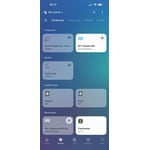
[This review was collected as part of a promotion.] The TV in general is really nice. The quality is great and having other Samsung devices connected to it makes it nice as well. The only issue I have is the app. I can control a ton of devices thanks to the app, but the app doesn't always work. It seems everyday I have to wait for the app to download the remote and many times I have to close and retry or delete and re-download. Everything else within the app is responsive but the remote always has issues.

Review from Samsung US
Helpful?519VMKO7QPOP17358505999
Jul 7, 2026
Reviewer name: Duvall
4 out of 5 stars
4 out of 5 stars review

70” Samsung crystal class UHD U7900FD

[This review was collected as part of a promotion.] I love my Samsung tv, picture quality is great. Also, very pleased when connecting other devices integration was made easy! However, there always seems to be some issues when trying to use my FUBO app, I've had to delete the app and reload it 3 times, some attention needs to be placed with FUBO app issues!

Review from Samsung US
Helpful?519VMKO7QPOP17358505999
Jul 10, 2026
Reviewer name: Pibby
5 out of 5 stars
5 out of 5 stars review

tv works great

[This review was collected as part of a promotion.] My remote control has stopped working, i have change batteries, restarted my tv, and pressed the pause and return buttons. My remote for my other TV Roku is 9 years old and I have only had to replace batteries. Very frustrating. Guess I will have to buy another remote.

Review from Samsung US
Helpful?519VMKO7QPOP17358505999
Jul 5, 2026
Reviewer name: Gagara
5 out of 5 stars
5 out of 5 stars review

great futures

[This review was collected as part of a promotion.] “Great Samsung TV! The picture is incredibly rich, 4K resolution and high contrast fully met expectations. I was very pleased with the laconic design and lack of glare thanks to the matte coating of the screen. The proprietary Smart TV system works smoothly; the remote control is compact and convenient. The sound is surround, although for complete immersion in the movie I recommend connecting a sound bar. I definitely recommend purchasing!

Review from Samsung US
Helpful?519VMKO7QPOP17358505999
Jun 22, 2026
Reviewer name: rivrow
5 out of 5 stars
5 out of 5 stars review

Great TV

[This review was collected as part of a promotion.] Very happy with this tv, the color and clarity are beautiful, bright even in a sunny room, the sound is great, and the resolution is sharp. The TV looks sleek, and modern, and connects with my other Samsung devices easily with no security issues like having to link other 3rd party accounts.

Review from Samsung US
Helpful?519VMKO7QPOP17358505999
Jun 5, 2026
Reviewer name: Ha2026
2 out of 5 stars
2 out of 5 stars review

Samsung 65 questionable

[This review was collected as part of a promotion.] This particular product does not seem to line up with the Samsung standard. We gpt this product in December 2025 and constantly have to unplug so it resets as the screen keeps going black but still playing sound

Review from Samsung US
Helpful?519VMKO7QPOP17358505999
reply from Samsung Advisor

Hi Ha2026, Thanks for reaching out about the intermittent black screen issue. If you're not using any external devices and the TV randomly cuts to black, it’s usually related to settings, signal, or internal software. Here are a few steps to help narrow it down and get things stable again. 1. Start with Power & Source Checks • Confirm the source: Even without external devices, it's worth confirming the TV is on the correct internal source (like TV/Live TV or a streaming app). Go to: Home > Left directional key > Connected Devices > Sources • Power cycle the TV: Unplug the TV from the power outlet for at least 60 seconds, then plug it back in. This can help reset any temporary glitches. • Check the power outlet: If you're using a power strip or surge protector, try plugging the TV directly into the wall to rule out inconsistent power delivery. 2. Update Your TV Software: Software updates often resolve bugs that can cause screen flickers or blackouts • Make sure the TV has the latest firmware version installed: Home > Left directional key > Settings > Support > Software Update 3. Run Built-In Diagnostics • Perform a Picture Test: Home > Left directional key > Settings > Support > Device Care > Self Diagnosis > Picture Test. This helps determine if the issue is hardware- or software-related. • Run the HDMI Test (optional): Even without HDMI devices connected, this can help verify that internal ports are functioning properly: Home > Left directional key > Settings > Support > Device Care > Self Diagnosis > HDMI Test 4. Review Energy & Picture Settings • Turn off Power Saving Mode or Eco Solution settings—they can dim or turn off the screen during periods of inactivity: Settings > All Settings > General & Privacy > Power & Energy Saving • Turn off Auto Power Off (if enabled): Settings > All Settings > General & Privacy > System Manager > Auto Power Off • Adjust Picture Mode settings: If the current mode is overly dynamic (like “Dynamic” or “Vivid”), try switching to “Standard” or “Movie” and observe if the screen behavior changes. 5. Factory Reset (if needed): If the problem persists after all checks, consider resetting the TV to default settings. (Heads-up: this will erase your installed apps and personal settings.) If none of these steps resolve the intermittent blackout, please reach out to Samsung Support for further troubleshooting or possible service options at 1-800-SAMSUNG (8AM – 9PM EST Mon – Fri, 8AM – 6PM Sat – Sun), or reach us via text anytime. You can also visit ‘Support’ on our website for: • Live Chat • Manuals, Software, & Warranty Info ~ Samsung Advisor

Jul 20, 2026
Reviewer name: Lutheran
2 out of 5 stars
2 out of 5 stars review

Aggravating

[This review was collected as part of a promotion.] I own this TV and also an identical one that is 75”. I have nothing but trouble with both of them. Apps don't want to work on them, they don't start up correctly when you first turn them on, and I have to basically reboot them every time I watch them. I've already replaced the 75” once under warranty which was a freaking nightmare. Look somewhere else!

Review from Samsung US
Helpful?519VMKO7QPOP17358505999
reply from Samsung Advisor

Hi Lutheran, If your U7900F TV’s Smart Hub is freezing, lagging, or not loading properly: 1. Reset Smart Hub – Home > left directional key > Settings > Support > Device Care > Self Diagnosis > Reset Smart Hub (This will sign you out of apps and reset Smart Hub to factory default.) 2. Update firmware – Home > left directional key > Settings > Support > Software Update > Update Now 3. Run Device Care – Home > left directional key > Settings > Support > Device Care > Start Device Care If the issue persists, contact Samsung Support at 1-800-SAMSUNG,If the issue persists, contact Samsung Support at 1-800-SAMSUNG (8AM – 9PM EST Mon – Fri, 8AM – 6PM Sat – Sun). LiveChat is available under the ‘Support’ link on our website. ~ Samsung Advisor

Jun 23, 2026
Reviewer name: LwkCarl
5 out of 5 stars
5 out of 5 stars review

Beautiful responsiveness
[This review was collected as part of a promotion.] I love the responsiveness and also the color for just a good size, very underrated Tv. It was so good even my mom asked what tv is was and also wanted it! The brightness is the difference maker, due to some low brightness movies where you can't see anything due to the reflection of the sun, its a game changer. And the contrast on the colors makes everything blend together nicely with the upscale.

Review from Samsung US
Helpful?519VMKO7QPOP17358505999