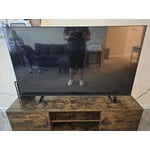
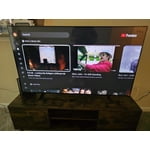
Customer reviews for SAMSUNG 70" Class U7900F Series 4K Crystal UHD Smart TV for
Member photos









 +1528 images
I love my Samsung television
[This review was collected as part of a promotion.] This is our second Samsung television and we love it as much as we do our old one that we've had for 7 years. We have not had any issues with either so far. We plan to purchase another sometime this year for another room. The picture , ease of using the apps, and the overall operation of our Samsung television is great. I thought the upgraded remote would be difficult for me but it is so easy to use. I definitely recommend Samsung televisions.
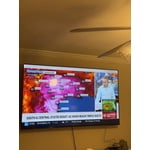
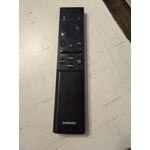
Great clearity, resolutions and much more
[This review was collected as part of a promotion.] Son happy with our crystal 4k uhd smart tv! It almost feels as if your also in the picture of what we are watching it feels so realistic especially with out samsung surround sound to go with! Never been so satisfied and ecstatic when we're actually watching a movie with the family like i am now! Only concern is how intense and level of of access people have at their finger tips to hacking accessories makes me want better security systems
Meets the bare minimum
[This review was collected as part of a promotion.] The remote doesn't work well. I've already had to replace it twice. And there are no input ports to hook up additional speakers. The picture is decent, but the sound quality is low and without the ability to hook up a better sound bar, this TV barely meets the bare minimum of quality. Will be getting a different TV within the year
NOLA, Thank you for purchasing Samsung’s U7900FD TV and for sharing your feedback on the sound quality. To ensure you’re experiencing the best possible audio, we first recommend checking that your TV is running the latest firmware. To do this, navigate to: Home > left directional key > Settings > Support > Software Update If the sound still doesn’t meet your expectations, there are a few settings you can try adjusting: Go to: Settings > All Settings > Sound > Sound Mode • Standard: Balanced sound without emphasis on any one range • Optimized: Enhanced effects and spacious sound • Amplify: Boosts mid and high tones to make dialogue clearer You can also explore Expert Settings to fine-tune options such as Balance, Equalizer, Auto Volume, and more to match your personal preferences. If you're considering expanding your setup, Samsung’s Q- and S-Series Soundbars (like the HW-Q600F) support Q-Symphony, a feature that synchronizes your TV and soundbar speakers for an immersive 3D audio experience. For further help adjusting your sound settings or finding the right soundbar for your space, feel free to reach Samsung Support at 1-800-SAMSUNG (8AM – 9PM EST Mon – Fri, 8AM – 6PM Sat – Sun) or visit the Support link on our website for: • LiveChat • Manuals, Software, & Warranty Info ~ Samsung Specialist
Wifi Problem
[This review was collected as part of a promotion.] My Tv at least once a week I have to hold the power button and reset the wifi? why I don't know because I have 3 other Samsung tvs and I don't have to do that at all. I love the brand but this is the first time in many years of owning Samsung that I have this issue since the tv was purchased.
Hi Stacy, Thank you for sharing your experience with Wi-Fi connectivity. If your TV is having trouble connecting to the network, the following steps may help resolve the issue: Signal & Setup Tips: 1. Check TV-to-router distance – Your TV should be within 50 feet of the modem or access point for reliable signal strength. 2. Minimize interference – Turn off nearby wireless devices and make sure there are no physical barriers (stone walls, fireplaces, appliances) between the TV and router. Power Cycle Devices: 3. Restart both your TV and router – Unplug both devices for at least 30 seconds, then plug them back in and allow them to reboot fully. Connection Type: 4. Evaluate your connection method – o If using Wi-Fi, move your router closer to the TV and eliminate any obstructions. o For a more stable connection, we strongly recommend using a wired Ethernet cable. o If already using Ethernet, verify the cable is working by testing it with another device. Run Built-In Diagnostic Tools: 5. Network Test: Settings > Support > Device Care > Self Diagnosis > Smart Hub Connection Test 6. Wi-Fi Check: Settings > Support > Device Care > Self Diagnosis > Wi-Fi Last Resort: 7. Perform a Factory Reset (if issues persist): Settings > All Settings > General & Privacy > Reset > Factory Data Reset. Note that this will return all settings to their original defaults. If these steps don’t resolve the issue, please reach out to Samsung Support at 1-800-SAMSUNG (8AM – 9PM EST Mon – Fri, 8AM – 6PM Sat – Sun). LiveChat support and additional help are available at the ‘Support’ link on our website. ~ Samsung Advisor
Samsung Tv
[This review was collected as part of a promotion.] Yeah we like the TV everything for pictures sound and then the brightness yeah with anything with the price we are happy for a team something And the sound and everything yeah we like it the Samsung TV
Love Samsung
[This review was collected as part of a promotion.] I purchased this TV almost a year ago. The picture quality is excellent . I love that it comes with the free channels. However I did have a problem with the speakers going out . This is the first Samsung TV that I've purchased that I've had this happen to. I own two other Samsung TVs and they're still in perfect working condition and they're a few years older. I still recommend Samsung as it's a great product
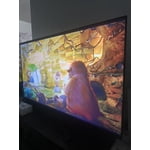
Absolutely amazing TV Samsung is to be trusted
[This review was collected as part of a promotion.] Image quality is great smooth bright images easy to use UI you know what you're getting crystal clear images gaming is great resolution is high easy to set up viewing angles on the screen resolution are amazing there is no glare in the screen and direct sunlight the brightness is amazing never had any security issues they updates are over air economy of the electricity used on it is super low very easy to hang on the wall looks great in any room I got mines on sale super great price for the TV that you're getting comes in various sizes brightness contrast visibility screen resolution super high quality television
Samsung 65 questionable
[This review was collected as part of a promotion.] This particular product does not seem to line up with the Samsung standard. We gpt this product in December 2025 and constantly have to unplug so it resets as the screen keeps going black but still playing sound
Hi Ha2026, Thanks for reaching out about the intermittent black screen issue. If you're not using any external devices and the TV randomly cuts to black, it’s usually related to settings, signal, or internal software. Here are a few steps to help narrow it down and get things stable again. 1. Start with Power & Source Checks • Confirm the source: Even without external devices, it's worth confirming the TV is on the correct internal source (like TV/Live TV or a streaming app). Go to: Home > Left directional key > Connected Devices > Sources • Power cycle the TV: Unplug the TV from the power outlet for at least 60 seconds, then plug it back in. This can help reset any temporary glitches. • Check the power outlet: If you're using a power strip or surge protector, try plugging the TV directly into the wall to rule out inconsistent power delivery. 2. Update Your TV Software: Software updates often resolve bugs that can cause screen flickers or blackouts • Make sure the TV has the latest firmware version installed: Home > Left directional key > Settings > Support > Software Update 3. Run Built-In Diagnostics • Perform a Picture Test: Home > Left directional key > Settings > Support > Device Care > Self Diagnosis > Picture Test. This helps determine if the issue is hardware- or software-related. • Run the HDMI Test (optional): Even without HDMI devices connected, this can help verify that internal ports are functioning properly: Home > Left directional key > Settings > Support > Device Care > Self Diagnosis > HDMI Test 4. Review Energy & Picture Settings • Turn off Power Saving Mode or Eco Solution settings—they can dim or turn off the screen during periods of inactivity: Settings > All Settings > General & Privacy > Power & Energy Saving • Turn off Auto Power Off (if enabled): Settings > All Settings > General & Privacy > System Manager > Auto Power Off • Adjust Picture Mode settings: If the current mode is overly dynamic (like “Dynamic” or “Vivid”), try switching to “Standard” or “Movie” and observe if the screen behavior changes. 5. Factory Reset (if needed): If the problem persists after all checks, consider resetting the TV to default settings. (Heads-up: this will erase your installed apps and personal settings.) If none of these steps resolve the intermittent blackout, please reach out to Samsung Support for further troubleshooting or possible service options at 1-800-SAMSUNG (8AM – 9PM EST Mon – Fri, 8AM – 6PM Sat – Sun), or reach us via text anytime. You can also visit ‘Support’ on our website for: • Live Chat • Manuals, Software, & Warranty Info ~ Samsung Advisor
great futures
[This review was collected as part of a promotion.] “Great Samsung TV! The picture is incredibly rich, 4K resolution and high contrast fully met expectations. I was very pleased with the laconic design and lack of glare thanks to the matte coating of the screen. The proprietary Smart TV system works smoothly; the remote control is compact and convenient. The sound is surround, although for complete immersion in the movie I recommend connecting a sound bar. I definitely recommend purchasing!
Great Features!
[This review was collected as part of a promotion.] The graphics on this Samsung Class Crystal are awesome! Beautiful colors and the brightness is just perfect! The contrast doesn't bother your eyes! Easy to control with the remote controller! Quick response!