Skip to Main Content
Sams Club
Sams Club
Customer reviews for SAMSUNG 70" Class U7900F Series 4K Crystal UHD Smart TV for
SAMSUNG 70" Class U7900F Series 4K Crystal UHD Smart TV
4.6 out of 5 stars
stars1,715 ratings1,708 reviews
  1. 5 stars78% (1,333)
  2. 4 stars14% (248)
  3. 3 stars4% (74)
  4. 2 stars1% (24)
  5. 1 star2% (36)

Member photos

  • +683 images
Sort by |
Showing 621-630 of 1,708 reviews
Oct 20, 2025
ConstantCaptions
3 out of 5 stars review

Permanent captions

[This review was collected as part of a promotion.] I'm a longtime diehard Samsung fan so I was happy to be gifted this TV however from day one, there are captions/subtitles for every show. Annoying! I haven't them switched off in the controls. I checked online and some recommended unplugging then plugging back in after a few minutes. No joy so this television is NEVER watched.

Review from Samsung US
Helpful?519VMKO7QPOP17358505999
reply from Samsung Advisor

Hi ConstantCaptions, Thank you for sharing your experience with us. Please ensure captions have been disabled on any connected devices and streaming apps or cable boxes. If you continue to have issues, please ensure are up to date with the latest Firmware. Go to Settings > Support > Software Update > Update Now. If the issue persists, a factory reset may help: Home > left directional key > Settings > All Settings > General & Privacy > Factory Data Reset. If you continue to experience issues, please don’t hesitate to contact Samsung Customer Support at 1-800-SAMSUNG, available 8AM – 12AM EST, 7 days a week. LiveChat agents and additional resources are also available through the ‘Support’ link on our Samsung website. ~ Samsung Advisor

Oct 13, 2025
JunkTV
2 out of 5 stars review

Not nearly as good as the 20 year old Vizio i had

[This review was collected as part of a promotion.] The remote is unreliable sometimes it works other times it doesn't. The smart things app usually does work. The sound is terrible using the internal speakers. I was forced to use a soundbar for adequate volume. Only two HDMI inputs is unacceptable. Overall I would not recommend this product and look forward to replacing it soon.

Review from Samsung US
Helpful?519VMKO7QPOP17358505999
reply from Samsung Advisor

Hi JunkTV, We appreciate your feedback on the U7900 TV. If your TV is responding slowly or inconsistently to the remote, try the following steps: 1. Re-pair the remote – Stand within 1 foot of your TV and press Return and Play/Pause simultaneously for at least 5 seconds. A message should appear confirming it's connected. 2. Check the battery level – Go to: Home > left directional key > Settings > All Settings > General & Privacy > Remote Control 3. Ensure proper charging – SolarCell Remotes can charge using: o Room light or direct sunlight (solar panel should face light source) o USB-C cable (preferably Samsung-branded) 4. Update your TV’s firmware – Go to: Settings > Support > Software Update > Update Now 5. Run Device Care to clear memory and close background apps that may slow performance: Settings > Support > Device Care > Start Device Care If these steps don’t resolve the issue, please contact Samsung Support at 1-800-SAMSUNG, 8AM – 12AM EST, 7 days a week. LiveChat is also available through the ‘Support’ link on our website. ~ Samsung Advisor

Oct 20, 2025
rrs490
5 out of 5 stars review

crystal UHD u7900fd

[This review was collected as part of a promotion.] after having a Samsung plasma tv for many years and no problems I wanted to get something with a better picture quality. the Samsung led I had was very good but broke when I moved from fla. to ga. the uhd7900 that I have just purchased is much better than I expected. the sound and picture quality is very good.

Review from Samsung US
Helpful?519VMKO7QPOP17358505999
Nov 15, 2025
SamsungLoyal
5 out of 5 stars review

I love this television for many reasons!

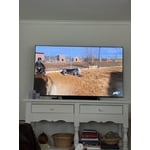
[This review was collected as part of a promotion.] I am so happy with our 50" Samsung Crystal television. It was easy to set up, the picture is beautiful, and I love all the options to create the perfect settings for your environment. We bought this for my hunny's mancave so it's nice to have the picture setting options to adjust so we get the best picture regardless of it being bright outside or darker at night...we can always make the proper adjustments and it really helps! I am able to watch programs without needing my glasses! That's a first for me! I love that I can control the settings in my Samsung Smart Things app on my phone! Plus..it's great that I can locate my phone through my TV settings when I misplace it! And...I seem to lose my phone more often than I'd like to admit! The ONLY suggestion would be to make the remote easier to understand when it comes to adjusting the volume! We both couldn't figure out that you have to push the button up and down. It wasn't clear about how to use it in the set-up details. But, that's a tiny thing to manage once you figure it out. Otherwise, we couldn't be happier! I'm including a pic...but keep in mind...it's in our mancave!

Review from Samsung US
Helpful?519VMKO7QPOP17358505999
Dec 21, 2025
RemarkableMya
5 out of 5 stars review

This item is worth the purchase

[This review was collected as part of a promotion.] It has great pictures quality, amazing sound system. Good quality speakers, if you use it for a bedroom you don't need a surround set...I recommend getting this product. I want to upgrade my 50" nxt year.

Review from Samsung US
Helpful?519VMKO7QPOP17358505999
Nov 14, 2025
Galaxyfanatic1
5 out of 5 stars review

Samsung Crystal UHD 55" found the perfect Home!

[This review was collected as part of a promotion.] Review of Samsung Crystal UHD 4K TV Initial Impressions and Value Proposition • I've been using a 55-inch Samsung Crystal UHD as my main living room TV for a few months now, and I think I've got a pretty good handle on what it does well and what it doesn't. • Honestly, it's a fantastic entry-level 4K TV that gives you a lot for your money. Picture Quality Highlights • For what you pay, the picture quality is seriously good. • The Crystal Display and PurColor tech make colors really vibrant and pop, especially when I'm watching nature shows or cartoons in 4K. Upscaling Performance • Samsung's Crystal Processor 4K does a great job making older 1080p stuff look way sharper than I thought it would. Ideal Use Cases and Overall Summary • This TV is perfect for a family, a main living room TV, or anyone who mostly streams movies and shows and wants a big, beautiful 4K screen without shelling out for QLED or OLED. • It's got awesome smart features and a rich, vibrant picture for its price range.

Review from Samsung US
Helpful?519VMKO7QPOP17358505999
Nov 24, 2025
Rachelmac
5 out of 5 stars review

55” crystal tv

[This review was collected as part of a promotion.] I've had my tv for about 4 months as of nov24, 25. So, first, the cons: only one HDMI. The feet are a trick to get on and stable, be careful. The pros: great picture!! All around a really good tv!!

Review from Samsung US
Helpful?519VMKO7QPOP17358505999
Nov 5, 2025
Cliente
3 out of 5 stars review

El prodcuto puede mejorar

[This review was collected as part of a promotion.] Good afternoon. Before receiving this product, I had the U8000 model. The difference is remarkable in terms of image quality, the way the menu is presented in general, and the configuration. The change is very noticeable. To be honest, I don't like this 7900 product very much; I prefer the version I had. It's more user-friendly and has better quality. After turning it on, I somehow felt I should upgrade to something better because I feel it doesn't meet my expectations.

Review from Samsung US
Helpful?519VMKO7QPOP17358505999
reply from Samsung Advisor

Hi Cliente, Thank you for sharing your experience on the U7900 TV's image and User Interface. If the image doesn’t quite match your preferences, there are several adjustments you can make to better suit your viewing environment and content type. First, please ensure your TV is running the latest firmware, as updates may include important picture quality enhancements. Go to: Home > Left directional button > Settings > Support > Software Update > Update Now To explore picture mode options, navigate to: Home > Left directional button > Settings > All Settings > Picture > Picture Mode. Options include: • Standard – Ideal for general viewing • Dynamic – Brighter and more vibrant for well-lit spaces • Eco – Optimized for energy efficiency • Movie – Best for viewing in low light • Filmmaker Mode – Preserves the content creator’s intent and disables motion smoothing for supported content You can further customize your image by going to: Settings > All Settings > Picture > Expert Settings, where you can adjust Brightness, Contrast, Color Tone, Sharpness, Contrast Enhancer and more. If you’d like help finding the best picture settings for your preferences, please don’t hesitate to contact Samsung Support at 1-800-SAMSUNG, available 8AM – 12AM EST, 7 days a week. You can also LiveChat with an agent or explore additional resources on our website by clicking the ‘Support’ link. ~ Samsung Advisor

Dec 20, 2025
TechLoverNY
5 out of 5 stars review

Love the quality and features!

[This review was collected as part of a promotion.] My new Samsung has exceeded my expectations with great picture quality, built in Samsung TV Plus channels for free streaming entertainment, and a modern user interface. A great choice for any entertainment setup, and the sleek, lightweight, slim design is simply amazing.

Review from Samsung US
Helpful?519VMKO7QPOP17358505999
Jan 21, 2026
Ajanine
3 out of 5 stars review

Decent price, fair # of annoyances

Back of the tv was partially detached at delivery. It made the ports difficult to access; the back can be popped back on if you're very careful but doesn't stop it from recurring. Samsun live tv is the default screen, NOT home, and will kick you out of what you're attempting to do to revert to it. I've also had this tv give me the known red screen issues less than a week after delivery. Not great.

Review from Samsung US
Helpful?519VMKO7QPOP17358505999
reply from Samsung Advisor

Hi Ajanine, We are sorry to hear about the issues you mentioned. Please know we back this TV with a 1-year manufacturer's warranty and are happy to assist you. Call us at 1-800-SAMSUNG, available from 8AM to 12AM EST, seven days a week. Or visit the Samsung website and click on the ‘Support’ link for: • LiveChat with an agent • Manuals, Software, and Warranty Info ~ Samsung Advisor