Skip to Main Content
Sams Club
Sams Club
Customer reviews for SAMSUNG 70" Class U7900F Series 4K Crystal UHD Smart TV for
SAMSUNG 70" Class U7900F Series 4K Crystal UHD Smart TV
4.6 out of 5 stars
stars1,715 ratings1,708 reviews
  1. 5 stars78% (1,333)
  2. 4 stars14% (248)
  3. 3 stars4% (74)
  4. 2 stars1% (24)
  5. 1 star2% (36)

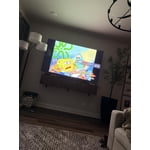
Member photos

  • +683 images
Sort by |
Showing 601-610 of 1,708 reviews
Oct 13, 2025
Mustang
5 out of 5 stars review

Love my Samsung products.

[This review was collected as part of a promotion.] I gave been using Samsung TV's for 25 plus years and have always been extremely satisfied with each one. Features on each have been very useful for my needs and some have been above and beyond my expectations. I will continue to stay with Samsung for my next tv purchase. I currently have 5, the oldest being purchased in 1994 and still works like new. Keep making great TV's. Thank you from a very satisfied customer.

Review from Samsung US
Helpful?519VMKO7QPOP17358505999
Dec 8, 2025
Samsungdiehard
5 out of 5 stars review

BEST TV ON THE MARKET!

[This review was collected as part of a promotion.] My family absolutely love the tv it has so many different features, you can do pretty much anything on them. it is very user friendly which is great for my 7 year old daughter! And myself! You can connect your phone which I love! If you are looking for a new TV go with any Samsung you won't be disappointed every TV in my home is Samsung and all the remotes work for any of the TVs so dont worry if tou misplaced one just go grab one from another room in the house!

Review from Samsung US
Helpful?519VMKO7QPOP17358505999
Oct 14, 2025
Toblessed2bestressed
4 out of 5 stars review

Hard to set up

[This review was collected as part of a promotion.] I received this TV as a present. I never had a Samsung product. I must say it was not a easy set up as other brands . However I really enjoy my new Samsung tv. I stream and watch a lot of movies and take advantage of the live tv that my tv has to offer . I have had it for a little over a month and I have had no issues at all . Thank you for such a wonderful product

Review from Samsung US
Helpful?519VMKO7QPOP17358505999
Nov 21, 2025
TulsaGirl
5 out of 5 stars review

Stunning Picture

[This review was collected as part of a promotion.] I have never had a Samsung TV before and I am so pleased with my purchase. The picture is clean and sharp, and the stand or legs of the TV are extremely sturdy. The controls are easy to understand and you can get to a streaming service seamlessly. You cannot go wrong with a Samsung!

Review from Samsung US
Helpful?519VMKO7QPOP17358505999
Dec 5, 2025
LoveSamsungproducts
5 out of 5 stars review

Motion based sound is impressive

[This review was collected as part of a promotion.] It really is an experience that speaks for itself, no detailed description is adequate enough to fully grasp the whole experience. You just gotta get one for yourself and set it up you literally can hear the different directions each sounds is coming from as if you were right there where the filming was happening.

Review from Samsung US
Helpful?519VMKO7QPOP17358505999
Nov 1, 2025
CACTUS
5 out of 5 stars review

By far the best TV I've ever owned!

[This review was collected as part of a promotion.] You never know what you're missing till you get something better. You can see the beads of sweat on an actor's face. The colors are so much more bright and vivid than my old TV. Wish I had done this two years ago!

Review from Samsung US
Helpful?519VMKO7QPOP17358505999
Oct 13, 2025
DABD72
5 out of 5 stars review

Great 75" Smart TV

[This review was collected as part of a promotion.] I love my new Samsung 75" Smart TV. It was easy to set up, and I no longer need so many HDMI cords like my old big screen TV. It is a real plug-and-play setup with apps already installed. I no longer have to use my Apple TV device—the apps are all available. I would definitely recommend this version of Samsung TV. It looks good hanging on my wall like a piece of great art!

Review from Samsung US
Helpful?519VMKO7QPOP17358505999
Oct 14, 2025
bat911pa
5 out of 5 stars review

This TV has a beautiful picture

[This review was collected as part of a promotion.] I love this TV. I would never have any other brand of TV except for Samsung. All Samsung TVs I have owned have had the most beautiful pictures compared to any other brand that I have had. I would recommend Samsung TVs to anyone.

Review from Samsung US
Helpful?519VMKO7QPOP17358505999
Oct 24, 2025
Samsung4L
5 out of 5 stars review

Perfectly priced Tv!

[This review was collected as part of a promotion.] For a TV at this price you would expect a low budget low spec TV. That's not what you are getting. You are getting a 4k 75 inch tv with a snappy operating system and great picture quality! Amazing deal on an amazing TV!

Review from Samsung US
Helpful?519VMKO7QPOP17358505999
Jan 15, 2026
Pablo
1 out of 5 stars review

Not so great.

This product is not what I expected.Expectation is very low,color is not what it was advertised to be.The TV has a skipping problem while surfing for apps. My Vizio 65 inch that is 6 year old p3rfroms better in color etc .I will say that Samsung tech service is great, anytime I call the go of their was to assist. Product I. Question is the 65 in U7900F series

Review from Samsung US
Helpful?519VMKO7QPOP17358505999
reply from Samsung Advisor

Hi Pablo, Thank you for sharing your experience. Buffering during streaming is typically related to internet speed or signal strength. This can happen when your connection isn’t able to deliver data quickly enough for smooth playback. We recommend the following steps to help improve streaming performance: 1. Use a 5GHz Wi-Fi connection, if available 2. Try a wired LAN connection for more stability 3. Reposition your router to minimize obstacles between it and the TV 4. Make sure your TV is running the latest firmware (Settings > Support > Software Update) 5. Run Device Care to optimize performance: Home > left directional key > Settings > Support > Device Care > Start Device Care If buffering continues, you may want to contact your internet service provider to check your current speed or explore upgrade options. To explore picture mode options, navigate to: Home > Left directional button > Settings > All Settings > Picture > Picture Mode. Options include: • Standard – Ideal for general viewing • Dynamic – Brighter and more vibrant for well-lit spaces • Eco – Optimized for energy efficiency • Movie – Best for viewing in low light • Filmmaker Mode – Preserves the content creator’s intent and disables motion smoothing for supported content You can further customize your image by going to: Settings > All Settings > Picture > Expert Settings, where you can adjust Brightness, Contrast, Color Tone, Sharpness, Contrast Enhancer and more. If you’d like help fine-tuning your display or exploring these settings, please call Samsung Customer Support at 1-800-SAMSUNG, available 8AM – 12AM EST, 7 days a week, or visit the ‘Support’ section on our website to LiveChat with an agent. ~Samsung Advisor