Skip to Main Content
Sam's Club
Sam's Club
All Departments
All Services
Customer reviews for SAMSUNG 70" Class U7900F Series 4K Crystal UHD Smart TV for
SAMSUNG 70" Class U7900F Series 4K Crystal UHD Smart TV
4.5 out of 5 stars
stars
4,037 ratings4,030 reviews
  1. 5 stars73% (2,955)
  2. 4 stars15% (610)
  3. 3 stars6% (249)
  4. 2 stars2% (100)
  5. 1 star3% (123)

Member photos

  • +1558 images
Sort by |
Showing 1,711-1,720 of 4,030 reviews
Jul 11, 2026
Reviewer name: Beau
5 out of 5 stars
5 out of 5 stars review

Great picture!

[This review was collected as part of a promotion.] The perfect size for a good living room. The smart TV features are always useful when I want to find something easy to watch.

Review from Samsung US
Helpful?519VMKO7QPOP17358505999
Jul 5, 2026
Reviewer name: Queen Bee
3 out of 5 stars
3 out of 5 stars review

Sound issue

[This review was collected as part of a promotion.] Picture is blurry at times. The sound is not of great quality. It sounds like it might be going out. I didn't keep the box to return it so I'm not sure what to do.

Review from Samsung US
Helpful?519VMKO7QPOP17358505999
reply from Samsung Specialist

Thank you for your review. If there’s anything we can assist with, please don’t hesitate to call us at 1-800-SAMSUNG (8AM – 9PM EST Mon – Fri, 8AM – 6PM Sat – Sun), or reach us via text anytime. You can also visit ‘Support’ on our website for: • Live Chat • Manuals, Software, & Warranty Info ~ Samsung Specialist

Jul 5, 2026
Reviewer name: Anonymous
4 out of 5 stars
4 out of 5 stars review

65

[This review was collected as part of a promotion.] The remote is very poor. We have a hard time changing Chanel's. Maybe that's because we're old T

Review from Samsung US
Helpful?519VMKO7QPOP17358505999
Jun 5, 2026
Reviewer name: barnie72
5 out of 5 stars
5 out of 5 stars review

great features

[This review was collected as part of a promotion.] I love it it was easy to set up and start the programming i wanted. It has a really easy set up to begin setting the tv up

Review from Samsung US
Helpful?519VMKO7QPOP17358505999
Jun 10, 2026
Reviewer name: Activ1st__
5 out of 5 stars
5 out of 5 stars review

Amazing display
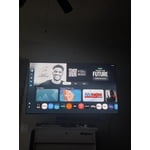
[This review was collected as part of a promotion.] The esthetics and contrast while watching and playing video games is amazing especially for the prize

Review from Samsung US
Helpful?519VMKO7QPOP17358505999
Jul 7, 2026
Reviewer name: AEVA
5 out of 5 stars
5 out of 5 stars review

A Wonderful Escape From Reality

[This review was collected as part of a promotion.] This TV produces beautiful images that allow you to truly disconnect from the stress of daily life and escape to whatever world you choose. The sound completes the sensory escape with ease.

Review from Samsung US
Helpful?519VMKO7QPOP17358505999
Jun 5, 2026
Reviewer name: Fester1
4 out of 5 stars
4 out of 5 stars review

Good tv

[This review was collected as part of a promotion.] The only problem with this TV is the refresh rate. Sometimes blurry with alot of movement. Otherwise it's Awesome.

Review from Samsung US
Helpful?519VMKO7QPOP17358505999
Jun 23, 2026
Reviewer name: DEELITE
4 out of 5 stars
4 out of 5 stars review

Vibrancy, bright with great resolution. Screen

[This review was collected as part of a promotion.] Sleek, beautiful with thin bazel. Features are extremely functional, just a great smart TV all-round.

Review from Samsung US
Helpful?519VMKO7QPOP17358505999
Jun 24, 2026
Reviewer name: Bull Dog
2 out of 5 stars
2 out of 5 stars review

Resolution is poor / bad

[This review was collected as part of a promotion.] Aesthetics are alright , Brightness is good , Contrast is good , Resolution is poor / bad , Vibrancy is good

Review from Samsung US
Helpful?519VMKO7QPOP17358505999
reply from Samsung Advisor

Hi Bull Dog, Thank you for your feedback on the Samsung U7900F TV. If the picture appears unclear, dull, or lacks definition, there are several settings you can adjust to improve clarity and overall image quality. Go to: Settings > All Settings > Picture > Expert Settings, and review these key settings: Picture Clarity Settings: While originally intended for motion handling, these can also impact overall clarity • Off: Disables motion enhancements • Auto: Automatically adjusts based on content • Custom: Lets you fine-tune: o Judder Reduction – Helps smooth out uneven motion o LED Clear Motion – Boosts sharpness in fast-moving content o Noise Reduction – Reduces distortion and enhances detail in lower-resolution sources Core Picture Settings • Brightness – Controls overall screen brightness • Contrast – Enhances the difference between bright and dark areas • Sharpness – Adjusts edge definition; closer to 20 increases detail • Color – Enhances depth and intensity of colors And don’t forget to check for the latest firmware, which may improve performance: Settings > Support > Software Update > Update Now These adjustments can make a noticeable difference in overall clarity. If you need further help tailoring the settings to your preferences or environment, please contact Samsung Support at 1-800-SAMSUNG (8AM – 9PM EST Mon – Fri, 8AM – 6PM Sat – Sun). LiveChat is also available via the ‘Support’ link on our website. ~ Samsung Advisor

Jun 5, 2026
Reviewer name: Gator
5 out of 5 stars
5 out of 5 stars review

I just like Samsung products

[This review was collected as part of a promotion.] I can't believe how cheap it was the picture on it is beautiful it's just completely amazing I just love watching it

Review from Samsung US
Helpful?519VMKO7QPOP17358505999