Skip to Main Content
Sams Club
Sams Club
Customer reviews for SAMSUNG 70" Class U7900F Series 4K Crystal UHD Smart TV for
SAMSUNG 70" Class U7900F Series 4K Crystal UHD Smart TV
4.6 out of 5 stars
stars1,715 ratings1,708 reviews
  1. 5 stars78% (1,333)
  2. 4 stars14% (248)
  3. 3 stars4% (74)
  4. 2 stars1% (24)
  5. 1 star2% (36)

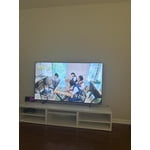
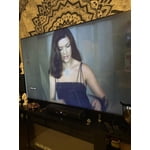
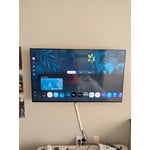
Member photos

  • +683 images
Sort by |
Showing 1,701-1,708 of 1,708 reviews
Jun 17, 2025
Alwaysdizon
5 out of 5 stars review

This is a great tv

[This review was collected as part of a promotion.] This tv is very clear and has agreed picture it's very vivid.

Review from Samsung US
Helpful?519VMKO7QPOP17358505999
Aug 18, 2025
Myroom
5 out of 5 stars review

Samsung TV

[This review was collected as part of a promotion.] Streaming, gaming and pc. I love my TV and most of my devices are samsung.

Review from Samsung US
Helpful?519VMKO7QPOP17358505999
Sep 20, 2025
Juliomez
3 out of 5 stars review

Easy to use

[This review was collected as part of a promotion.] The tv its nice but speed rate not there blurry on fast action movies,

Review from Samsung US
Helpful?519VMKO7QPOP17358505999
reply from Samsung Advisor

Hi Juliomez, Thank you for your feedback on the Samsung U7900 TV and your experience when watching fast-motion content. If the picture appears blurry or unnatural during high-speed scenes, there are several settings you can adjust to improve motion clarity. Go to: Home > left directional key > Settings > All Settings > Picture > Expert Settings, and review these key settings: Picture Clarity Settings • Off: Disables all motion enhancement • Auto: Automatically adjusts motion clarity based on content • Custom: Enables manual control of: o Judder Reduction: Smooths motion in film-based content o LED Clear Motion: Increases sharpness during fast movement o Noise Reduction: Helps reduce distortion in lower-quality sources Additional Picture Controls • Brightness – Adjust overall image brightness • Contrast – Controls the difference between light and dark areas • Sharpness – Enhances the definition of object edges • Color – Adjusts color intensity for more natural or vivid tones We hope these settings help improve your viewing experience, especially with fast-moving content. If you'd like further assistance, feel free to reach out to Samsung Support at 1-800-SAMSUNG, 8AM – 12AM EST, 7 days a week. LiveChat is also available via the ‘Support’ link on our website. ~ Samsung Advisor

Aug 20, 2025
Ginger
5 out of 5 stars review

the tv is great

[This review was collected as part of a promotion.] the only thing it would have been nice to have a better user manual

Review from Samsung US
Helpful?519VMKO7QPOP17358505999
Aug 19, 2025
BLUEIZJADE76
5 out of 5 stars review

THIS TV IS AMAZING!!

[This review was collected as part of a promotion.] This TV is gorgeous, sleek, and so easy to operate.

Review from Samsung US
Helpful?519VMKO7QPOP17358505999
Aug 22, 2025
Love2game
5 out of 5 stars review

This product has a great resolution.

[This review was collected as part of a promotion.] I use my tv for streaming and playing video games.

Review from Samsung US
Helpful?519VMKO7QPOP17358505999
Aug 22, 2025
Girlsmom
5 out of 5 stars review

This product is great

[This review was collected as part of a promotion.] My tv for movies and streaming and the pictures is great

Review from Samsung US
Helpful?519VMKO7QPOP17358505999
Aug 22, 2025
Hahajenn
5 out of 5 stars review

New tv samsung

[This review was collected as part of a promotion.] Used to replace old Samsung tv. I love it the picture is amazing

Review from Samsung US
Helpful?519VMKO7QPOP17358505999