Skip to Main Content
Sam's Club
Sam's Club
All Departments
All Services
Customer reviews for SAMSUNG 70" Class U7900F Series 4K Crystal UHD Smart TV for
SAMSUNG 70" Class U7900F Series 4K Crystal UHD Smart TV
4.5 out of 5 stars
stars
3,963 ratings3,956 reviews
  1. 5 stars73% (2,905)
  2. 4 stars15% (601)
  3. 3 stars6% (242)
  4. 2 stars2% (94)
  5. 1 star3% (121)

Member photos

  • +1545 images
Sort by |
Showing 1,561-1,570 of 3,956 reviews
Jun 22, 2026
Reviewer name: Tisha
5 out of 5 stars
5 out of 5 stars review

Great feature

[This review was collected as part of a promotion.] I love my product and so does my kids can watch anything we want and I love how I can download any app I want to watch with no problem

Review from Samsung US
Helpful?519VMKO7QPOP17358505999
Jul 20, 2026
Reviewer name: Daramas64
4 out of 5 stars
4 out of 5 stars review

Responsiveness

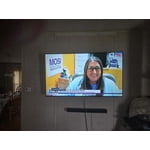
[This review was collected as part of a promotion.] I have had this TV. about a month, zero issues. Adjusted the screen to my liking, Enjoy my sports. One small critique is the remote, not the best but works.

Review from Samsung US
Helpful?519VMKO7QPOP17358505999
Jul 6, 2026
Reviewer name: your nickname
2 out of 5 stars
2 out of 5 stars review

mediocre at best
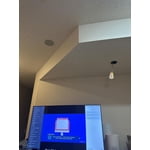
[This review was collected as part of a promotion.] I am experiencing noticeable lag when using the remote. The responsiveness is suboptimal; it connects quickly to Apple products but not to others.

Review from Samsung US
Helpful?519VMKO7QPOP17358505999
reply from Samsung Advisor

Hi, Thank you for your feedback. If your remote isn’t responding, here are a few quick steps to help determine if it’s working correctly: 1. Check the batteries: Remove the back cover of your remote and replace the batteries with a fresh set, ensuring they are inserted in the correct direction. 2. Test for infrared signal: Point the front of the remote at your smartphone camera. While holding down any button, you should see a flashing light through the camera screen. (For iPhone users, the front-facing camera works best.) If you see the light, your remote is working and may need to be re-paired with your TV. 3. Point the remote correctly: Try pointing the remote directly at the TV from about 5-6 feet away. This can help ensure a clearer signal between the remote and the TV. 4. Clean the remote: Gently wipe the top edge of the remote (where the infrared sensor is located) with a soft, dry cloth to remove any dust or debris that could interfere with functionality. If you still need assistance, please contact Samsung Support at 1-800-SAMSUNG (8AM – 9PM EST Mon – Fri, 8AM – 6PM Sat – Sun), or visit the ‘Support’ link on our website to start a LiveChat session. ~ Samsung Advisor

Jun 5, 2026
Reviewer name: Vlad
5 out of 5 stars
5 out of 5 stars review

Great TV, great price
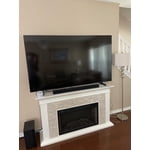
[This review was collected as part of a promotion.] This 75 inch samsung TV is awesome. The remote Is improvered new design and legs under the TV are very stable. I love it and highly recommend it to anyone.

Review from Samsung US
Helpful?519VMKO7QPOP17358505999
Jun 1, 2026
Reviewer name: AngietheAvonLady
5 out of 5 stars
5 out of 5 stars review

Great product

[This review was collected as part of a promotion.] Love this TV and the Samsung Play feature. The streaming feature offers a great variety of shows and movies.

Review from Samsung US
Helpful?519VMKO7QPOP17358505999
Jun 1, 2026
Reviewer name: MARTINUCCH
5 out of 5 stars
5 out of 5 stars review

SAMSUNG IS THE BEST HANDS DOWN!!!

[This review was collected as part of a promotion.] I LOVE anything SAMSUNG😍😍 but the TV Picture color and overall quality(doesn't feel cheaply made) Also Streams without issues. Upgrade soon!!! #TEAMSAMSUNG

Review from Samsung US
Helpful?519VMKO7QPOP17358505999
Jul 20, 2026
Reviewer name: StevO
5 out of 5 stars
5 out of 5 stars review

Best TV Ever

[This review was collected as part of a promotion.] We love this TV, It has a great picture with perfect color. We could not be happier with this purchase

Review from Samsung US
Helpful?519VMKO7QPOP17358505999
Jul 5, 2026
Reviewer name: Rusty
2 out of 5 stars
2 out of 5 stars review

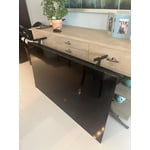
Questionable stand design
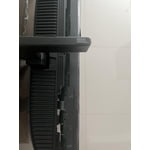
[This review was collected as part of a promotion.] I was extremely happy until one day the TV fell over. I feel the footings were poorly designed and the TV was destroyed about 5 months after purchase.

Review from Samsung US
Helpful?519VMKO7QPOP17358505999
reply from Samsung Specialist

Thank you for your review. If there’s anything we can assist with, please don’t hesitate to call us at 1-800-SAMSUNG (8AM – 9PM EST Mon – Fri, 8AM – 6PM Sat – Sun), or reach us via text anytime. You can also visit ‘Support’ on our website for: • Live Chat • Manuals, Software, & Warranty Info ~ Samsung Specialist

Jul 20, 2026
Reviewer name: Sungod327
5 out of 5 stars
5 out of 5 stars review

Great Buy

[This review was collected as part of a promotion.] The tv has a sharp image and picture is bright and contrast is well portioned. The features are very user friendly. The TV compatible with sound bars. I recommend the TV.

Review from Samsung US
Helpful?519VMKO7QPOP17358505999
Jul 20, 2026
Reviewer name: Tyler
2 out of 5 stars
2 out of 5 stars review

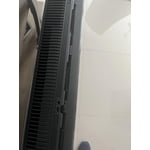
Clicking noise coming from the back
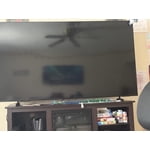
[This review was collected as part of a promotion.] Clicking noise is coming from the back of the tv. Not sure what I need to do to get a new one but this happen the day I brought it home.

Review from Samsung US
Helpful?519VMKO7QPOP17358505999
reply from Samsung Advisor

Hi Tyler, Thanks for sharing your experience with your U7900 TV. Unusual sounds can come from different sources, so first check whether it’s from the TV speakers, an external device (like a soundbar), or the back of the TV. • For external audio, ensure cables are connected to the correct output • If using antenna or cable, check signal strength: Settings > Support > Device Care > Self Diagnosis > Broadcast Signal • Popping sounds from the back may be due to thermal expansion - this is normal and not a malfunction • Run a Sound Test to troubleshoot: Settings > Support > Device Care > Self Diagnosis > Sound Test If the issue continues, please contact Samsung Support at 1-800-SAMSUNG (8AM – 9PM EST Mon – Fri, 8AM – 6PM Sat – Sun). LiveChat and additional support resources are also available through the Support link on our website. ~ Samsung Advisor