Skip to Main Content
Sam's Club
Sam's Club
All Departments
All Services
Customer reviews for SAMSUNG 70" Class U7900F Series 4K Crystal UHD Smart TV for
SAMSUNG 70" Class U7900F Series 4K Crystal UHD Smart TV
4.5 out of 5 stars
stars
3,963 ratings3,956 reviews
  1. 5 stars73% (2,905)
  2. 4 stars15% (601)
  3. 3 stars6% (242)
  4. 2 stars2% (94)
  5. 1 star3% (121)

Member photos

  • +1545 images
Sort by |
Showing 1,551-1,560 of 3,956 reviews
Jun 22, 2026
Reviewer name: Grapejuice78
5 out of 5 stars
5 out of 5 stars review

Great for blueprints!

[This review was collected as part of a promotion.] I bought this TV for work purposes. I use it for estimating blueprints. Very detailed and user friendly!

Review from Samsung US
Helpful?519VMKO7QPOP17358505999
Jul 20, 2026
Reviewer name: Julie
4 out of 5 stars
4 out of 5 stars review

Love the picture quality. Hook up challenging

[This review was collected as part of a promotion.] Only disappointment is in the remote. It's the most impossible user friendly. You willing to provide a remote with actual digits?

Review from Samsung US
Helpful?519VMKO7QPOP17358505999
Jun 5, 2026
Reviewer name: Eric B
4 out of 5 stars
4 out of 5 stars review

Television

[This review was collected as part of a promotion.] The television. It was very easy to set up and has excellent brightness and resolution. We are very pleased with the product.

Review from Samsung US
Helpful?519VMKO7QPOP17358505999
Jun 21, 2026
Reviewer name: Sgoo
5 out of 5 stars
5 out of 5 stars review

Great all around

[This review was collected as part of a promotion.] Vibrant, amazing picture and sound, Resolution goes above and beyond. I feel like i am in a movie theater

Review from Samsung US
Helpful?519VMKO7QPOP17358505999
Jul 5, 2026
Reviewer name: Tamikess
5 out of 5 stars
5 out of 5 stars review

Great features

[This review was collected as part of a promotion.] This TV is very nice. Has great features and the color on the screen is bright and clear. It comes with things to watch already and is easy to add the Roku box to it.

Review from Samsung US
Helpful?519VMKO7QPOP17358505999
Jul 5, 2026
Reviewer name: Mholloway10
5 out of 5 stars
5 out of 5 stars review

Samsung

[This review was collected as part of a promotion.] The product does not disappoint in any fashion. Superior quality and resolution that I would recommend to tv and movie watchers.

Review from Samsung US
Helpful?519VMKO7QPOP17358505999
Jul 5, 2026
Reviewer name: Jack
2 out of 5 stars
2 out of 5 stars review

Poor picture quality

[This review was collected as part of a promotion.] Picture quality not as good as my 20 year old Sharp. Poor color contrast, brightness, and resolution.

Review from Samsung US
Helpful?519VMKO7QPOP17358505999
reply from Samsung Advisor

Hi Jack, We appreciate your feedback on the picture quality of Samsung’s U7900FD TV. If the image doesn’t quite match your preferences, there are several adjustments you can make to better suit your viewing environment and content type. First, please ensure your TV is running the latest firmware, as updates may include important picture quality enhancements. Go to: Home > Left directional button > Settings > Support > Software Update > Update Now To explore picture mode options, navigate to: Home > Left directional button > Settings > All Settings > Picture > Picture Mode. Options include: • Standard – Ideal for general viewing • Dynamic – Brighter and more vibrant for well-lit spaces • Eco – Optimized for energy efficiency • Movie – Best for viewing in low light • Filmmaker Mode – Preserves the content creator’s intent and disables motion smoothing for supported content You can further customize your image by going to: Settings > All Settings > Picture > Expert Settings, where you can adjust Brightness, Contrast, Color Tone, Sharpness, Contrast Enhancer and more. If you’d like help finding the best picture settings for your preferences, please don’t hesitate to contact Samsung Support at 1-800-SAMSUNG, available 8AM – 9PM EST Mon – Fri, 8AM – 6PM Sat – Sun. You can also LiveChat with an agent or explore additional resources on our website by clicking the ‘Support’ link. ~ Samsung Advisor

Jun 4, 2026
Reviewer name: Angelzzzotop
5 out of 5 stars
5 out of 5 stars review

Great experience!
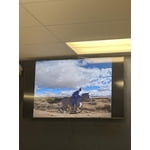
[This review was collected as part of a promotion.] I like the quality of the product. It's better than a was expecting, the 4k looks amazing, and it's so slim for the price. Super light and easy to install and setting it.

Review from Samsung US
Helpful?519VMKO7QPOP17358505999
Jul 20, 2026
Reviewer name: Godistheonlyway
3 out of 5 stars
3 out of 5 stars review

Good for the price

[This review was collected as part of a promotion.] For the price this tv is good but if you looking more realistic color images you better pay for the other high ending models

Review from Samsung US
Helpful?519VMKO7QPOP17358505999
reply from Samsung Advisor

Hi Godistheonlyway, We appreciate your feedback on the picture quality of Samsung’s U7900F TV. If the image doesn’t quite match your preferences, there are several adjustments you can make to better suit your viewing environment and content type. First, please ensure your TV is running the latest firmware, as updates may include important picture quality enhancements. Go to: Home > Left directional button > Settings > Support > Software Update > Update Now To explore picture mode options, navigate to: Home > Left directional button > Settings > All Settings > Picture > Picture Mode. Options include: • Standard – Ideal for general viewing • Dynamic – Brighter and more vibrant for well-lit spaces • Eco – Optimized for energy efficiency • Movie – Best for viewing in low light • Filmmaker Mode – Preserves the content creator’s intent and disables motion smoothing for supported content You can further customize your image by going to: Settings > All Settings > Picture > Expert Settings, where you can adjust Brightness, Contrast, Color Tone, Sharpness, Contrast Enhancer and more. If you’d like help finding the best picture settings for your preferences, please don’t hesitate to contact Samsung Support at 1-800-SAMSUNG (8AM – 9PM EST Mon – Fri, 8AM – 6PM Sat – Sun). You can also LiveChat with an agent or explore additional resources on our website by clicking the ‘Support’ link. ~Samsung Advisor

Jul 5, 2026
Reviewer name: Sgiv
1 out of 5 stars
1 out of 5 stars review

Awful service

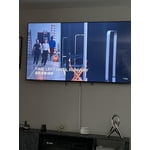
[This review was collected as part of a promotion.] Wasn't able to even use the tv as the screen was cracked and was offered no resolution besides going out and buying a new one.

Review from Samsung US
Helpful?519VMKO7QPOP17358505999
reply from Samsung Specialist

Thank you for your review. If there’s anything we can assist with, please don’t hesitate to call us at 1-800-SAMSUNG (8AM – 9PM EST Mon – Fri, 8AM – 6PM Sat – Sun), or reach us via text anytime. You can also visit ‘Support’ on our website for: • Live Chat • Manuals, Software, & Warranty Info ~ Samsung Specialist