Skip to Main Content
Sam's Club
Sam's Club
All Departments
All Services
Customer reviews for SAMSUNG 65" Class U7900F Series 4K Crystal UHD Smart TV for
SAMSUNG 65" Class U7900F Series 4K Crystal UHD Smart TV
4.6 out of 5 stars
stars
3,594 ratings3,515 reviews
  1. 5 stars74% (2,660)
  2. 4 stars15% (546)
  3. 3 stars6% (206)
  4. 2 stars2% (80)
  5. 1 star3% (102)

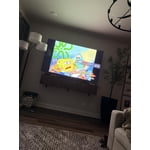
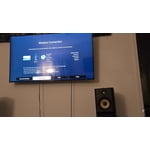
Member photos

  • +1393 images
Sort by |
Showing 821-830 of 3,515 reviews
Feb 20, 2026
Reviewer name: Big tv
5 out of 5 stars
5 out of 5 stars review

Nice samsung t v

[This review was collected as part of a promotion.] Things there are so much better on a eighty inch.Samsung t v the clarity is awesome

Review from Samsung US
Helpful?7052JBFI9KAV17348165019
Mar 23, 2026
Reviewer name: Dink
3 out of 5 stars
3 out of 5 stars review

Still working

[This review was collected as part of a promotion.] Need more memory, can't update with current memory. Disconnects from wifi often.

Review from Samsung US
Helpful?7052JBFI9KAV17348165019
reply from Samsung Advisor

Hi, We appreciate your feedback. If your TV is having trouble maintaining a wireless connection, please try the following: 1. Distance matters – Keep your TV within 50 feet of your router. Avoid placing the router behind walls, furniture, or electronic devices. 2. Minimize interference – Turn off nearby wireless devices that may disrupt the signal. 3. Power cycle both devices – Unplug the TV and router for 30 seconds, then plug them back in. 4. Run diagnostics: o Settings > Support > Device Care > Self Diagnosis > Smart Hub Connection Test o Settings > Support > Device Care > Self Diagnosis > Wi-Fi 5. Update firmware: Settings > Support > Software Update > Update Now 6. Factory reset (if needed): Settings > All Settings > General & Privacy > Reset > Factory Data Reset Finally, to further optimize performance, try running Device Care, which checks memory, clears unused cached data, and closes background apps: Home > left directional key > Settings > Support > Device Care > Start Device Care If you continue to experience issues, please contact Samsung Support at 1-800-SAMSUNG, available 8AM – 12AM EST, 7 days a week. LiveChat support and additional help are available at the ‘Support’ link on our website. ~ Samsung Advisor

Apr 4, 2026
Reviewer name: Tony2Times
5 out of 5 stars
5 out of 5 stars review

Very smart

[This review was collected as part of a promotion.] This tv is the best thing since sliced bread. I love it

Review from Samsung US
Helpful?7052JBFI9KAV17348165019
Apr 8, 2026
Reviewer name: Jehutyjw23
5 out of 5 stars
5 out of 5 stars review

TV

[This review was collected as part of a promotion.] Great TV for the price. Love how fast everything connected. Also great picture as well

Review from Samsung US
Helpful?7052JBFI9KAV17348165019
Dec 21, 2025
Reviewer name: Shop2udrop
5 out of 5 stars
5 out of 5 stars review

Samsung BBB smart tv with is great thanks

[This review was collected as part of a promotion.] Wonderful tv and great color not to heavy! Sounds well also

Review from Samsung US
Helpful?7052JBFI9KAV17348165019
Feb 17, 2026
Reviewer name: Misty
4 out of 5 stars
4 out of 5 stars review

Great picture

[This review was collected as part of a promotion.] This tv has an excellent picture quality and clarity!!

Review from Samsung US
Helpful?7052JBFI9KAV17348165019
Feb 17, 2026
Reviewer name: Lantern
5 out of 5 stars
5 out of 5 stars review

Great tv

[This review was collected as part of a promotion.] This tv looks great and has all the features, you need. It's easy to wall mount.

Review from Samsung US
Helpful?7052JBFI9KAV17348165019
Feb 17, 2026
Reviewer name: Livingroom
4 out of 5 stars
4 out of 5 stars review

Great Tv

[This review was collected as part of a promotion.] We use this tv daily. Great picture and works well with ps5 and xfinity

Review from Samsung US
Helpful?7052JBFI9KAV17348165019
Feb 17, 2026
Reviewer name: TU7000
5 out of 5 stars
5 out of 5 stars review

Great buy

[This review was collected as part of a promotion.] Awesome picture, sound, volume. Great features to choose from.

Review from Samsung US
Helpful?7052JBFI9KAV17348165019
Feb 6, 2026
Reviewer name: Thankful Nat
3 out of 5 stars
3 out of 5 stars review

The price was the best thing!

[This review was collected as part of a promotion.] Loved the price and though my previous Samsung TV picture was brighter, this one is still good!

Review from Samsung US
Helpful?7052JBFI9KAV17348165019
reply from Samsung Advisor

Hi Thankful Nat, It's great to hear you are enjoying your new Samsung TV. If the image appears too dark, we suggest disabling certain energy-saving features, which can automatically adjust brightness and affect how the screen looks. Go to: Settings > All Settings > General & Privacy > Power and Energy Saving, then turn off Brightness Optimization, Energy Saving Solution, Motion Lighting, and/or Contrast Enhancer. You can also adjust the Picture Mode to better suit your environment: Settings > All Settings > Picture > Picture Mode • Standard – Default mode for general viewing • Dynamic – Brighter and clearer, ideal for well-lit rooms • Movie – Best for dark room viewing • Eco – Energy-saving mode • Filmmaker Mode – Preserves content as intended by creators To fine-tune brightness, go to: Home > left directional key > Settings > All Settings > Picture > Expert Settings, then adjust the Brightness level (0–50) to your preference. Lastly, please make sure your TV is running the latest firmware: Home > Home > left directional key > Settings > Support > Software Update > Update Now We hope these tips help improve your viewing experience. If you need further support, feel free to contact us at 1-800-SAMSUNG, 8AM – 12AM EST, 7 days a week. LiveChat is also available via the ‘Support’ link on our website. ~ Samsung Advisor