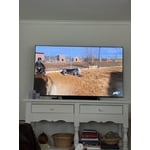
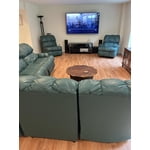
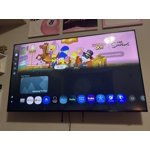
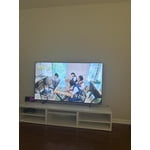
Customer reviews for SAMSUNG 65" Class U7900F Series 4K Crystal UHD Smart TV forMember photos


+878 images
Amazing picture
[This review was collected as part of a promotion.] This smart tv provides amazing picture and detail. Plenty of security setting for online usage. Colors are crisp and bright. Amazing 4K resolution when available. Gaming has been amazing, and the audio is top notch.
Constant Image Twitching “Critical Flaws”
[This review was collected as part of a promotion.] I love Samsung products but this tv isn't the best Constant Image Twitching Ruins the Experience The Samsung U7900F is a disappointing TV overall. It’s best suited for watching shows in a light-controlled room, yet it still struggles there. It isn’t bright enough to handle glare, and its black levels are sub-par with no local dimming, so it also performs poorly in dark rooms. Color performance is limited, as it can’t display a wide color gamut, though its SDR accuracy out of the box is decent. Gamers may appreciate the low input lag, which allows for responsive gameplay, but motion handling is weak, with noticeable blur behind fast-moving objects. On the plus side, its image processing is acceptable, meaning low-resolution and low-quality content is upscaled reasonably well. Unfortunately, this isn’t enough to compensate for its major flaws, making the overall viewing experience underwhelming.
Hi Carter, Thank you for your feedback regarding the twitching you're seeing on your TV. To help determine if the issue is related to the panel itself, we recommend starting with a Picture Test, which displays a high-definition image you can examine for flaws: Settings > Support > Device Care > Self Diagnosis > Picture Test If the issue appears during the test and across all sources (built-in apps, HDMI devices, etc.), it may indicate a panel-related concern. You can also try displaying solid-color test videos (red, green, blue, black, white) from a USB drive or YouTube. This can help you identify whether any pixels are stuck or not functioning properly. In some cases, unplugging the TV for a few minutes and rebooting it can help resolve stuck pixels caused by temporary display behavior. Please also ensure you are running the latest Firmware, version 1132.0. Go to Settings> Support> Software Update. If this firmware version is not yet available on your TV, you can download the update on a USB drive and manually update your TV: 1. On Samsung's website (upper right corner), go to: Support > Manual & Software > Find your TV model, and click on the Firmware – Upgrade File. 2. When the file has finished downloading, locate it and then unzip it. There is normally one folder inside but there may be multiple files. 3. Copy or move all of the files that were included in the zip file to a USB flash drive, but do not place them inside any other folders. If you place the software folders inside a folder on the USB flash drive, the TV or monitor will not find them. 4. Connect the USB drive containing the software upgrade into a USB port on your device. 5. Using your device's remote, navigate to and select Settings, then select All Settings, and then select Support. Select Software Update, select Update Now, and then select Yes if prompted. Your device will search the USB drive for update files. Follow the on-screen instructions to install the updated software. Updates usually take a few minutes; please do not turn off the TV until the update is complete. When the update is finished, it will restart automatically. If you need additional support, Samsung is here to help. Please call us at 1-800-SAMSUNG, available daily from 8AM - 12AM EST. You can also chat with a LiveChat agent by clicking the ‘Support’ link on our website. ~ Samsung Advisor
Great TV at a great price
[This review was collected as part of a promotion.] Bought it on a great deal last year and our bedroom has become our favorite theatre. The brightness makes it fun to watch even during the day. Colors are great and the 4k resolution makes everything so clear. The TV profile is slim enough that it looks cool. We have paired it with smart things and secured it.
Great Smart Tv
[This review was collected as part of a promotion.] bought the 75-inch Samsung Crystal UHD U7900F 4K Smart TV in 2025, and I’m extremely happy with it. Everything about this TV has been great so far. The picture quality is sharp, clear, and colorful, and the 4K resolution makes movies, sports, and streaming look excellent. The screen size is perfect and really makes the viewing experience feel more immersive. The smart features are easy to use, the apps run smoothly, and the menu is simple to navigate. I also like how sleek and modern the TV looks in my living room. It has a very clean design and feels like a premium product for the price. Sound quality is good, setup was easy, and overall performance has been excellent. For the money, this TV is a fantastic value. I would definitely recommend it to anyone looking for a big, beautiful, and reliable 4K smart TV.
Huge Screen, Crystal Clear Quality
[This review was collected as part of a promotion.] Absolutely loving my 75-inch Samsung Crystal UHD! The picture quality is stunning for the price, everything is super crisp and the colors really pop. It’s thin, looks great on the wall, and the smart features are fast and easy to navigate. Best upgrade I’ve made in a long time!
Israel
[This review was collected as part of a promotion.] bought this TV for my mother's house we've been using it for a while now only good clear picture and for football is really nice and clear for streaming apps it's a good 9 out of 10 sometimes the apps itself have a bug where it doesn't want to load or just as a freeze easy to do a reset with by holding the power easy to do a reset by holding the power button extremely smart TV
Wow what a picture
[This review was collected as part of a promotion.] One i saw my favorite TV shows and moves. I knew I didn't want to leave the house for one second. Uber eats became my friend for the next week. So easy on the eyes. I can get as close as I want. MOM!
Get what you pay for
Gliche could not even watch some streaming channels. Looks like a known issue when reviewing other sites. Most be a software issue because works fine when I attached a Ruku device. Like the picture and sound, maybe a software update will resolve this issue but there are none available at this time.
Hi Mr T, Thank you for sharing your experience. Please ensure your TV is running the latest Firmware, version 1132.0. Go to Settings> Support> Software Update. If this firmware version is not yet available on your TV, you can download the update on a USB drive and manually update your TV: 1. On Samsung's website (upper right corner), go to: Support > Manual & Software > Find your TV model, and click on the Firmware – Upgrade File. 2. When the file has finished downloading, locate it and then unzip it. There is normally one folder inside but there may be multiple files. 3. Copy or move all of the files that were included in the zip file to a USB flash drive, but do not place them inside any other folders. If you place the software folders inside a folder on the USB flash drive, the TV or monitor will not find them. 4. Connect the USB drive containing the software upgrade into a USB port on your device. 5. Using your device's remote, navigate to and select Settings, then select All Settings, and then select Support. Select Software Update, select Update Now, and then select Yes if prompted. Your device will search the USB drive for update files. Follow the on-screen instructions to install the updated software. Updates usually take a few minutes; please do not turn off the TV until the update is complete. When the update is finished, it will restart automatically. If you need additional support, Samsung is here to help. Please call us at 1-800-SAMSUNG, available daily from 8AM - 12AM EST. You can also chat with a LiveChat agent by clicking the ‘Support’ link on our website. ~Samsung Advisor
Love it
[This review was collected as part of a promotion.] Best Best product ever my kids to sit down watch the movie in a big screen it's very bright I love the volume I love how it looks in my co z Best product ever my kids to sit down watch the movie in a big screen it's very bright I love the volume I love how it looks in my Cozy Best product ever my kids to sit down watch the movie in a big screen it's very bright I love the volume I love how it looks in my cozy apartment and in the future I will be buying another one for my bedroom
Beware of this TV
[This review was collected as part of a promotion.] I have encountered several issues with this television. Firstly, when attempting to transmit audio from the television to a connected Bluetooth speaker, I experienced static interference, necessitating a power cycle of the television to resolve the issue. This problem was not isolated to a single Samsung speaker but occurred with other speakers as well. Secondly, approximately 30 minutes into viewing movies, persistent glitches appeared. Thirdly, the television's remote control exhibits a noticeable delay in responsiveness when navigating through various applications and games. I am dissatisfied with this purchase and would not recommend this product, despite owning several other Samsung products.
Hi Raymond, Thank you for reaching out to us. If you are experiencing sound issues when connecting to a Bluetooth speaker, please try the below troubleshooting steps: 1. Bluetooth connections can be sensitive to distance and interference. Keep the Bluetooth device close to the TV, and remove nearby sources of interference (e.g., wireless routers or other Bluetooth devices). 2. For improved stability, use a 5GHz Wi-Fi network if available. 3. If issues persist, we recommend switching to a wired connection (HDMI ARC or Optical) for a more reliable audio experience. Also Try: • Update your TV's firmware: Settings > Support > Software Update > Update Now • Run a Sound Test to verify internal sound functions: Settings > Support > Device Care > Self Diagnosis > Sound Test If you’ve tried the steps above and are still experiencing issues, we’re here to help. You can call Samsung Support at 1-800-SAMSUNG, 8AM – 12AM EST, 7 days a week. Our LiveChat agents are also available by clicking the ‘Support’ link at Samsung.com. ~ Samsung Advisor