Skip to Main Content
Sam's Club
Sam's Club
All Departments
All Services
Customer reviews for SAMSUNG 65" Class U7900F Series 4K Crystal UHD Smart TV for
SAMSUNG 65" Class U7900F Series 4K Crystal UHD Smart TV
4.5 out of 5 stars
stars
4,239 ratings4,160 reviews
  1. 5 stars74% (3,117)
  2. 4 stars15% (632)
  3. 3 stars6% (258)
  4. 2 stars2% (102)
  5. 1 star3% (130)

Member photos

  • +1610 images
Sort by |
Showing 511-520 of 4,160 reviews
Sep 7, 2026
Reviewer name: Sdufraine
5 out of 5 stars
5 out of 5 stars review

Greatest TV ever bought
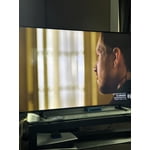
[This review was collected as part of a promotion.] By far the best TV I have ever bought…The picture is bright and crisp. The ease of changing settings even for people that are not tech savvy at all.

Review from Samsung US
Helpful?7052JBFI9KAV17348165019
Sep 20, 2026
Reviewer name: I dont have one
1 out of 5 stars
1 out of 5 stars review

Overall

[This review was collected as part of a promotion.] This is not a user friendly tv. Instructions vague, hard to find, hard to follow. 19 characters too short?? Give me a break.

Review from Samsung US
Helpful?7052JBFI9KAV17348165019
reply from Samsung Advisor

Hi I don't have one, We appreciate you sharing your user experience. To help you get the most from your TV, you can download the full e-Manual and more by visiting Samsung’s website then navigating to: Support > Manual & Software > TVs & Home Theater. From there, you can search for and select your U7900F TV model to view or download the available guides. The e-Manual and Remote Control Guide are also conveniently built into your TV: Settings > Support > Tips and User Guides For further assistance, contact Samsung Support at 1-800-SAMSUNG (8AM – 9PM EST Mon – Fri, 8AM – 6PM Sat – Sun), or reach us via text anytime. You can also visit ‘Support’ on our website for: • Live Chat • Manuals, Software, & Warranty Info ~ Samsung Advisor

Sep 5, 2026
Reviewer name: Edjucationisbest
4 out of 5 stars
4 out of 5 stars review

65 Inch Samsung

[This review was collected as part of a promotion.] Liked the value and quality; but needs a faster chip as there is latency in processing times. Picture quality is nice.

Review from Samsung US
Helpful?7052JBFI9KAV17348165019
Sep 5, 2026
Reviewer name: Magic
4 out of 5 stars
4 out of 5 stars review

Volume control

[This review was collected as part of a promotion.] Over all tv is great, has awsome colors ,beautiful picture. The only thing is that the volume will go up when I lower it down, might be the channels, I think

Review from Samsung US
Helpful?7052JBFI9KAV17348165019
Sep 20, 2026
Reviewer name: CJCJ
5 out of 5 stars
5 out of 5 stars review

Love the unique design and features
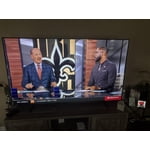
[This review was collected as part of a promotion.] I love the uniqueness of the set up and the apps. The television provides so much more over other smart TVs

Review from Samsung US
Helpful?7052JBFI9KAV17348165019
Sep 8, 2026
Reviewer name: Dc62281
5 out of 5 stars
5 out of 5 stars review

Clear picture

[This review was collected as part of a promotion.] Works great also integrates with all other Samsung products I have. I always buy Samsung products. Super reliable.

Review from Samsung US
Helpful?7052JBFI9KAV17348165019
Sep 5, 2026
Reviewer name: Birdie Guy
3 out of 5 stars
3 out of 5 stars review

Mind of its own

[This review was collected as part of a promotion.] TV turns itself on randomly. I recently returned home after a week and the TV was on? Periodically turns on in the middle of the night.

Review from Samsung US
Helpful?7052JBFI9KAV17348165019
reply from Samsung Advisor

Hi Birdie Guy, Thanks for sharing your experience. If your TV is powering on by itself, there are a few settings and external triggers to review: 1. Power On with Mobile – Your TV may be connected to the SmartThings app or other networked devices. To stop wake signals, turn this feature off: Settings > All Settings > Connection > Network > Expert Settings > Power On with Mobile = Off 2. Check for Active Timers – Go to Settings > All Settings > General & Privacy > System Manager > Time > Timer Settings, then disable any On Timers or Sleep Timers 3. Anynet+ (HDMI-CEC) – If your TV is connected to external HDMI devices, one of them may be triggering power-on behavior. To disable this feature: Settings > All Settings > General & Privacy > External Device Manager > Anynet+ (HDMI-CEC) = Off 4. Software Update – Make sure your TV is up to date: Settings > Support > Software Update > Update Now If you’ve ruled out all the above and your TV still powers on unexpectedly, try unplugging it for 30 seconds. Should the issue continue, please call Samsung Support at 1-800-SAMSUNG (8AM – 9PM EST Mon – Fri, 8AM – 6PM Sat – Sun). LiveChat agents are also available by clicking the ‘Support’ link on our website. ~ Samsung Advisor

Sep 12, 2026
Reviewer name: CopperPenny
5 out of 5 stars
5 out of 5 stars review

Crystal clear picture is beautiful

[This review was collected as part of a promotion.] Well worth the purchase. Beautiful picture. Responsive. My favorite TV by far. I had it mounted on the wall but moved and left the mount. I'm gonna have to get another one.

Review from Samsung US
Helpful?7052JBFI9KAV17348165019
Sep 21, 2026
Reviewer name: sweetPof3
5 out of 5 stars
5 out of 5 stars review

Samsung lover

[This review was collected as part of a promotion.] I absolutely love my Samsung 65” TV. The quality of the picture is awesome. Easy to set up. Would never by anything but a Samsung.

Review from Samsung US
Helpful?7052JBFI9KAV17348165019
Sep 5, 2026
Reviewer name: Pappy
5 out of 5 stars
5 out of 5 stars review

Picture is sharp and clear

[This review was collected as part of a promotion.] Picture is clear and sharp. Setup was easy. Would recommend to anyone looking to buy. Price was competitive.

Review from Samsung US
Helpful?7052JBFI9KAV17348165019