Skip to Main Content
Sam's Club
Sam's Club
All Departments
All Services
Customer reviews for SAMSUNG 65" Class U7900F Series 4K Crystal UHD Smart TV for
SAMSUNG 65" Class U7900F Series 4K Crystal UHD Smart TV
4.5 out of 5 stars
stars
4,239 ratings4,160 reviews
  1. 5 stars74% (3,117)
  2. 4 stars15% (632)
  3. 3 stars6% (258)
  4. 2 stars2% (102)
  5. 1 star3% (130)

Member photos

  • +1610 images
Sort by |
Showing 3,681-3,690 of 4,160 reviews
Apr 20, 2026
Reviewer name: Frankie
5 out of 5 stars
5 out of 5 stars review

Great overall

[This review was collected as part of a promotion.] Always have had samsung tv's all my life, im a samsung lover, and they're the best

Review from Samsung US
Helpful?7052JBFI9KAV17348165019
Feb 21, 2026
Reviewer name: Monlun24
5 out of 5 stars
5 out of 5 stars review

Awsome product

[This review was collected as part of a promotion.] Love how smooth it runs. Easy fast setup and connection

Review from Samsung US
Helpful?7052JBFI9KAV17348165019
May 20, 2026
Reviewer name: Christian
5 out of 5 stars
5 out of 5 stars review

Excellent picture.
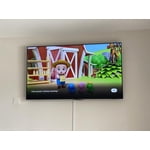
[This review was collected as part of a promotion.] The resolution is great for gaming with great brightness and contrast.

Review from Samsung US
Helpful?7052JBFI9KAV17348165019
May 20, 2026
Reviewer name: Chyyna
1 out of 5 stars
1 out of 5 stars review

My TV is not working properly I cannot get apps

[This review was collected as part of a promotion.] My Tv is not working and I can't get into any of my apps

Review from Samsung US
Helpful?7052JBFI9KAV17348165019
reply from Samsung Advisor

Hi Chyyna, Thank you for reaching out to us. If your U7900F TV’s Smart Hub is freezing, lagging, or not loading properly: 1. Reset Smart Hub – Home > left directional key > Settings > Support > Device Care > Self Diagnosis > Reset Smart Hub (This will sign you out of apps and reset Smart Hub to factory default.) 2. Update firmware – Home > left directional key > Settings > Support > Software Update > Update Now 3. Run Device Care – Home > left directional key > Settings > Support > Device Care > Start Device Care If the issue persists, contact Samsung Support at 1-800-SAMSUNG, 8AM – 9PM EST Mon – Fri, 8AM – 6PM Sat – Sun seven days a week. You can also connect with a LiveChat agent by clicking the ‘Support’ link on our website. ~ Samsung Advisor

Feb 9, 2026
Reviewer name: Cr8zydee
5 out of 5 stars
5 out of 5 stars review

Quality is amazing, sound amazing and easy to navi
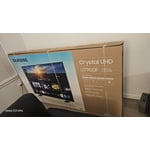
[This review was collected as part of a promotion.] Amazing TV; the quality looks amazing. Our movie and show experience is beyond exciting.

Review from Samsung US
Helpful?7052JBFI9KAV17348165019
Mar 5, 2026
Reviewer name: Haroc
5 out of 5 stars
5 out of 5 stars review

Best t.v.

[This review was collected as part of a promotion.] Brightness is great Resolution is amazing Vibrancy is good

Review from Samsung US
Helpful?7052JBFI9KAV17348165019
Feb 17, 2026
Reviewer name: Anonymous
5 out of 5 stars
5 out of 5 stars review

Screen resolution

[This review was collected as part of a promotion.] Chrystal clear screen resolution. Easy user interface and plenty of options for streaming.

Review from Samsung US
Helpful?7052JBFI9KAV17348165019
Feb 17, 2026
Reviewer name: Ytumamatambi3n
5 out of 5 stars
5 out of 5 stars review

Great tv and zises

[This review was collected as part of a promotion.] Very good quality and zises , good resolution and connectivity

Review from Samsung US
Helpful?7052JBFI9KAV17348165019
Apr 20, 2026
Reviewer name: Sandman
5 out of 5 stars
5 out of 5 stars review

Great

[This review was collected as part of a promotion.] Great quality. Excellent size and price. Easy to use

Review from Samsung US
Helpful?7052JBFI9KAV17348165019
May 11, 2026
Reviewer name: Snipervixen
5 out of 5 stars
5 out of 5 stars review

Great clarity

[This review was collected as part of a promotion.] Great picture quality. Very crisp and clear images

Review from Samsung US
Helpful?7052JBFI9KAV17348165019