
Skip to Main Content
Sam's Club
Sam's Club
All Departments
All Services
Customer reviews for SAMSUNG 65" Class U7900F Series 4K Crystal UHD Smart TV for
SAMSUNG 65" Class U7900F Series 4K Crystal UHD Smart TV
4.5 out of 5 stars
stars
4,239 ratings4,160 reviews
  1. 5 stars74% (3,117)
  2. 4 stars15% (632)
  3. 3 stars6% (258)
  4. 2 stars2% (102)
  5. 1 star3% (130)

Member photos

  • +1610 images
Sort by |
Showing 3,561-3,570 of 4,160 reviews
Mar 23, 2026
Reviewer name: Guppies2k5
5 out of 5 stars
5 out of 5 stars review

Great to deal with

[This review was collected as part of a promotion.] Great tv beautiful picture and sound. The resolution is outstanding.

Review from Samsung US
Helpful?7052JBFI9KAV17348165019
Mar 1, 2026
Reviewer name: Outkast
5 out of 5 stars
5 out of 5 stars review

Hard connection

[This review was collected as part of a promotion.] Good tv I like the TV, tge TV is great good picture

Review from Samsung US
Helpful?7052JBFI9KAV17348165019
May 21, 2026
Reviewer name: BIgDel
5 out of 5 stars
5 out of 5 stars review

Nice TV

[This review was collected as part of a promotion.] NIce Tv, like the 4k, like that it has Bluettooth, Excellent

Review from Samsung US
Helpful?7052JBFI9KAV17348165019
Feb 17, 2026
Reviewer name: TanL
3 out of 5 stars
3 out of 5 stars review

Good price

[This review was collected as part of a promotion.] It is good for the price, but it is not that good of the quality though

Review from Samsung US
Helpful?7052JBFI9KAV17348165019
reply from Samsung Advisor

Hi TanL, We appreciate your feedback on the picture quality of Samsung’s U7900F TV. If the image doesn’t quite match your preferences, there are several adjustments you can make to better suit your viewing environment and content type. First, please ensure your TV is running the latest firmware, as updates may include important picture quality enhancements. Go to: Home > Left directional button > Settings > Support > Software Update > Update Now To explore picture mode options, navigate to: Home > Left directional button > Settings > All Settings > Picture > Picture Mode. Options include: • Standard – Ideal for general viewing • Dynamic – Brighter and more vibrant for well-lit spaces • Eco – Optimized for energy efficiency • Movie – Best for viewing in low light • Filmmaker Mode – Preserves the content creator’s intent and disables motion smoothing for supported content You can further customize your image by going to: Settings > All Settings > Picture > Expert Settings, where you can adjust Brightness, Contrast, Color Tone, Sharpness, Contrast Enhancer and more. If you’d like help finding the best picture settings for your preferences, please don’t hesitate to contact Samsung Support at 1-800-SAMSUNG, available 8AM – 12AM EST, 7 days a week. You can also LiveChat with an agent or explore additional resources on our website by clicking the ‘Support’ link. ~ Samsung Advisor

May 19, 2026
Reviewer name: MrL7th
5 out of 5 stars
5 out of 5 stars review

Link with samsung products
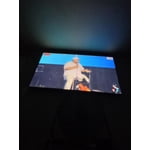
[This review was collected as part of a promotion.] I like that it goes good with my samsung galaxy s26 ultra phone and tablet

Review from Samsung US
Helpful?7052JBFI9KAV17348165019
Feb 8, 2026
Reviewer name: Lisa
5 out of 5 stars
5 out of 5 stars review

Nice one

[This review was collected as part of a promotion.] This TV was so nice and it had the best picture and quality ever

Review from Samsung US
Helpful?7052JBFI9KAV17348165019
Apr 20, 2026
Reviewer name: Sandman
5 out of 5 stars
5 out of 5 stars review

Great

[This review was collected as part of a promotion.] Great quality. Excellent size and price. Easy to use

Review from Samsung US
Helpful?7052JBFI9KAV17348165019
May 11, 2026
Reviewer name: Chasb3
3 out of 5 stars
3 out of 5 stars review

Review

[This review was collected as part of a promotion.] Good quality TV, only thing I don't like is the legs for the TV are not very sturdy for a 75".

Review from Samsung US
Helpful?7052JBFI9KAV17348165019
reply from Samsung Advisor

Hi Chasb3, Thank you for sharing your concerns. Please ensure your TV’s legs are installed correctly - “R” on the right, “L” on the left - with each leg slanting outward toward the edges of the TV. You should hear a “click” when they’re fully inserted into the correct slots. For step-by-step instructions, refer to the Installation Guide included in the box or download it at: https://www.samsung.com/us/support/downloads/ If you have any setup questions, please contact Samsung Support at 1-800-SAMSUNG, available daily from 8AM – 9PM EST Mon – Fri, 8AM – 6PM Sat – Sun. You can also visit the Samsung website and click on ‘Support’ for: • Live Chat • Manuals, Software, & Warranty Info ~ Samsung Advisor

Feb 17, 2026
Reviewer name: Pape
5 out of 5 stars
5 out of 5 stars review

Better TV

[This review was collected as part of a promotion.] I'm amazed at how good of quality this new TV I have is. Bigger, brighter, bolder, better.

Review from Samsung US
Helpful?7052JBFI9KAV17348165019
Mar 23, 2026
Reviewer name: Love2shop
5 out of 5 stars
5 out of 5 stars review

Great features

[This review was collected as part of a promotion.] Just bought a house and found a great deal on this. Best tv I've ever owned

Review from Samsung US
Helpful?7052JBFI9KAV17348165019








