Skip to Main Content
Sam's Club
Sam's Club
All Departments
All Services
Customer reviews for SAMSUNG 65" Class U7900F Series 4K Crystal UHD Smart TV for
SAMSUNG 65" Class U7900F Series 4K Crystal UHD Smart TV
4.5 out of 5 stars
stars
4,241 ratings4,162 reviews
  1. 5 stars74% (3,119)
  2. 4 stars15% (632)
  3. 3 stars6% (258)
  4. 2 stars2% (102)
  5. 1 star3% (130)

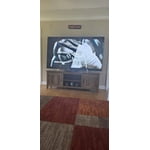
Member photos

  • +1613 images
Sort by |
Showing 3,421-3,430 of 4,162 reviews
May 20, 2026
Reviewer name: Harv the Dinosaur
5 out of 5 stars
5 out of 5 stars review

Awesome TV

[This review was collected as part of a promotion.] This is my 3rd Samsung smart TV and I am more impressed with each one of them.

Review from Samsung US
Helpful?7052JBFI9KAV17348165019
Jun 6, 2026
Reviewer name: Saif shopper
5 out of 5 stars
5 out of 5 stars review

Great television clear

[This review was collected as part of a promotion.] I love this tv and would recommend it all my televisions are samsung

Review from Samsung US
Helpful?7052JBFI9KAV17348165019
Jun 1, 2026
Reviewer name: Ryan
3 out of 5 stars
3 out of 5 stars review

Good

[This review was collected as part of a promotion.] Clear but lines starting to appear easy to use love it

Review from Samsung US
Helpful?7052JBFI9KAV17348165019
reply from Samsung Advisor

Hi Ryan, Thank you for sharing your experience with Samsung’s U7900F. If your TV is displaying lines on the screen, we recommend the following steps to help isolate the issue: 1. Check all input cable connections for any external devices (e.g., HDMI, streaming boxes, Blu-ray players) 2. Switch channels or inputs to see if the issue appears across all sources 3. Run a Picture Test to check for panel-related issues: Settings > Support > Device Care > Self Diagnosis > Picture Test 4. Perform a cold boot by holding the power button on your remote for about 10 seconds 5. Ensure your TV has the latest software installed: Settings > Support > Software Update If the issue continues after these steps, the TV may require service. For further assistance, please contact Samsung Support at 1-800-SAMSUNG (8AM – 9PM EST Mon – Fri, 8AM – 6PM Sat – Sun). LiveChat and additional support resources are also available through the Support link on our website. ~Samsung Advisor

May 22, 2026
Reviewer name: LCBHAM
5 out of 5 stars
5 out of 5 stars review

Great color and picture

[This review was collected as part of a promotion.] Love the size, aesthetics, clarity and quality of this TV.

Review from Samsung US
Helpful?7052JBFI9KAV17348165019
May 20, 2026
Reviewer name: Chyyna
1 out of 5 stars
1 out of 5 stars review

My TV is not working properly I cannot get apps

[This review was collected as part of a promotion.] My Tv is not working and I can't get into any of my apps

Review from Samsung US
Helpful?7052JBFI9KAV17348165019
reply from Samsung Advisor

Hi Chyyna, Thank you for reaching out to us. If your U7900F TV’s Smart Hub is freezing, lagging, or not loading properly: 1. Reset Smart Hub – Home > left directional key > Settings > Support > Device Care > Self Diagnosis > Reset Smart Hub (This will sign you out of apps and reset Smart Hub to factory default.) 2. Update firmware – Home > left directional key > Settings > Support > Software Update > Update Now 3. Run Device Care – Home > left directional key > Settings > Support > Device Care > Start Device Care If the issue persists, contact Samsung Support at 1-800-SAMSUNG, 8AM – 9PM EST Mon – Fri, 8AM – 6PM Sat – Sun seven days a week. You can also connect with a LiveChat agent by clicking the ‘Support’ link on our website. ~ Samsung Advisor

Jun 5, 2026
Reviewer name: Cliff
1 out of 5 stars
1 out of 5 stars review

Poor system

[This review was collected as part of a promotion.] Very poor electronics Bad connections had to navigate

Review from Samsung US
Helpful?7052JBFI9KAV17348165019
reply from Samsung Advisor

Hi Cliff, We're sorry you are experiencing issues with your U7900F TV. Please reach out to us so we can better assist you. Call us at 1-800-SAMSUNG (8AM – 9PM EST Mon – Fri, 8AM – 6PM Sat – Sun), or reach us via text anytime. You can also visit ‘Support’ on our website for:. Or visit the Samsung website and click on the ‘Support’ link for: • LiveChat with an agent • Manuals, Software, and Warranty Info • Creating a Service ticket ~ Samsung Advisor

May 11, 2026
Reviewer name: Mimi
5 out of 5 stars
5 out of 5 stars review

Great quality!

[This review was collected as part of a promotion.] Love the quality of the specially the resolution and contrast it provides

Review from Samsung US
Helpful?7052JBFI9KAV17348165019
Feb 17, 2026
Reviewer name: Butterbean
5 out of 5 stars
5 out of 5 stars review

Great features

[This review was collected as part of a promotion.] Great tv nice screen size good sound I will buy other when thee time comes!

Review from Samsung US
Helpful?7052JBFI9KAV17348165019
May 1, 2026
Reviewer name: Nick
5 out of 5 stars
5 out of 5 stars review

Love my tv!

[This review was collected as part of a promotion.] Great resolution and color! Fast when I switch between apps! Everything I want in tv!

Review from Samsung US
Helpful?7052JBFI9KAV17348165019
Feb 7, 2026
Reviewer name: Poppa
5 out of 5 stars
5 out of 5 stars review

Love it

[This review was collected as part of a promotion.] Love the crispness of the picture! All the Samsung channels is a perfect bonus?

Review from Samsung US
Helpful?7052JBFI9KAV17348165019