Skip to Main Content
Sam's Club
Sam's Club
All Departments
All Services
Customer reviews for SAMSUNG 65" Class U7900F Series 4K Crystal UHD Smart TV for
SAMSUNG 65" Class U7900F Series 4K Crystal UHD Smart TV
4.5 out of 5 stars
stars
4,222 ratings4,143 reviews
  1. 5 stars74% (3,105)
  2. 4 stars15% (631)
  3. 3 stars6% (256)
  4. 2 stars2% (103)
  5. 1 star3% (127)

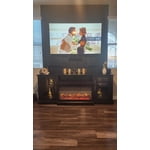
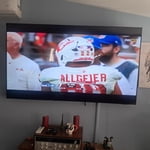
Member photos

  • +1590 images
Sort by |
Showing 3,031-3,040 of 4,143 reviews
Jul 6, 2026
Reviewer name: michollow
5 out of 5 stars
5 out of 5 stars review

my new bedroom tv

[This review was collected as part of a promotion.] it has a great picture, very clear and bright. the color is spot on as well.

Review from Samsung US
Helpful?7052JBFI9KAV17348165019
Jul 20, 2026
Reviewer name: Walter
4 out of 5 stars
4 out of 5 stars review

Samsung

[This review was collected as part of a promotion.] I’m very impressed with the picture. I’ll definitely be doing it again in the near future.

Review from Samsung US
Helpful?7052JBFI9KAV17348165019
Jul 5, 2026
Reviewer name: Marylou
5 out of 5 stars
5 out of 5 stars review

Clarity in sound and picture

[This review was collected as part of a promotion.] Color is so accurate and clear!! I feel like I’m sitting in a theatre because it is 55” screen.

Review from Samsung US
Helpful?7052JBFI9KAV17348165019
Aug 5, 2026
Reviewer name: Anonymous
5 out of 5 stars
5 out of 5 stars review

Perfect color and sound

[This review was collected as part of a promotion.] Excellent product will definitely share with my friends and colleagues

Review from Samsung US
Helpful?7052JBFI9KAV17348165019
Jul 20, 2026
Reviewer name: John lobo
4 out of 5 stars
4 out of 5 stars review

Some problems with Samsung 55"

[This review was collected as part of a promotion.] picture sometime blurry and take about minute to get sharp and we loose connection at times...

Review from Samsung US
Helpful?7052JBFI9KAV17348165019
Jul 6, 2026
Reviewer name: deede2u
1 out of 5 stars
1 out of 5 stars review

Problem

[This review was collected as part of a promotion.] TV keeps blacking out of and on when watching anything

Review from Samsung US
Helpful?7052JBFI9KAV17348165019
reply from Samsung Advisor

Hi deede2u, Thanks for reaching out about the intermittent black screen issue. If you're not using any external devices and the TV randomly cuts to black, it’s usually related to settings, signal, or internal software. Here are a few steps to help narrow it down and get things stable again. 1. Start with Power & Source Checks • Confirm the source: Even without external devices, it's worth confirming the TV is on the correct internal source (like TV/Live TV or a streaming app). Go to: Home > Left directional key > Connected Devices > Sources • Power cycle the TV: Unplug the TV from the power outlet for at least 60 seconds, then plug it back in. This can help reset any temporary glitches. • Check the power outlet: If you're using a power strip or surge protector, try plugging the TV directly into the wall to rule out inconsistent power delivery. 2. Update Your TV Software: Software updates often resolve bugs that can cause screen flickers or blackouts • Make sure the TV has the latest firmware version installed: Home > Left directional key > Settings > Support > Software Update 3. Run Built-In Diagnostics • Perform a Picture Test: Home > Left directional key > Settings > Support > Device Care > Self Diagnosis > Picture Test. This helps determine if the issue is hardware- or software-related. • Run the HDMI Test (optional): Even without HDMI devices connected, this can help verify that internal ports are functioning properly: Home > Left directional key > Settings > Support > Device Care > Self Diagnosis > HDMI Test 4. Review Energy & Picture Settings • Turn off Power Saving Mode or Eco Solution settings—they can dim or turn off the screen during periods of inactivity: Settings > All Settings > General & Privacy > Power & Energy Saving • Turn off Auto Power Off (if enabled): Settings > All Settings > General & Privacy > System Manager > Auto Power Off • Adjust Picture Mode settings: If the current mode is overly dynamic (like “Dynamic” or “Vivid”), try switching to “Standard” or “Movie” and observe if the screen behavior changes. 5. Factory Reset (if needed): If the problem persists after all checks, consider resetting the TV to default settings. (Heads-up: this will erase your installed apps and personal settings.) If none of these steps resolve the intermittent blackout, please reach out to Samsung Support for further troubleshooting or possible service options at 1-800-SAMSUNG (8AM – 9PM EST Mon – Fri, 8AM – 6PM Sat – Sun), or reach us via text anytime. You can also visit ‘Support’ on our website for: • Live Chat • Manuals, Software, & Warranty Info ~ Samsung Advisor

Jul 29, 2026
Reviewer name: Mick
5 out of 5 stars
5 out of 5 stars review

I love my tv

[This review was collected as part of a promotion.] Great Tv at Great Price that's about it why you want me to add more

Review from Samsung US
Helpful?7052JBFI9KAV17348165019
Jul 5, 2026
Reviewer name: Samsungaddicted
5 out of 5 stars
5 out of 5 stars review

Very good tv have always loved samsung

[This review was collected as part of a promotion.] Very nice tv enjoy every minute of it great features and options

Review from Samsung US
Helpful?7052JBFI9KAV17348165019
Jun 20, 2026
Reviewer name: AG68
3 out of 5 stars
3 out of 5 stars review

Not so great features

[This review was collected as part of a promotion.] Great picture, the sound is poor my 2010 Samsung TV has stronger sound.

Review from Samsung US
Helpful?7052JBFI9KAV17348165019
reply from Samsung Advisor

Hi AG68, Thank you for sharing your experience with low volume. There are several volume features you can adjust, which may improve your audio experience. 1) Auto Volume automatically adjusts the sound to a certain level when changing channels or switching to another external input. Go to Settings > All Settings> Sound > Expert Settings > Auto Volume. 2) Adaptive Sound automatically adjusts to a specific volume level while watching TV. The TV analyzes your volume usage history by time period to automatically adjust the volume when you use an app or switch to an external input source. Go to Settings> All Settings> Sound> Sound Mode> Adaptive Sound. 3) Several Sound Modes are likewise available to meet your personal preferences: Home > Settings > All Settings> Sound > Sound Mode. Also, some sources have their own volume control, which might need to be set higher. Please check the volume control of the external device (cable box or satellite box, DVD, Blu-ray, etc.) connected to your TV. Also, check the cable connection between an external device and the TV and then try the cable connection again. If you need more help, Samsung is here for you! Please call us at 1-800-SAMSUNG (8AM – 9PM EST Mon – Fri, 8AM – 6PM Sat – Sun). You can also connect with a LiveChat agent via the ‘Support’ link on our website. ~ Samsung Advisor

Jun 30, 2026
Reviewer name: Mellem
5 out of 5 stars
5 out of 5 stars review

Crystal clear

[This review was collected as part of a promotion.] Great picture powers on quickly very responsive no complaints

Review from Samsung US
Helpful?7052JBFI9KAV17348165019