Skip to Main Content
Sam's Club
Sam's Club
All Departments
All Services
Customer reviews for SAMSUNG 65" Class U7900F Series 4K Crystal UHD Smart TV for
SAMSUNG 65" Class U7900F Series 4K Crystal UHD Smart TV
4.5 out of 5 stars
stars
4,239 ratings4,160 reviews
  1. 5 stars74% (3,117)
  2. 4 stars15% (632)
  3. 3 stars6% (258)
  4. 2 stars2% (102)
  5. 1 star3% (130)

Member photos

  • +1610 images
Sort by |
Showing 221-230 of 4,160 reviews
Feb 13, 2026
Reviewer name: Disappointed customer
2 out of 5 stars
2 out of 5 stars review

Poor warranty service!

[This review was collected as part of a promotion.] I was very happy with my TV, till about 8 months of owning when the screen went out. I have been waiting for a month for any kind of warranty service. After talking to warranty reps it is going to be atleast another 2 weeks before I will have a working tv. Not sure if I will buy another Samsung TV after dealing with rude reps and such a long wait for warranty work.

Review from Samsung US
Helpful?7052JBFI9KAV17348165019
reply from Samsung Advisor

Hi Disappointed Customer, We're sorry to hear about the issues you are experiencing with your TV and appreciate your patience while awaiting warranty service. If you have any questions or need help, we’re always here. Call 1-800-SAMSUNG from 8AM - 12AM EST, seven days a week, or connect with a LiveChat agent anytime by selecting ‘Support’ on our website. ~ Samsung Advisor

Aug 5, 2026
Reviewer name: HLeonardo6
5 out of 5 stars
5 out of 5 stars review

Great price, super quality

[This review was collected as part of a promotion.] This tv is a real smart tv it makes easy for all your devices to connect to it; Also the colors are vivid and realisticly 100% and the sound is really surround and stereo sound, I love samsung brand and this tv is really great.

Review from Samsung US
Helpful?7052JBFI9KAV17348165019
Aug 6, 2026
Reviewer name: Suszyq
4 out of 5 stars
4 out of 5 stars review

Great picture

[This review was collected as part of a promotion.] We love everything about the picture our only complaint is we are in our 60's and the remote is hard to navigate especially the volume control part. Also when it goes to commercials it gets extremely loud.

Review from Samsung US
Helpful?7052JBFI9KAV17348165019
Aug 6, 2026
Reviewer name: Erica
5 out of 5 stars
5 out of 5 stars review

Good ol Sam

[This review was collected as part of a promotion.] I was told I purchased a low grade/model Samsung. Whatever the model is that I have I LOVE it! The quality of picture, ease of function. I do feel the sound could be better I can have the volume on 20 and it sounds as if its on 5. Maybe my hearing is going bad at the ripe age of 50 lol, could be streaming network used, not sure. Overall satisfied with my purchase! Sam has not let me down yet!

Review from Samsung US
Helpful?7052JBFI9KAV17348165019
Aug 20, 2026
Reviewer name: Tigger
5 out of 5 stars
5 out of 5 stars review

integrate Bixby in their lowest price televisions
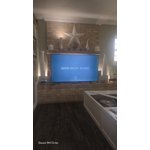
[This review was collected as part of a promotion.] yes the TV is very responsive like how it works vibrant color is great contract is excellent I enjoy Samsung products phone products television products I recommend everyone Samsung products excellent

Review from Samsung US
Helpful?7052JBFI9KAV17348165019
Aug 5, 2026
Reviewer name: Anonymous
1 out of 5 stars
1 out of 5 stars review

Terrible interface and tech!

[This review was collected as part of a promotion.] Your tv is constantly disconnecting from the internet for no reason, no matter what i do. Clear the cache, all that nonsense. The apps are constantly crashing and freezing, glitching, and sound doesnt match picture. I've never had this issue with any other tv's. It's genuinely awful and at the first chance i get i'm gonna throw it in the raritan river and smoke a cuban.

Review from Samsung US
Helpful?7052JBFI9KAV17348165019
reply from Samsung Advisor

Hi, If your TV is having trouble maintaining a wireless connection, please try the following: 1. Distance matters – Keep your TV within 50 feet of your router. Avoid placing the router behind walls, furniture, or electronic devices. 2. Minimize interference – Turn off nearby wireless devices that may disrupt the signal. 3. Power cycle both devices – Unplug the TV and router for 30 seconds, then plug them back in. 4. Run diagnostics: o Settings > Support > Device Care > Self Diagnosis > Smart Hub Connection Test o Settings > Support > Device Care > Self Diagnosis > Wi-Fi 5. Update firmware: Settings > Support > Software Update > Update Now 6. Factory reset (if needed): Settings > All Settings > General & Privacy > Reset > Factory Data Reset If you continue to experience issues, please contact Samsung Support at 1-800-SAMSUNG (8AM – 9PM EST Mon – Fri, 8AM – 6PM Sat – Sun). LiveChat support and additional help are available at the ‘Support’ link on our website. ~ Samsung Advisor

Aug 5, 2026
Reviewer name: Fed up dad
3 out of 5 stars
3 out of 5 stars review

For the price I expect better quality

[This review was collected as part of a promotion.] Bluetooth won't stay connected to the sound bar. Wish it had a fiber optic connection for the sound bar. Picture is ok but not as good as some other brands. Waiting to see if this will be lasts longer than my previous one.

Review from Samsung US
Helpful?7052JBFI9KAV17348165019
reply from Samsung Advisor

Hi Fed up dad, We appreciate your feedback on the U7900F TV. If the image doesn’t quite match your preferences, there are several adjustments you can make to better suit your viewing environment and content type. First, please ensure your TV is running the latest firmware, as updates may include important picture quality enhancements. Go to: Home > Settings > Support > Software Update > Update Now To explore picture mode options, navigate to: Home > Settings > All Settings > Picture > Picture Mode. Options include: • Standard – Ideal for general viewing • Dynamic – Brighter and more vibrant for well-lit spaces • Eco – Optimized for energy efficiency • Movie – Best for viewing in low light • Filmmaker Mode – Preserves the content creator’s intent and disables motion smoothing for supported content You can further customize your image by going to: Settings > All Settings > Picture > Expert Settings, where you can adjust Brightness, Contrast, Color Tone, Sharpness, Contrast Enhancer and more. If you’d like help finding the best picture settings for your preferences, please don’t hesitate to contact Samsung Support at 1-800-SAMSUNG (8AM – 9PM EST Mon – Fri, 8AM – 6PM Sat – Sun). You can also LiveChat with an agent or explore additional resources on our website by clicking the ‘Support’ link. ~ Samsung Advisor

Aug 7, 2026
Reviewer name: BTS724
3 out of 5 stars
3 out of 5 stars review

Tv=Great! Software load time= could use some work

[This review was collected as part of a promotion.] The TV itself is overall pretty solid. My only complaint is how slow the userface is when trying to switch apps. Seems to be a long delay while the tv loads. I do love that I can control it via my phone. This feature is a life saver. Also the free channels are wonderful!

Review from Samsung US
Helpful?7052JBFI9KAV17348165019
reply from Samsung Advisor

Hi BTS724, We appreciate your feedback regarding your U7900F TV’s performance. If you're experiencing freezing or lag in general response time, please try the following steps: 1. Check for firmware updates – Keeping your TV up to date can resolve many performance issues: Home > left directional key > Settings > Support > Software Update > Update Now 2. Run Device Care – This tool checks system memory, frees up cached data, and closes background apps that could be slowing things down: Home > left directional key > Settings > Support > Device Care > Start Device Care 3. Cold boot your TV – With the TV powered on, press and hold the Power button on your remote for 5+ seconds until the TV restarts. This helps refresh the system. If you're still noticing performance snags after these steps, please contact Samsung Support at 1-800-SAMSUNG (8AM – 9PM EST Mon – Fri, 8AM – 6PM Sat – Sun). You can also connect with a LiveChat agent via the ‘Support’ link on our website. ~ Samsung Advisor

Aug 20, 2026
Reviewer name: CapeCodMermaid
5 out of 5 stars
5 out of 5 stars review

Excellent

[This review was collected as part of a promotion.] I'm so pleased I finally bought a big screen TV. The colors are rich and life like, the pictures are sharp. It looks nice in the room. My one complaint is the size of the remote. The buttons for volume are tiny and take a while to set the correct volume. Other than that, I'd recommend it highly

Review from Samsung US
Helpful?7052JBFI9KAV17348165019
Aug 19, 2026
Reviewer name: Robiboi
5 out of 5 stars
5 out of 5 stars review

Vibrant Colors

[This review was collected as part of a promotion.] I'm really impressed with the Samsung Crystal UHD TV. The picture quality is sharp, bright, and clear, with great colors and plenty of detail. Movies, sports, and streaming shows all look excellent, especially for the price. The TV is also easy to set up, and Samsung's smart features make it simple to access apps like Netflix, YouTube, and other streaming services. The design is sleek and modern, so it looks great in the living room. Overall, this is a great TV for everyday entertainment. If you're looking for a reliable smart TV with a beautiful 4K picture without spending a fortune, I would definitely recommend the Samsung Crystal UHD

Review from Samsung US
Helpful?7052JBFI9KAV17348165019