Skip to Main Content
Sam's Club
Sam's Club
All Departments
All Services
Customer reviews for SAMSUNG 65" Class U7900F Series 4K Crystal UHD Smart TV for
SAMSUNG 65" Class U7900F Series 4K Crystal UHD Smart TV
4.5 out of 5 stars
stars
4,281 ratings4,202 reviews
  1. 5 stars73% (3,140)
  2. 4 stars15% (643)
  3. 3 stars6% (264)
  4. 2 stars2% (104)
  5. 1 star3% (130)

Member photos

  • +1605 images
Sort by |
Showing 2,201-2,210 of 4,202 reviews
Apr 20, 2026
Reviewer name: SZainMeli
5 out of 5 stars
5 out of 5 stars review

Great Smart TV, Easy to navigate

[This review was collected as part of a promotion.] Its a great tv. I prefer Samsung over other brands for the most part. There's only one other brand i would consider.

Review from Samsung US
Helpful?7052JBFI9KAV17348165019
Feb 17, 2026
Reviewer name: Bright TV
5 out of 5 stars
5 out of 5 stars review

Great TV

[This review was collected as part of a promotion.] I love this TV so much we watch TV every day and my kids love it super smart interactive easy to use

Review from Samsung US
Helpful?7052JBFI9KAV17348165019
Feb 28, 2026
Reviewer name: Kyle
5 out of 5 stars
5 out of 5 stars review

Samsung TV 55 Inch Must Buy

[This review was collected as part of a promotion.] Color is great, resolution is excellent, and installing apps are very easy on this TV. I haven't had any issues since I bought it and I will buy another Samsung in the future! Would recommend 10/10

Review from Samsung US
Helpful?7052JBFI9KAV17348165019
Feb 17, 2026
Reviewer name: Chickofmpls
5 out of 5 stars
5 out of 5 stars review

Love this TV

[This review was collected as part of a promotion.] Amazing quality picture. Great vibrant colors. True Black.high resolution.Bright picture even with dark sequences. Awesome security. Highly recommend this tv.

Review from Samsung US
Helpful?7052JBFI9KAV17348165019
Apr 23, 2026
Reviewer name: Bjamison
5 out of 5 stars
5 out of 5 stars review

Absolutely amazing!
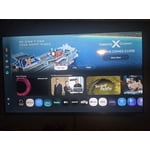
[This review was collected as part of a promotion.] Love this tv so much I bought 4 of them. So easy to use connects right to your phone. And the color is nice and bright. Couldn't be happier@

Review from Samsung US
Helpful?7052JBFI9KAV17348165019
May 20, 2026
Reviewer name: JulioL
5 out of 5 stars
5 out of 5 stars review

Excellent new feature specially the sign language

[This review was collected as part of a promotion.] excellent features specially on the deaf of hearing because I have two children wearing hearing aids and that helps a bunch overall 10 out of 10

Review from Samsung US
Helpful?7052JBFI9KAV17348165019
Apr 20, 2026
Reviewer name: 1badfrenchiedad
4 out of 5 stars
4 out of 5 stars review

Great product
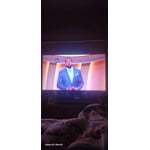
[This review was collected as part of a promotion.] Love my 4k tv from Samsung! Has a great picture and incredibly easy to navigate. The brightness is ok and the vibrancy is good. Beautiful tv.

Review from Samsung US
Helpful?7052JBFI9KAV17348165019
Feb 18, 2026
Reviewer name: Shanana
5 out of 5 stars
5 out of 5 stars review

Wonderful features
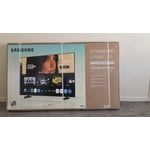
[This review was collected as part of a promotion.] Owning Samsung TV when you have Samsung phone especially s series not thing good or better than that. As you have a wonderful connection though Samsung dex

Review from Samsung US
Helpful?7052JBFI9KAV17348165019
Feb 17, 2026
Reviewer name: Ismfof
5 out of 5 stars
5 out of 5 stars review

Great features

[This review was collected as part of a promotion.] Love this TV; watching movies on it is amazing. The brightness and color 😍 resolution so clear 👌Security great and good anesthetics.

Review from Samsung US
Helpful?7052JBFI9KAV17348165019
Jun 5, 2026
Reviewer name: Harry 0
2 out of 5 stars
2 out of 5 stars review

Very unsatisfied consumer

[This review was collected as part of a promotion.] I have two Samsung TVs and they both suck. I have to hold the on button for a few seconds on order for the tv to stay on. Its very annoying. I will never buy another Samsung tv again

Review from Samsung US
Helpful?7052JBFI9KAV17348165019
reply from Samsung Advisor

Hi Harry 0, Thank you for your feedback. For optimal performance, please ensure your TV is running the latest firmware. You can check this by going to: Home > left directional key > Settings > Support > Software Update To further optimize performance, try running Device Care, which checks memory, clears unused cached data, and closes background apps: Home > left directional key > Settings > Support > Device Care > Start Device Care. If this firmware version is not yet available on your TV, you can download the update on a USB drive and manually update your TV: 1. On Samsung's website (upper right corner), go to: Support > Manual & Software > Find your TV model, and click on the Firmware – Upgrade File. 2. When the file has finished downloading, locate it and then unzip it. There is normally one folder inside but there may be multiple files. 3. Copy or move all of the files that were included in the zip file to a USB flash drive, but do not place them inside any other folders. If you place the software folders inside a folder on the USB flash drive, the TV or monitor will not find them. 4. Connect the USB drive containing the software upgrade into a USB port on your device. 5. Using your device's remote, navigate to and select Settings, then select All Settings, and then select Support. Select Software Update, select Update Now, and then select Yes if prompted. Your device will search the USB drive for update files. Follow the on-screen instructions to install the updated software. Updates usually take a few minutes; please do not turn off the TV until the update is complete. When the update is finished, it will restart automatically. If you're still noticing performance snags after these steps, please contact Samsung Support at 1-800-SAMSUNG (8AM – 9PM EST Mon – Fri, 8AM – 6PM Sat – Sun). You can also connect with a LiveChat agent via the ‘Support’ link on our website. ~Samsung Advisor