Skip to Main Content
Sam's Club
Sam's Club
All Departments
All Services
Customer reviews for SAMSUNG 65" Class U7900F Series 4K Crystal UHD Smart TV for
SAMSUNG 65" Class U7900F Series 4K Crystal UHD Smart TV
4.6 out of 5 stars
stars
3,225 ratings3,146 reviews
  1. 5 stars75% (2,410)
  2. 4 stars15% (478)
  3. 3 stars5% (177)
  4. 2 stars2% (66)
  5. 1 star3% (94)

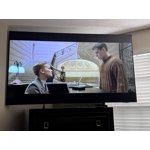
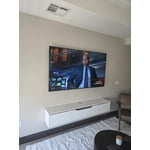
Member photos

  • +1244 images
Sort by |
Showing 2,021-2,030 of 3,146 reviews
Jul 5, 2026
BIGDADDY
5 out of 5 stars review

Excellent picture

Love the quality and picture. Have had no problems

Review from Samsung US
Helpful?7052JBFI9KAV17348165019
Jul 11, 2026
Hiphop
5 out of 5 stars review

Great features, higher volume sound is awesome!

Great features The sound is awesome and louder and the color is wonderful

Review from Samsung US
Helpful?7052JBFI9KAV17348165019
Jul 5, 2026
Pete
5 out of 5 stars review

Great experience

Best product i ever had great experience in television

Review from Samsung US
Helpful?7052JBFI9KAV17348165019
Jul 6, 2026
Scooter
5 out of 5 stars review

Replaced 55"

Bought for the price and wanting a 65" television.

Review from Samsung US
Helpful?7052JBFI9KAV17348165019
Jul 5, 2026
Cookie
5 out of 5 stars review

My own slice of viewing Heaven

Clarity Color Brightness Contrast Upscaling Responsiveness

Review from Samsung US
Helpful?7052JBFI9KAV17348165019
Jul 6, 2026
Bernie
5 out of 5 stars review

My Samsung

My Samsung TV was easy to set up, I like the brightness and the overall look of the TV..

Review from Samsung US
Helpful?7052JBFI9KAV17348165019
Jul 21, 2026
MNOIM
1 out of 5 stars review

Samsung Crystal 4K TV

Worst purchase ever. TV lasted on 6 months. No picture but the sound.

Review from Samsung US
Helpful?7052JBFI9KAV17348165019
reply from Samsung Advisor

Hi MNOIM, Thank you for sharing your experience with your U7900F TV. If your screen goes black or you're intermittently losing picture and no external device is connected, please try the following: 1. Check for signs of power. Press the Home button on your remote - if the menu appears, the TV is powered on and the issue may be with the signal or source. 2. Confirm the red standby light is functioning. When off, the standby light should be on. When the TV is in use, the light should turn off. If the standby light is off at all times, your TV may not be receiving power. 3. Run a Picture Test to rule out hardware issues: Home > Settings > Support > Device Care > Self Diagnosis > Picture Test 4. Update your TV's firmware if the screen stays on long enough: Settings > Support > Software Update > Update Now 5. Factory Reset if the issue persists: Settings > General & Privacy > Reset > Enter PIN (default: 0000) If the screen remains black and you’re unable to access any menu, the TV may require service. Please give us a call at 1-800-SAMSUNG (8AM – 9PM EST Mon – Fri, 8AM – 6PM Sat – Sun), or visit the ‘Support’ section on our website to chat live with an agent. ~ Samsung Advisor

Jul 22, 2026
Amber
5 out of 5 stars review

Excellent TV

The TV is very easy to operate and pictures is clear and good price.

Review from Samsung US
Helpful?7052JBFI9KAV17348165019
Jul 5, 2026
big daddy
4 out of 5 stars review

Channel hopping

Sometimes the channel changes to previously watched channels.

Review from Samsung US
Helpful?7052JBFI9KAV17348165019
Jul 21, 2026
Nice
5 out of 5 stars review

Nice!

Very satisfied! Here's thirty-three more characters.

Review from Samsung US
Helpful?7052JBFI9KAV17348165019