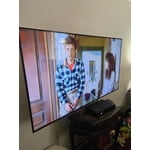
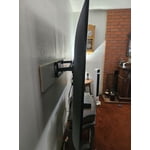
Customer reviews for SAMSUNG 65" Class U7900F Series 4K Crystal UHD Smart TV forMember photos


+1244 images
Easy as 1,2,3
[This review was collected as part of a promotion.] Thought I was gonna need help unpacking,setting up and learning the remote Turns out all it took was Lil Ole me....#1-unpacked the light weight set easily no strain #2-plugged it in pushed a couple of buttons as directed on the screen #3-and I was all set up just like that.....amazing to know some things r made easy 4anyone and everyone....u should try and see 4urself
Great product
[This review was collected as part of a promotion.] The Samsung U7900F is a sleek, affordable 4K smart TV with vibrant colors, HDR10 support, and a slim metal design. Powered by the Crystal Processor 4K, it delivers sharp detail and smooth performance for everyday streaming and casual viewing. Smart features like Samsung TV Plus (free channels), SmartThings integration, and Gaming Hub add convenience. Pros: Stylish design, sharp 4K upscaling, solid color and contrast, free streaming channels, lightweight and easy setup. Cons: No HDMI 2.1, VRR, or 120Hz for gamers; limited black depth (no local dimming); Tizen OS menus can feel clunky. Verdict: Great for streaming and everyday use in well-lit rooms, but not the best choice for serious gamers or movie enthusiasts who want deep contras.
EXTREMELY HAPPY... HIGHLY RECOMMEND THIS TV....
[This review was collected as part of a promotion.] I am extremely happy with my new Samsung TV. I replaced a 11 year old TV and could not be happier. It has so many features I love, the first of which is the picture quality and the sound quality, (they both make you feel like you are in the scene as the picture quality is so life like). Additionally, the settings for the picture and sound come in an array of options so you can adjust it to your viewing behavior or likes, and sound likes. The model I have has WiFi, and Bluetooth which are both excellent. The TV has not dropped any connections WiFi home internet connections what so ever. Additionally, the TV offers internet browsing which is also awesome. And it comes with a plethora of preinstalled apps, and you can add more apps if you have a favorite. I use the TV for online streaming of movies and occasional TV shows, as well as playing games. The TV has a library of games available to play and you can connect to online game servers. It also comes with Samsun TV which was awesome too. The quality of this TV is higher than i ever expected. Additionally, the remote is very sensitive and highly responsive. You press a button and the TV reacts without delay. I highly recommend this TV. Thanks Samsung for a high quality product.
It’s just ok
[This review was collected as part of a promotion.] I have an older Samsung TV that is great. This one is just ok. Color is not that good and it is hard to navigate. It takes a while to come on and when it does it comes on whatever you were watching last.
Tigerfan, We appreciate your feedback on the picture quality of Samsung’s 2025 U7900F TV. If the image doesn’t quite match your preferences, there are several adjustments you can make to better suit your viewing environment and content type. First, please ensure your TV is running the latest firmware, as updates may include important picture quality and performance enhancements. Go to: Home > Left directional button > Settings > Support > Software Update > Update Now To explore picture mode options, navigate to: Home > Left directional button > Settings > All Settings > Picture > Picture Mode. Options include: • Standard – Ideal for general viewing • Dynamic – Brighter and more vibrant for well-lit spaces • Eco – Optimized for energy efficiency • Movie – Best for viewing in low light • Filmmaker Mode – Preserves the content creator’s intent and disables motion smoothing for supported content You can further customize your image by going to: Settings > All Settings > Picture > Expert Settings, where you can adjust Brightness, Contrast, Color Tone, Sharpness, Contrast Enhancer and more. To help you get the most from your TV, you can download the full e-Manual and more by visiting Samsung’s website then navigating to: Support > Manual & Software > TVs & Home Theater. From there, you can search for and select your U7900F TV model to view or download the available guides. The e-Manual and Remote Control Guide are also conveniently built into your TV: Settings > Support > Tips and User Guides If you need additional help, please contact Samsung Support at 1-800-SAMSUNG, 8AM – 12AM EST, 7 days a week. LiveChat agents are also available through the ‘Support’ link on our website. ~ Samsung Specialist
Great Model
[This review was collected as part of a promotion.] We have really enjoyed this TV model; we have over 7 different properties and have stopped using projectors for our meeting rooms and use this model to help project information straight from our devices. This is perfect for anyone who wants to cast from their device onto this TV. During breaks, there is a screensaver option that casts jazz music along with panoramic views of areas from all over the world that really helps the crowd feel less overwhelmed after a day of convention seminars. Thanks Samsung!
THIS PRODUCT SHOULD BE SADSUNG
[This review was collected as part of a promotion.] it is quite frustrating with the use of such a small remote. the buttons dont light up and since my fios remote is not properly paired to the tv i am stuck having to use the small remote that came with the tv. i do not like how the tiles are all over the place which just makes things more difficult to find. the remote is not voice activated like most of the other newer ones i have seen and the volume is very awkwardly set up as well. to change channels and use the volume the buttons must be toggled a certain way which is also annoying. it makes the experience a lot more stressful than necessary. the tv also is constantly freezing and pixelating. it seems more blurry on multiple channels. it is not good for visually impaired or neurodivergent people who have disabilities.
Hi 1SADSUNG, We appreciate your feedback on the U7900 TV. To ensure performance is optimized on your TV, please check the Firmware is up to date. Go to Settings> Support> Software Update. To further optimize performance, try running Device Care, which checks memory, clears unused cached data, and closes background apps: Home > left directional key > Settings > Support > Device Care > Start Device Care. If you still notice blurring or pixelating on your channels, the issue you’re encountering may be related to network strength or stability. We recommend the following steps: 1. Connect to a 5GHz Wi-Fi network, if available 2. Use a wired LAN connection for increased stability 3. Reposition your router to reduce obstacles between the TV and the router Finally, if you need help setting up a third-party remote or have any questions, please do not hesitate to reach out to us. Reach out by calling 1-800-SAMSUNG between 8AM - 12AM EST, any day of the week. You can also chat with us online by visiting the ‘Support’ section of our website. ~ Samsung Advisor
“Samsung 75″ U7900FD: Big-Screen Crystal UHD for L
[This review was collected as part of a promotion.] If you want a large 4K display for general TV viewing, streaming, sports, or casual movie watching without paying premium prices, the Samsung 75″ U7900FD is a compelling option. It delivers excellent value and performance for everyday use, though serious HDR lovers or users in very bright rooms might want to consider stepping up to higher-end models with better contrast and peak brightness. Would you like a shorter “consumer review” version or a comparison against competitors in the same price class?
Samsung Crystal UHD TV
[This review was collected as part of a promotion.] The Samsung Crystal UHD 4K Smart TV lineup is arguably one of the best choices for buyers who want true 4K resolution, excellent smart features, and sleek design without moving into the premium QLED or OLED price brackets. It serves as a near-perfect entry point into the world of high-quality Samsung viewing, delivering on its promises of vibrant color and clarity.The
This product has it all
[This review was collected as part of a promotion.] In this new world of streaming this is the TV to have. From the moment you turn it on it automatically knows if ypu have an existing account and logs you in if you prompt it to. With in 30 seconds your all set up and ready to watch.
SAMSUNG TV
[This review was collected as part of a promotion.] if you’re after a 65-inch screen that gives excellent everyday viewingTV shows, movies, streaming, family use with good color and good smart features at a reasonable price, the U8000F hits the mark. If you want ultra-high-end gaming features, extreme HDR brightness, or the absolute best contrast, you might want to spend more and step up into Samsung’s QLED or OLED lines.