Skip to Main Content
Sams Club
Sams Club
Customer reviews for SAMSUNG 65" Class U7900F Series 4K Crystal UHD Smart TV for
SAMSUNG 65" Class U7900F Series 4K Crystal UHD Smart TV
4.6 out of 5 stars
stars2,026 ratings1,951 reviews
  1. 5 stars77% (1,565)
  2. 4 stars14% (283)
  3. 3 stars5% (94)
  4. 2 stars2% (35)
  5. 1 star2% (49)

Member photos

  • +752 images
Sort by |
Showing 1,801-1,810 of 1,951 reviews
Oct 15, 2025
CutTy22
5 out of 5 stars review

This product has good features.

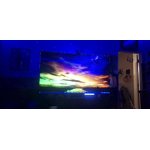
[This review was collected as part of a promotion.] When I play PS5 it's one of the most clearest I've ever seen.

Review from Samsung US
Helpful?7052JBFI9KAV17348165019
Oct 16, 2025
Lajohns65
5 out of 5 stars review

Great features

[This review was collected as part of a promotion.] Good picture and sound. Was surprized to see i could use it as a computer

Review from Samsung US
Helpful?7052JBFI9KAV17348165019
Oct 20, 2025
porchtv2
5 out of 5 stars review

excellent

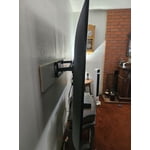
[This review was collected as part of a promotion.] love the picture quality. the tv is light and easy to hang on the wall

Review from Samsung US
Helpful?7052JBFI9KAV17348165019
Oct 14, 2025
Charles
3 out of 5 stars review

Would not update

[This review was collected as part of a promotion.] The home bar crashes and not responsive. ...........

Review from Samsung US
Helpful?7052JBFI9KAV17348165019
reply from Samsung Advisor

Hi Charles, Thank you for your review. If you've successfully logged in to your Samsung Account but Smart Hub isn’t loading or functioning correctly, try the following steps: 1. Check your internet connection: Go to Settings > Network > Network Status to confirm the TV is connected to a stable network. 2. Cold boot your TV: With the TV on, press and hold the Power button on your remote until the TV turns off and back on. This can help clear temporary glitches. 3. Reset Smart Hub: Go to Settings > Support > Device Care > Self Diagnosis > Reset Smart Hub. This will reset Smart Hub apps and settings (you may need to log back into your apps). 4. Check for firmware updates: Go to Settings > Support > Software Update > Update Now to ensure you’re running the latest version. If Smart Hub still doesn’t load after these steps, we’re happy to assist further. Please contact Samsung Support at 1-800-SAMSUNG, 8AM – 12AM EST, 7 days a week. LiveChat and additional support resources are also available through the Support link on our website. ~ Samsung Advisor

Oct 9, 2025
72Eagle
5 out of 5 stars review

Great TV, best ever

[This review was collected as part of a promotion.] My Samsung Crystal UHD 65" TV is awesome, no problems. Best TV I've ever had, picture is amazing

Review from Samsung US
Helpful?7052JBFI9KAV17348165019
Nov 5, 2025
Gduran63
5 out of 5 stars review

Works great

[This review was collected as part of a promotion.] The tv was perfect for the bedroom. 4k is super clear

Review from Samsung US
Helpful?7052JBFI9KAV17348165019
Oct 4, 2025
Tomd13
5 out of 5 stars review

The clearest Picture and connect with everything

[This review was collected as part of a promotion.] Gaming, tv, music and connect to tablet or Smartphone without trouble.

Review from Samsung US
Helpful?7052JBFI9KAV17348165019
Dec 6, 2025
Jmafire
5 out of 5 stars review

Good tv for the money

[This review was collected as part of a promotion.] The picture quality is insane...it has easy set up...best TV I've had yet

Review from Samsung US
Helpful?7052JBFI9KAV17348165019
Nov 5, 2025
RaiderNation
5 out of 5 stars review

Top Notch Great value!!

[This review was collected as part of a promotion.] Such a great value it is the only TV brand I'll buy ..

Review from Samsung US
Helpful?7052JBFI9KAV17348165019
Dec 24, 2025
Gracias
5 out of 5 stars review

Amazing products

[This review was collected as part of a promotion.] Flawless connection with my Samsung phone and watch. Makes everything way better

Review from Samsung US
Helpful?7052JBFI9KAV17348165019