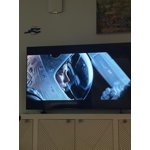
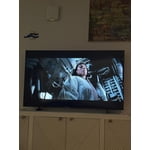
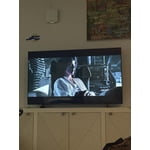
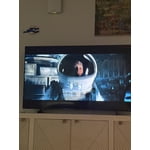
Skip to Main Content
Sam's Club
Sam's Club
All Departments
All Services
Customer reviews for SAMSUNG 65" Class U7900F Series 4K Crystal UHD Smart TV for
SAMSUNG 65" Class U7900F Series 4K Crystal UHD Smart TV
4.5 out of 5 stars
stars
2,383 ratings2,304 reviews
  1. 5 stars73% (1,746)
  2. 4 stars15% (354)
  3. 3 stars6% (145)
  4. 2 stars2% (56)
  5. 1 star3% (82)
Sort by |
Showing 1,751-1,760 of 2,304 reviews
May 11, 2026
Elyn
5 out of 5 stars review

Love my Samsung tv

[This review was collected as part of a promotion.] It is gorgeous and amazing. Interface easy to navigate.

Review from Samsung US
Helpful?7052JBFI9KAV17348165019
Apr 27, 2026
Carriep
5 out of 5 stars review

Great resolution

[This review was collected as part of a promotion.] The resolution is amazing and I love my TV! I stream and use the TV browser!

Review from Samsung US
Helpful?7052JBFI9KAV17348165019
May 11, 2026
Zeph
5 out of 5 stars review

Love it

[This review was collected as part of a promotion.] Love itgreat picture at a wonderful price will get more!

Review from Samsung US
Helpful?7052JBFI9KAV17348165019
May 20, 2026
Denyse
1 out of 5 stars review

Disappointing

[This review was collected as part of a promotion.] Streaming has too many glitches and freezes……………….

Review from Samsung US
Helpful?7052JBFI9KAV17348165019
reply from Samsung Advisor

Hi Denyse, We appreciate your feedback regarding response time. For optimal performance, please ensure your U7900F TV is running the latest firmware. You can check this by going to: Home > left directional key > Settings > Support > Software Update To further optimize performance, try running Device Care, which checks memory, clears unused cached data, and closes background apps: Home > left directional key > Settings > Support > Device Care > Start Device Care If issues continue, please reach Samsung Support at 1-800-SAMSUNG, available 8AM – 9PM EST Mon – Fri, 8AM – 6PM Sat – Sun. LiveChat is also available via the ‘Support’ link on our website. ~ Samsung Advisor

Apr 6, 2026
Aestopinal
5 out of 5 stars review

Great tv

[This review was collected as part of a promotion.] Tv has excellent picture quality.. Sound is good. Easy to set up. No security issues.

Review from Samsung US
Helpful?7052JBFI9KAV17348165019
Apr 3, 2026
Kingkyle52696
4 out of 5 stars review

Amazing television

[This review was collected as part of a promotion.] Love the contrast and color and looks amazing. Best picture I've had so far. Thank u samsung

Review from Samsung US
Helpful?7052JBFI9KAV17348165019
May 20, 2026
HaiP
5 out of 5 stars review

Good TV

[This review was collected as part of a promotion.] Good picture, sharp, bright and sharp. Durable and best quality

Review from Samsung US
Helpful?7052JBFI9KAV17348165019
Apr 21, 2026
Anonymous
5 out of 5 stars review

Great definition

[This review was collected as part of a promotion.] Great definition picture quality is good As well as size

Review from Samsung US
Helpful?7052JBFI9KAV17348165019
May 20, 2026
Jerry
3 out of 5 stars review

U7900

[This review was collected as part of a promotion.] Not very sharp picture at all - tv was inexpensive but expect more from Samsung brand

Review from Samsung US
Helpful?7052JBFI9KAV17348165019
reply from Samsung Advisor

Hi Jerry, Thank you for your feedback on the Samsung U7900F TV. If the picture appears unclear, dull, or lacks definition, there are several settings you can adjust to improve clarity and overall image quality. Go to: Settings > All Settings > Picture > Expert Settings, and review these key settings: Picture Clarity Settings: While originally intended for motion handling, these can also impact overall clarity • Off: Disables motion enhancements • Auto: Automatically adjusts based on content • Custom: Lets you fine-tune: o Judder Reduction – Helps smooth out uneven motion o LED Clear Motion – Boosts sharpness in fast-moving content o Noise Reduction – Reduces distortion and enhances detail in lower-resolution sources Core Picture Settings • Brightness – Controls overall screen brightness • Contrast – Enhances the difference between bright and dark areas • Sharpness – Adjusts edge definition; closer to 20 increases detail • Color – Enhances depth and intensity of colors And don’t forget to check for the latest firmware, which may improve performance: Settings > Support > Software Update > Update Now These adjustments can make a noticeable difference in overall clarity. If you need further help tailoring the settings to your preferences or environment, please contact Samsung Support at 8AM – 9PM EST Mon – Fri, 8AM – 6PM Sat – Sun. You can also LiveChat with an agent through the ‘Support’ link on our website. ~Samsung Advisor

Jun 22, 2026
JTJT
5 out of 5 stars review

Great value

Perfect picture. Easy to use. Love the integrated smart functions.

Review from Samsung US
Helpful?7052JBFI9KAV17348165019