Skip to Main Content
Sam's Club
Sam's Club
All Departments
All Services
Customer reviews for SAMSUNG 65" Class U7900F Series 4K Crystal UHD Smart TV for
SAMSUNG 65" Class U7900F Series 4K Crystal UHD Smart TV
4.5 out of 5 stars
stars
4,241 ratings4,162 reviews
  1. 5 stars74% (3,119)
  2. 4 stars15% (632)
  3. 3 stars6% (258)
  4. 2 stars2% (102)
  5. 1 star3% (130)

Member photos

  • +1613 images
Sort by |
Showing 991-1,000 of 4,162 reviews
Apr 5, 2026
Reviewer name: Doug
5 out of 5 stars
5 out of 5 stars review

Great TV

[This review was collected as part of a promotion.] I’m a 60 year old and very electronically challenged and setting up an connecting up was relatively simple and I know the picture isn’t the top of the line but I have no issues with it especially for the price point I just hope it last for many years i had two Samsung plasma tvs prior for well over 13 years and they were still working perfectly when I gave them to my needy relatives

Review from Samsung US
Helpful?7052JBFI9KAV17348165019
Feb 21, 2026
Reviewer name: Amoroso
5 out of 5 stars
5 out of 5 stars review

Wonderful features.

[This review was collected as part of a promotion.] I love the vivid colours the TV displays. They are so rich . The slim body ofthe tv is a thing I love about it as well as sound quality. Being ablable o watch many TV shows free is a great thing too

  • +1 image
Review from Samsung US
Helpful?7052JBFI9KAV17348165019
Feb 20, 2026
Reviewer name: Janice
5 out of 5 stars
5 out of 5 stars review

Samsung has the best of everything
[This review was collected as part of a promotion.] I have always had Samsung TV's since as long as I can remember. They are the highest quality, best picture and sound, have the best accessories and are just overall the top tier of electronic products. Love my new TV and Samsung. The security features are some of the best in the business. Thank you Samsung for all your amazing products.

Review from Samsung US
Helpful?7052JBFI9KAV17348165019
Apr 7, 2026
Reviewer name: Johnson
5 out of 5 stars
5 out of 5 stars review

Great feature

[This review was collected as part of a promotion.] I've had a great experience with the 65" Crystal UHD U7900F. The 4K picture quality is sharp, bright, and very vibrant, making everything from movies to everyday shows look great. The smart features are easy to use and responsive, which makes navigating apps simple. I've always been a big advocate for Samsung products. If I could afford to have all of them, I would. They consistently deliver quality, and this TV is no exception

Review from Samsung US
Helpful?7052JBFI9KAV17348165019
Jun 2, 2026
Reviewer name: Samsung fanatic
5 out of 5 stars
5 out of 5 stars review

Brightness and resolution
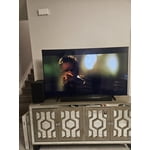
[This review was collected as part of a promotion.] I love all aspects of my Samsung TV the way it looks and quality, the vibrant colors, the brightness of colors and resolution and the security that all Samsung products provide. I'M a Samsung fanatic from my Samsung S23 to my ear buds and Samsung Galaxy 8 watch and also my Samsung surround sound. What can I say I love the Samsung products, I wouldn't purchase anything else.

Review from Samsung US
Helpful?7052JBFI9KAV17348165019
Jun 6, 2026
Reviewer name: lauraalma
4 out of 5 stars
4 out of 5 stars review

Weary

[This review was collected as part of a promotion.] I was a little weary about buying another Samsung tv. In 11/2022 we purchased one and around 12/2025 it turned into a complete black screen and never worked again. We tried rebooting it, but it kept the black screen with no picture. The kids bought this 85' Samsung tv because they wanted a theatre experience at home. I do like the brightness and the smart tv components in it. It sometimes lags when it turns on but it's probably trying to gather all the apps downloaded.

Review from Samsung US
Helpful?7052JBFI9KAV17348165019
Feb 17, 2026
Reviewer name: Sj1254
5 out of 5 stars
5 out of 5 stars review

Fabulous tv

[This review was collected as part of a promotion.] Absolutely love this TV, the size is great wish it came with a voice remote but still love the tv. I have it on about a hours a day playing kids shows. The colors of the shows are amazing, the picture is so clear. Also I love the storage space on the tv

Review from Samsung US
Helpful?7052JBFI9KAV17348165019
Feb 24, 2026
Reviewer name: Sssskirsten
5 out of 5 stars
5 out of 5 stars review

Great Picture Quality

[This review was collected as part of a promotion.] The quality of picture is amazing!! It is o vibrant and clear, it's almost like you are right in the show without the shaking first person camera angle! Top notch all around product! Would and have definitely recommend this product before and will most definitely again. If I had the chance to buy it all over again I would. It has worked for me for a year flawlessly. Easy to navigate and like I say totally picturesque!! I give it 5 stars and I rant and rave about it any time I get the chance! I am always showing it off. We even hold parties centered around this TV for football for all kinds of things!

Review from Samsung US
Helpful?7052JBFI9KAV17348165019
Feb 17, 2026
Reviewer name: Butafly13
4 out of 5 stars
4 out of 5 stars review

Great price

[This review was collected as part of a promotion.] Great price, picture good. Has all the smart features. Just wish I could figure out how to turn it off and get right back into my cable TV. Always restarts at apps and have to choose where to watch. Maybe I need to default or something.

Review from Samsung US
Helpful?7052JBFI9KAV17348165019
Jun 5, 2026
Reviewer name: Ha2026
2 out of 5 stars
2 out of 5 stars review

Samsung 65 questionable

[This review was collected as part of a promotion.] This particular product does not seem to line up with the Samsung standard. We gpt this product in December 2025 and constantly have to unplug so it resets as the screen keeps going black but still playing sound

Review from Samsung US
Helpful?7052JBFI9KAV17348165019
reply from Samsung Advisor

Hi Ha2026, Thanks for reaching out about the intermittent black screen issue. If you're not using any external devices and the TV randomly cuts to black, it’s usually related to settings, signal, or internal software. Here are a few steps to help narrow it down and get things stable again. 1. Start with Power & Source Checks • Confirm the source: Even without external devices, it's worth confirming the TV is on the correct internal source (like TV/Live TV or a streaming app). Go to: Home > Left directional key > Connected Devices > Sources • Power cycle the TV: Unplug the TV from the power outlet for at least 60 seconds, then plug it back in. This can help reset any temporary glitches. • Check the power outlet: If you're using a power strip or surge protector, try plugging the TV directly into the wall to rule out inconsistent power delivery. 2. Update Your TV Software: Software updates often resolve bugs that can cause screen flickers or blackouts • Make sure the TV has the latest firmware version installed: Home > Left directional key > Settings > Support > Software Update 3. Run Built-In Diagnostics • Perform a Picture Test: Home > Left directional key > Settings > Support > Device Care > Self Diagnosis > Picture Test. This helps determine if the issue is hardware- or software-related. • Run the HDMI Test (optional): Even without HDMI devices connected, this can help verify that internal ports are functioning properly: Home > Left directional key > Settings > Support > Device Care > Self Diagnosis > HDMI Test 4. Review Energy & Picture Settings • Turn off Power Saving Mode or Eco Solution settings—they can dim or turn off the screen during periods of inactivity: Settings > All Settings > General & Privacy > Power & Energy Saving • Turn off Auto Power Off (if enabled): Settings > All Settings > General & Privacy > System Manager > Auto Power Off • Adjust Picture Mode settings: If the current mode is overly dynamic (like “Dynamic” or “Vivid”), try switching to “Standard” or “Movie” and observe if the screen behavior changes. 5. Factory Reset (if needed): If the problem persists after all checks, consider resetting the TV to default settings. (Heads-up: this will erase your installed apps and personal settings.) If none of these steps resolve the intermittent blackout, please reach out to Samsung Support for further troubleshooting or possible service options at 1-800-SAMSUNG (8AM – 9PM EST Mon – Fri, 8AM – 6PM Sat – Sun), or reach us via text anytime. You can also visit ‘Support’ on our website for: • Live Chat • Manuals, Software, & Warranty Info ~ Samsung Advisor