Terrible Controls
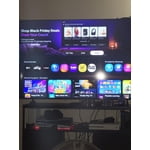
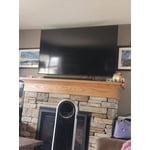
[This review was collected as part of a promotion.] Regrettably, my purchase of a 75" QLED Q6F 4K Smart TV is one of the worst consumer product decisions I have ever made. It is enormously complicated to operate the controls. Simply checking the listings requires one to reach out and up three buttons from selection ("enter") control. Paging through the listing requires a button push for every station on the list, as there is no option to page up or down the list. The basic keys are are widely spaced. The buttons on the remote control are poorly laid out with almost tactile clues on the buttons that would enable making basic controls accessible by touch. Since the controls are not illuminated, it is not possible to make basic selections without brightly lighting the room, which is not desirable when watching tv. My cable provider furnishes a remote that is illuminated and easily operated in the dark by placing nibs and different shaped keys that can be recognized by touch alone. Then there is the Samsung interface with the cable service that requires at least 10 strokes to access the cable system within a large array of other services that I do not use. If the tight key spacing leads one to erroneously hit another key, the entire process must begin again. When operating the unit through the Samsung software, the information on a program is a truncated version of the cable system's information. One must scroll down to a more detailed description. That will not work If a program is an episode of a series, as scrolling down will produce a brief description of the series, but nothing further on the episode. There is no day/date/time indicator on the system, but if you pull up the tv listings and scroll to the right, the current time will appear at the top right of the listings. This control system drives me nuts, and I feel like an idiot trying to work with it even though I have a university degree and years of experience with data systems. I take some comfort in knowing that I am at least smarter than the person that designed this terrible user interface.
reply from Samsung Specialist
ezharleyman, We appreciate you sharing your experience. To help you get the most from your TV and remote functions, you can download the full e-Manual and more by visiting Samsung’s website then navigating to: Support > Manual & Software > TVs & Home Theater. From there, you can search for and select your Q6F TV model to view or download the available guides. The e-Manual & Remote Control Guide are also conveniently built into your TV: Settings > Support > Tips and User Guides. For additional guidance, your TV also includes Accessibility features designed to assist with navigation and remote use. • Learn Menu Screen provides audio guidance for on-screen menus by announcing the name and function of each item as you scroll – without making any changes. This is especially helpful for users who are visually impaired or new to Smart TV menus. Enable via: Settings > All Settings > General & Privacy > Accessibility > Learn Menu Screen. To exit, press the Return key twice. • Learn TV Remote helps users become familiar with the layout and function of each button on the Samsung remote. Pressing a button (other than Power) will prompt the TV to announce its name and purpose, again without affecting TV operation. Enable via: Settings > All Settings > General & Privacy > Accessibility > Learn TV Remote. To exit, press the Return key twice. If you’d like more assistance with these features, please reach Samsung Support at 1-800-SAMSUNG, available 8AM – 12AM EST, 7 days a week. LiveChat agents are also available through the ‘Support’ link on our website. ~ Samsung Specialist

 Customer reviews for SAMSUNG 85" Class Q6FD Series 4K QLED Smart TV for