Skip to Main Content
Sam's Club
Sam's Club
All Departments
All Services
Customer reviews for SAMSUNG 85" Class Q6FD Series 4K QLED Smart TV for
SAMSUNG 85" Class Q6FD Series 4K QLED Smart TV
4.6 out of 5 stars
stars
1,259 ratings1,240 reviews
  1. 5 stars76% (953)
  2. 4 stars18% (226)
  3. 3 stars3% (43)
  4. 2 stars1% (14)
  5. 1 star2% (23)

Member photos

  • +400 images
Sort by |
Showing 631-640 of 1,240 reviews
Feb 18, 2026
Reviewer name: Sarahnicki07
5 out of 5 stars
5 out of 5 stars review

Love our TV

[This review was collected as part of a promotion.] Very pretty, clear, vibrant pictures. Love the smart connect options and the sync with the sound bar. Even enjoy the aadjustable settings including brightness and contrast.

Review from Samsung US
Helpful?6LYU84RQNP0O17341204722
Feb 5, 2026
Reviewer name: Vince
5 out of 5 stars
5 out of 5 stars review

Great TV features and great quality

[This review was collected as part of a promotion.] The colors of this Samsung 75” TV are outstanding and I'm enjoying watching my favorite sports and movies. I specifically like the vibrant colors emitted from this particular TV.

Review from Samsung US
Helpful?6LYU84RQNP0O17341204722
Feb 17, 2026
Reviewer name: LaQuesha
4 out of 5 stars
4 out of 5 stars review

Great features

[This review was collected as part of a promotion.] great products the screen is awesome it shows pictures the interface is amazing resolution is one of a kind

Review from Samsung US
Helpful?6LYU84RQNP0O17341204722
May 20, 2026
Reviewer name: Babiface
5 out of 5 stars
5 out of 5 stars review

Great features
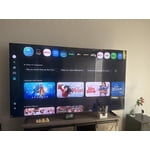
[This review was collected as part of a promotion.] So the Samsung TV is amazing!! it has great features Very bright, the color is great the contract and amazing resolution. The interface is awesome. Overall, great TV- recommended 1000%

Review from Samsung US
Helpful?6LYU84RQNP0O17341204722
Feb 18, 2026
Reviewer name: Missimoon
5 out of 5 stars
5 out of 5 stars review

Great features!!

[This review was collected as part of a promotion.] Very nice TV. No issues so far. Love the size. The features are all great. Easy setup using Samsung mobile phone.

Review from Samsung US
Helpful?6LYU84RQNP0O17341204722
May 11, 2026
Reviewer name: Rulonholcomb
5 out of 5 stars
5 out of 5 stars review

Great features
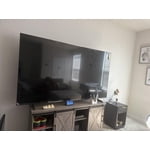
[This review was collected as part of a promotion.] my TV is very awesome, the color on the screen is bright powerful the color on the screen is bright powerful, and crisp as a mirror. those are easy is amazing the smart technology awesomely.

Review from Samsung US
Helpful?6LYU84RQNP0O17341204722
Mar 24, 2026
Reviewer name: Jknicol
5 out of 5 stars
5 out of 5 stars review

Love the product

[This review was collected as part of a promotion.] Love the TV. Great clear picture and a variety of pre installed apps like Netflix and other streaming services. Very user friendly set up

Review from Samsung US
Helpful?6LYU84RQNP0O17341204722
Apr 1, 2026
Reviewer name: Jdobbz210
3 out of 5 stars
3 out of 5 stars review

Great picture when direct in front of me

[This review was collected as part of a promotion.] Too bright not enough color saturation, contrast is pretty much right on interface too basic and resolution is great.

Review from Samsung US
Helpful?6LYU84RQNP0O17341204722
reply from Samsung Specialist

Jdobbz210, We appreciate your feedback on the picture quality of Samsung’s Q6F TV. If the image doesn’t quite match your preferences, there are several adjustments you can make to better suit your viewing environment and content type. First, please ensure your TV is running the latest firmware, as updates may include important picture quality enhancements. Go to: Home > Left directional button > Settings > Support > Software Update > Update Now To explore picture mode options, navigate to: Home > Left directional button > Settings > All Settings > Picture > Picture Mode. Options include: • Standard – Ideal for general viewing • Dynamic – Brighter and more vibrant for well-lit spaces • Eco – Optimized for energy efficiency • Movie – Best for viewing in low light • Filmmaker Mode – Preserves the content creator’s intent and disables motion smoothing for supported content You can further customize your image by going to: Settings > All Settings > Picture > Expert Settings, where you can adjust Brightness, Contrast, Color Tone, Sharpness, Contrast Enhancer and more. If you’d like help finding the best picture settings for your preferences, please don’t hesitate to contact Samsung Support at 1-800-SAMSUNG (8AM – 9PM EST Mon – Fri, 8AM – 6PM Sat – Sun). You can also LiveChat with an agent or explore additional resources on our website by clicking the ‘Support’ link. ~ Samsung Specialist

Feb 17, 2026
Reviewer name: Ej1087
5 out of 5 stars
5 out of 5 stars review

Vibrant colors and great resolution

[This review was collected as part of a promotion.] The bigger the screen, the better the resolution seems to be. Vibrant colors and deep black and whites. Samsung against the rest!

Review from Samsung US
Helpful?6LYU84RQNP0O17341204722
May 20, 2026
Reviewer name: shopaholic
5 out of 5 stars
5 out of 5 stars review

Great living room TV

[This review was collected as part of a promotion.] I absolutely love the size it's perfect for a living room TV that's not too big or too small. The size is perfect to make it the centerpiece of the room.

Review from Samsung US
Helpful?6LYU84RQNP0O17341204722