Join Now
Skip to Main Content
Sam's Club
Sam's Club
All Departments
All Services
Customer reviews for SAMSUNG 85" Class Q6FD Series 4K QLED Smart TV for
SAMSUNG 85" Class Q6FD Series 4K QLED Smart TV
4.7 out of 5 stars
stars
1,543 ratings1,524 reviews
  1. 5 stars76% (1,179)
  2. 4 stars17% (264)
  3. 3 stars3% (53)
  4. 2 stars1% (21)
  5. 1 star2% (26)

Member photos

  • +488 images
Sort by |
Showing 1,201-1,210 of 1,524 reviews
Mar 2, 2026
Reviewer name: Charbeard
5 out of 5 stars
5 out of 5 stars review

Samsung Q60

[This review was collected as part of a promotion.] This QLED screen has been great. Snappy response. Dark blacks. The Samsung channels are also pretty great!

Review from Samsung US
Helpful?6LYU84RQNP0O17341204722
Mar 23, 2026
Reviewer name: Anonymous
5 out of 5 stars
5 out of 5 stars review

Wow what a tv

[This review was collected as part of a promotion.] This is the best TV I have ever had and it is built to be brilliant, and the clarification of how the picture makes it look so realistic and such beautiful colors

Review from Samsung US
Helpful?6LYU84RQNP0O17341204722
Feb 25, 2026
Reviewer name: Jerry
5 out of 5 stars
5 out of 5 stars review

Samsung TV's Are the Best!!

[This review was collected as part of a promotion.] Another excellent Samsung TV!! Extremely easy to set up!! Excellent picture quality with vibrant colors and contrast that automatically adapts to the lighting in the room.

Review from Samsung US
Helpful?6LYU84RQNP0O17341204722
Mar 23, 2026
Reviewer name: James
5 out of 5 stars
5 out of 5 stars review

Great tv a around.

[This review was collected as part of a promotion.] One of the best TV'S I've ever owned. Great picture quality. Easy to use and set-up. The auto brightness is amazing.

Review from Samsung US
Helpful?6LYU84RQNP0O17341204722
Mar 23, 2026
Reviewer name: Pree
5 out of 5 stars
5 out of 5 stars review

Love Me Some Samsung
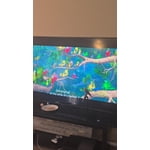
[This review was collected as part of a promotion.] I love the brightness and life like look on every channel. Even the throwback channels look great!

Review from Samsung US
Helpful?6LYU84RQNP0O17341204722
Mar 23, 2026
Reviewer name: TJay
4 out of 5 stars
4 out of 5 stars review

Reliable, sharp colors

[This review was collected as part of a promotion.] Reliable TV. Sharp colors and plenty of I/O interface. Smart TV is also great and offers plenty of channels.

Review from Samsung US
Helpful?6LYU84RQNP0O17341204722
Mar 23, 2026
Reviewer name: Boredmamaof4
5 out of 5 stars
5 out of 5 stars review

Amazing picture and easily maneuvered settings

[This review was collected as part of a promotion.] This tvs picture quality was really, really clear, and it was very easy for my elderly mother to maneuver the settings and to learn how to work it.

Review from Samsung US
Helpful?6LYU84RQNP0O17341204722
Mar 24, 2026
Reviewer name: Jknicol
5 out of 5 stars
5 out of 5 stars review

Love the product

[This review was collected as part of a promotion.] Love the TV. Great clear picture and a variety of pre installed apps like Netflix and other streaming services. Very user friendly set up

Review from Samsung US
Helpful?6LYU84RQNP0O17341204722
Feb 18, 2026
Reviewer name: Missimoon
5 out of 5 stars
5 out of 5 stars review

Great features!!

[This review was collected as part of a promotion.] Very nice TV. No issues so far. Love the size. The features are all great. Easy setup using Samsung mobile phone.

Review from Samsung US
Helpful?6LYU84RQNP0O17341204722
Feb 17, 2026
Reviewer name: Samsungdumbthings
3 out of 5 stars
3 out of 5 stars review

Everything good except software over time

[This review was collected as part of a promotion.] The TV menus have started to go extremely slow and that will cause me to remove 2 stars. The TV itself is great minus the UI.

Review from Samsung US
Helpful?6LYU84RQNP0O17341204722
reply from Samsung Specialist

Hi, We appreciate your feedback regarding response time. For optimal performance, please ensure your TV is running the latest firmware. You can check this by going to: Home > left directional key > Settings > Support > Software Update To further optimize performance, try running Device Care, which checks memory, clears unused cached data, and closes background apps: Home > left directional key > Settings > Support > Device Care > Start Device Care If issues continue, please reach Samsung Support at 1-800-SAMSUNG, available 8AM – 12AM EST, 7 days a week. LiveChat is also available via the ‘Support’ link on our website. ~ Samsung Specialist