Skip to Main Content
Sam's Club
Sam's Club
Customer reviews for SAMSUNG 75” Class U7900F Series 4K Crystal UHD Smart TV for
SAMSUNG 75” Class U7900F Series 4K Crystal UHD Smart TV
4.6 out of 5 stars
stars1,967 ratings1,941 reviews
  1. 5 stars77% (1,513)
  2. 4 stars14% (285)
  3. 3 stars5% (89)
  4. 2 stars2% (34)
  5. 1 star2% (46)

Member photos

  • +759 images
Sort by |
Showing 871-880 of 1,941 reviews
May 11, 2026
Lovemysamsung
5 out of 5 stars review

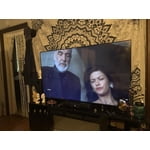
Greatest picture

[This review was collected as part of a promotion.] Brightness 100% Resolution 100% Vibrancy 100% Aesthetics 100%

Review from Samsung US
Helpful?5E42PT4DC65117304274207
May 22, 2026
Stone
5 out of 5 stars review

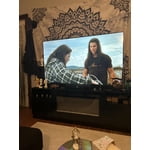
Great Tv!!! Great picture and easy to use

[This review was collected as part of a promotion.] The Brightness and the color of this tv is excellent!!

Review from Samsung US
Helpful?5E42PT4DC65117304274207
May 20, 2026
Bill
5 out of 5 stars review

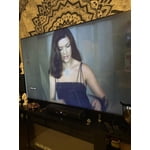
Great picture

[This review was collected as part of a promotion.] Easy to use. Great picture. Easy to mount. Remote needs to be larger.

Review from Samsung US
Helpful?5E42PT4DC65117304274207
May 20, 2026
Mike
2 out of 5 stars review

Not a clear picture & sound not good

[This review was collected as part of a promotion.] The TV does not have a clear sharp picture. The speaker is also very week.

Review from Samsung US
Helpful?5E42PT4DC65117304274207
reply from Samsung Advisor

Hi Mike, Thank you for your feedback on the Samsung U7900F TV. If the picture appears unclear, dull, or lacks definition, there are several settings you can adjust to improve clarity and overall image quality. Go to: Settings > All Settings > Picture > Expert Settings, and review these key settings: Picture Clarity Settings: While originally intended for motion handling, these can also impact overall clarity • Off: Disables motion enhancements • Auto: Automatically adjusts based on content • Custom: Lets you fine-tune: o Judder Reduction – Helps smooth out uneven motion o LED Clear Motion – Boosts sharpness in fast-moving content o Noise Reduction – Reduces distortion and enhances detail in lower-resolution sources Core Picture Settings • Brightness – Controls overall screen brightness • Contrast – Enhances the difference between bright and dark areas • Sharpness – Adjusts edge definition; closer to 20 increases detail • Color – Enhances depth and intensity of colors And don’t forget to check for the latest firmware, which may improve performance: Settings > Support > Software Update > Update Now Regarding the sound on your TV, we recommend adjusting these settings: Sound Mode: Navigate to: Settings > All Settings > Sound > Sound Mode Auto Volume: This feature helps maintain consistent volume levels across content and input sources. Turn it on under: Settings > All Settings > Sound > Expert Settings > Auto Volume = On For personalized support with these settings or selecting a soundbar to complement your setup, contact Samsung Support at 1-800-SAMSUNG (8AM – 9PM EST Mon – Fri, 8AM – 6PM Sat – Sun) or use LiveChat via the ‘Support’ link on our website. ~Samsung Advisor

May 11, 2026
Audidude90
3 out of 5 stars review

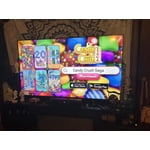
Smooth pictures

[This review was collected as part of a promotion.] Smooth picture. Apps are okay. Not the best. Really laggy. Over all not bad.

Review from Samsung US
Helpful?5E42PT4DC65117304274207
reply from Samsung Advisor

Hi Audidude90, We appreciate your feedback regarding response time. For optimal performance, please ensure your U7900F TV is running the latest firmware. You can check this by going to: Home > left directional key > Settings > Support > Software Update To further optimize performance, try running Device Care, which checks memory, clears unused cached data, and closes background apps: Home > left directional key > Settings > Support > Device Care > Start Device Care If issues continue, please reach Samsung Support at 1-800-SAMSUNG, available 8AM – 9PM EST Mon – Fri, 8AM – 6PM Sat – Sun. LiveChat is also available via the ‘Support’ link on our website. ~ Samsung Advisor

May 20, 2026
Dmcquithy9518
5 out of 5 stars review

Great picture quality and sound

[This review was collected as part of a promotion.] Tv has great picture and sound quality i would definitely recommend

Review from Samsung US
Helpful?5E42PT4DC65117304274207
May 2, 2026
Taytay
5 out of 5 stars review

Great tv for the price

[This review was collected as part of a promotion.] This tv is awesome. Good picture quality. Easy to use. Great size.

Review from Samsung US
Helpful?5E42PT4DC65117304274207
May 20, 2026
Anonymous
4 out of 5 stars review

Great everything

[This review was collected as part of a promotion.] It’s been great using the product. It has been very easy to use, and no problems

Review from Samsung US
Helpful?5E42PT4DC65117304274207
May 20, 2026
Pradip
5 out of 5 stars review

Great result

[This review was collected as part of a promotion.] Wonderful result I like and suggest to any other one

Review from Samsung US
Helpful?5E42PT4DC65117304274207
May 20, 2026
John Y
5 out of 5 stars review

Great features

[This review was collected as part of a promotion.] Excellent resolution and brightness. Really happy with this purchase. Nice features.

Review from Samsung US
Helpful?5E42PT4DC65117304274207