Skip to Main Content
Sam's Club
Sam's Club
All Departments
All Services
Customer reviews for SAMSUNG 75” Class U7900F Series 4K Crystal UHD Smart TV for
SAMSUNG 75” Class U7900F Series 4K Crystal UHD Smart TV
4.6 out of 5 stars
stars
3,260 ratings3,233 reviews
  1. 5 stars74% (2,428)
  2. 4 stars15% (497)
  3. 3 stars5% (176)
  4. 2 stars2% (66)
  5. 1 star3% (93)

Member photos

  • +1310 images
Sort by |
Showing 41-50 of 3,233 reviews
Jul 5, 2026
Famousamos
5 out of 5 stars review

75” TV

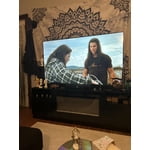
Purchased another Samsung TV. This one is the largest at 75”. It's amazing! Might be a little too big for the room, but we don't have a problem. The picture quality is fantastic! Only tweak I would like to see is with the remote. I would love to have numbers on there but I guess too many people stream rather than hopping to their favorite channel.

Review from Samsung US
Helpful?5E42PT4DC65117304274207
Jul 21, 2026
ShortG54
5 out of 5 stars review

The Best

[This review was collected as part of a promotion.] Excellent Excellent TV, that truly is the best. Great picture that is clear and vivid. We are a Samsung product family when it comes to phones, tablets and TVs. Responds quickly to commands from the remote, without a lot of buffering. The brightness is great, the color is fabulous and the contrast is deep. We will be upgrading soon.

Review from Samsung US
Helpful?5E42PT4DC65117304274207
Jul 5, 2026
BLS70
5 out of 5 stars review

Excellent television

Having upgraded to a Samsung 4K smart TV has been a game changer: the picture quality, brightness, vivid color contrast create an immersive watching experience. Samsung has made an upscale, affordable product. Works seamlessly with the samsung sound ar we already had. The only request would be having more ports to hook up dvd, blue ray players. If you are a technerd like my husband, having more ports would be favorable.

Review from Samsung US
Helpful?5E42PT4DC65117304274207
Jul 20, 2026
Corgigirl
4 out of 5 stars review

Nice replacement

Took some to adjust to the workings of this TV. Older citizens need a universal set up. NOT one specific to every brand out there. After the 1.5 hr. set up process, we are happy with the picture quality and especially the tv speakers. Had to use a soundbar with others TV's in the past. Also, for older people, the remote is very small, hard to use with arthritic hands! Buttons very small, also the color of the remote. No discernible colors to know what button is what. So, my suggestion is,,,, don't forget there are people out there older than 55 and need some adjustments made to there electronics! We are still alive and trying to thrive!

Review from Samsung US
Helpful?5E42PT4DC65117304274207
Jul 19, 2026
Frosty68
1 out of 5 stars review

can't believe samsung made a tv this bad

This is a TV for people who have never had a better TV or don't know/don't care about TV. I own a QLED, this U series was given as a house warming gift and it is quite possibly the worst TV I've ever owned. The software is slow as molasses - always a 2 second delay after any button press. The software is constantly shoving certain content in your face (why is Fox News a permanent tile on the home page?). Twitch app can only be used from the asinine gaming page, and cannot be added to the list of apps on the home page. So every time I want to watch Twitch the quickest way is to go to recent searches and open it there. Horrid UX. Absolutely hate this TV and can't wait to replace it. So in short, if you're looking for an absolute piece of trash then look no further.

Review from Samsung US
Helpful?5E42PT4DC65117304274207
reply from Samsung Advisor

Hi Frosty68, Thank you for sharing your experience. Please know that you can customize your Home screens by installing, removing or adding your favorite apps to Apps Home and/or For You Home screen. Here's how: Searching for & Installing Apps 1. From the Home screen, press left on the remote’s directional pad. 2. Navigate to and select Search. 3. Using the search bar, enter the content or app you’d like to find. 4. Navigate to and select the app you’d like to install, then select Install. Note: Previously installed apps can be accessed on the Settings screen. Adding & Managing Apps on Home Screen 1. Go to App Settings (these can be found at the bottom of the Apps screen) and select the app you want to move. The following options will be available: a. Add to Home: Move the app to your desired location on the Home screen. b. Delete: Delete app. c. Lock/Unlock: Lock the app with a PIN so only you can use it. When the app is selected again, you will be prompted to enter the PIN to unlock it. d. Reinstall: Reinstall the app. e. View Details: View the app’s information and details. If you need more help with app management, please don’t hesitate to reach Samsung Support at 1-800-SAMSUNG (8AM – 9PM EST Mon – Fri, 8AM – 6PM Sat – Sun). LiveChat agents are also available through the ‘Support’ link on our website. ~ Samsung Advisor

Jul 5, 2026
SimplyBrooklyn
5 out of 5 stars review

Immaculate features

I absolutely love the color this tv produces as well as the brightness. I'm not one with keeping my tv bright at night but it gives multiple different options of reducing that. Super easy to manage this TV. Every app is easily accessible as well as games. Definitely recommend this TV.

Review from Samsung US
Helpful?5E42PT4DC65117304274207
Jul 20, 2026
Tsega
4 out of 5 stars review

Samsung Tv

[This review was collected as part of a promotion.] Yeah we like the TV everything for pictures sound and then the brightness yeah with anything with the price we are happy for a team something And the sound and everything yeah we like it the Samsung TV

Review from Samsung US
Helpful?5E42PT4DC65117304274207
Jul 21, 2026
Bill H
2 out of 5 stars review

Features are not what is billed.

The picture is great. What I have a problem with is your proprietary operating system. You cannot put the downloader app on which I need for my IPT to download, Therefore I had to go out and purchase another TV from a competitor which operates Google TV. I was able to do everything seamlessly with the GOOGLE TV. If you just want to watch TV with their channels that have all the shows from the 90's uy this one other than that stay away unless you can find an older model which runs Google.

Review from Samsung US
Helpful?5E42PT4DC65117304274207
reply from Samsung Advisor

Hi Bill H, Thank you for your feedback. Please know the Samsung U7900F TV offers a built-in app store with hundreds of apps available for download. If you have any questions or need help, call 1-800-SAMSUNG (8AM – 9PM EST Mon – Fri, 8AM – 6PM Sat – Sun), or reach us via text 24/7. You can also visit ‘Support’ on our website for: • Live Chat • Manuals, Software, & Warranty Info ~ Samsung Advisor

Jul 20, 2026
Movieholic
5 out of 5 stars review

Great Performance

The picture performance is great, if I have any complaints, it's with the remote control. I do not need presets in the remote control. For pay-per-view services, the remote control should simply operate the television. If I wish to use a paper site I can apply for it Myself the current remote control doesn't even have a volume control on it. But it sure has netflix's button on it.

Review from Samsung US
Helpful?5E42PT4DC65117304274207
Jul 9, 2026
jrose32
5 out of 5 stars review

Great for the price

[This review was collected as part of a promotion.] Great TV for the price. Bought to watch some World Cup soccer outside on a covered patio. Minimal glare, appropriate sound from the built-in speakers, and fairly easy to set up. Light weight and easy to move indoors when the matches finished.

Review from Samsung US
Helpful?5E42PT4DC65117304274207