Skip to Main Content
Sam's Club
Sam's Club
All Departments
All Services
Customer reviews for SAMSUNG 75” Class U7900F Series 4K Crystal UHD Smart TV for
SAMSUNG 75” Class U7900F Series 4K Crystal UHD Smart TV
4.5 out of 5 stars
stars
3,936 ratings3,909 reviews
  1. 5 stars73% (2,886)
  2. 4 stars15% (599)
  3. 3 stars6% (238)
  4. 2 stars2% (92)
  5. 1 star3% (121)

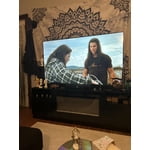
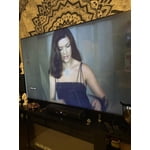
Member photos

  • +1528 images
Sort by |
Showing 3,781-3,790 of 3,909 reviews
Aug 7, 2025
Reviewer name: Big bear
5 out of 5 stars
5 out of 5 stars review

55" crystal UHD

[This review was collected as part of a promotion.] This television offers a stunning display with vibrant colors and sharp details, providing an immersive viewing experience. The slim design and sleep apperance is great, enhancing the overall aesthetic. Its smart features and user-friendly interface make navigation easy and enjoyable for me. Overall, this model was a great choice for me. Im extremely happy with this purchase

Review from Samsung US
Helpful?5E42PT4DC65117304274207
Jul 5, 2025
Reviewer name: ja4atlanta
5 out of 5 stars
5 out of 5 stars review

I've Missed Samsung TVs

[This review was collected as part of a promotion.] It's been awhile since I treated myself to Samsung TV and they're better than ever. Set up is basically automated - although, there were a lot of times I had the new remote, my TV AND my Samsung tablet in my hands as I had to get through the various checks, even though I have a Samsung account. But - it worked, I got through it, and it's easy to use. I had trouble figuring out the app selection/deletion - but basically I already had a FireTV Stick and decided to just use that, so there was little set-up beyond the basics.

Review from Samsung US
Helpful?5E42PT4DC65117304274207
Aug 20, 2025
Reviewer name: Teachit
1 out of 5 stars
1 out of 5 stars review

Not the Samsung I’m used to!

Bought this tv yesterday. Did the setup and it was confusing to say the least. I’ve set up many TVs and most are straightforward and intuitive. I’ve even set up other Samsungs and this was by far the worst for set up. Now for the actual picture. Right out of the box the picture was not very good. Picture was “washed out” and just didn’t look right compared to our other TVs. Tried online suggestions for correcting colors and sharpness of image. Nothing improves the picture. So disappointed in this Samsung!!! Our cheapy TV, all our other TVs (all 6) are so much better. Our other Samsung (older set) is fine. Plus it has a mind of its own. After turning it off and then returning to watch tv it goes into Samsung plus instead of our satellite provider. This issue just started. At first at least when set was turned on we had our satellite on. And I HATE the remote. Even had our son over to help with adjustments and settings with no luck. Very disappointing product!

Review from Samsung US
Helpful?5E42PT4DC65117304274207
reply from Samsung Advisor

Hi Teachit, We appreciate your feedback and are glad you reached out to us. There are a few adjustments you can make that may improve your experience. First, let's ensure you are running the latest Firmware. Go to Settings> Support> Software Update. If the picture appears unclear, dull, or lacks definition, there are several settings you can adjust to improve clarity and overall image quality. Go to: Settings > All Settings > Picture > Expert Settings, and review these key settings: Picture Clarity Settings: While originally intended for motion handling, these can also impact overall clarity • Off: Disables motion enhancements • Auto: Automatically adjusts based on content • Custom: Lets you fine-tune: o Judder Reduction – Helps smooth out uneven motion o LED Clear Motion – Boosts sharpness in fast-moving content o Noise Reduction – Reduces distortion and enhances detail in lower-resolution sources Core Picture Settings • Brightness – Controls overall screen brightness • Contrast – Enhances the difference between bright and dark areas • Sharpness – Adjusts edge definition; closer to 20 increases detail • Color – Enhances depth and intensity of colors Finally, while your TV may currently default to Samsung TV Plus when powered on, you can customize what your TV does at startup by adjusting the Start Screen Options. To do this, navigate to: Settings > All Settings > Advanced Features > Start Screen Option and choose from the following: 1. Start with Smart Hub Home – Automatically launches Smart Hub when the TV is turned on. You can enable or disable this option based on your preference. 2. Autorun Multi View Casting – If you cast YouTube content from your mobile device, the TV will automatically display the content using Multi View. 3. Autorun Multi View Mirroring – When you screen mirror your mobile device, Multi View will automatically open to show your device’s screen. If you need help adjusting these settings or have any other questions, please contact Samsung Support at 1-800-SAMSUNG, 8AM – 12AM EST, 7 days a week. LiveChat agents are also available by clicking on the ‘Support’ link on our website. ~ Samsung Advisor

Aug 19, 2025
Reviewer name: Bill18101
5 out of 5 stars
5 out of 5 stars review

Exception Clarity and Defination

[This review was collected as part of a promotion.] When I purchased the product, it did not take long to set up. I was initially annoyed with the general layout, but after seeing streaming services and other layouts of screen information. Samsung's product did it right. Plus, the clarity and definition are great. I particularly enjoy the spa and art projections integrated with great music and ambiance when I am stressed or entertaining a dinner party in my apartment. I think it would be a great benefit for those who need to unwind in the chaotic go-go society. I definitely would recommend the product.

Review from Samsung US
Helpful?5E42PT4DC65117304274207
Jun 20, 2025
Reviewer name: Anonymous
5 out of 5 stars
5 out of 5 stars review

Crystal UHD is crystal clear

[This review was collected as part of a promotion.] The Samsung U7900F Crystal UHD TV (2025) really impresses me with its visual experience, especially considering the price. Its Crystal Processor truly makes colors vibrant and 4K details sharp, and I find content just pops off the screen. Its bright panel and the incredibly user-friendly Tizen OS genuinely create an excellent, immersive viewing experience for my everyday entertainment.

Review from Samsung US
Helpful?5E42PT4DC65117304274207
Jun 23, 2025
Reviewer name: Nachopappi
5 out of 5 stars
5 out of 5 stars review

Awesome product

[This review was collected as part of a promotion.] This tv is extremely better than all the reviews that I've seen. The picture is fantastic, the apps are great and cloud gaming has me hooked. Dont think twice, go ahead and purchase this product. You won't be disappointed!

Review from Samsung US
Helpful?5E42PT4DC65117304274207
Jul 30, 2025
Reviewer name: Nnonickname3
3 out of 5 stars
3 out of 5 stars review

No light audio cable hook up.

[This review was collected as part of a promotion.] It seems that you did away with the light cable for sound. If we would of known that we may not have bought this model. Are surround sound is based on this and not hdmi. The light cable provides beter sound.

Review from Samsung US
Helpful?5E42PT4DC65117304274207
reply from Samsung Advisor

Hi Nnonickname3, Thank you for sharing your thoughts on the available inputs for the U7900F. If an Optical port is a crucial part of your setup needs, you’ll find that connection starting with our Q8F Series and above. Should you ever need assistance with your TV, Samsung is here for you. Reach out by calling 1-800-SAMSUNG between 8AM - 12AM EST, any day of the week. You can also chat with us online by visiting the ‘Support’ section of our website. ~Samsung Advisor

Sep 16, 2025
Reviewer name: Kamikam211
5 out of 5 stars
5 out of 5 stars review

Kamikamnyc

[This review was collected as part of a promotion.] This smart TV is a must buy and Ultra Crystal Clear HD picture that all your streaming service plus Samsung TV for free new services also you can play all your favorite games by just connecting your Xbox at PlayStation controller you can pass the web anything you can imagine you can do on this this Samsung Crystal UHD Smart TV is a must buy.

Review from Samsung US
Helpful?5E42PT4DC65117304274207
Aug 22, 2025
Reviewer name: Anonymous
5 out of 5 stars
5 out of 5 stars review

Great product

[This review was collected as part of a promotion.] The Samsung U7900F is a sleek, affordable 4K smart TV with vibrant colors, HDR10 support, and a slim metal design. Powered by the Crystal Processor 4K, it delivers sharp detail and smooth performance for everyday streaming and casual viewing. Smart features like Samsung TV Plus (free channels), SmartThings integration, and Gaming Hub add convenience. Pros: Stylish design, sharp 4K upscaling, solid color and contrast, free streaming channels, lightweight and easy setup. Cons: No HDMI 2.1, VRR, or 120Hz for gamers; limited black depth (no local dimming); Tizen OS menus can feel clunky. Verdict: Great for streaming and everyday use in well-lit rooms, but not the best choice for serious gamers or movie enthusiasts who want deep contras.

Review from Samsung US
Helpful?5E42PT4DC65117304274207
Jul 14, 2025
Reviewer name: Novas0880
5 out of 5 stars
5 out of 5 stars review

Incredible Samsung TV – Truly Next-Level! 🌟

[This review was collected as part of a promotion.] This Samsung Smart TV blew me away! The picture quality is stunning — colors are vivid, blacks are deep, and the 4K resolution is crystal clear. Even older content looks amazing thanks to the AI upscaling. The sound is rich and immersive, and the sleek design fits perfectly in any space. Smart features run smoothly, and setup was effortless. Simply put: Samsung has created a masterpiece.

Review from Samsung US
Helpful?5E42PT4DC65117304274207