Skip to Main Content
Sam's Club
Sam's Club
All Departments
All Services
Customer reviews for SAMSUNG 75” Class U7900F Series 4K Crystal UHD Smart TV for
SAMSUNG 75” Class U7900F Series 4K Crystal UHD Smart TV
4.6 out of 5 stars
stars
3,311 ratings3,284 reviews
  1. 5 stars75% (2,472)
  2. 4 stars15% (501)
  3. 3 stars5% (179)
  4. 2 stars2% (66)
  5. 1 star3% (93)

Member photos

  • +1328 images
Sort by |
Showing 1,111-1,120 of 3,284 reviews
Jul 24, 2026
MAKZ
4 out of 5 stars review

Picture & Sound

Sound, particularly dialogue, is difficult to understand/hear. We are purchasing a sound bar to hopefully alleviate this problem.

Review from Samsung US
Helpful?5E42PT4DC65117304274207
Jul 5, 2026
Mholloway10
5 out of 5 stars review

Samsung
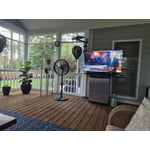
The product does not disappoint in any fashion. Superior quality and resolution that I would recommend to tv and movie watchers.

Review from Samsung US
Helpful?5E42PT4DC65117304274207
Jul 20, 2026
vicky
5 out of 5 stars review

love it! i can see to read whats on my screen.lol

[This review was collected as part of a promotion.] I am enjoying the TV but i do have some confusion here

Review from Samsung US
Helpful?5E42PT4DC65117304274207
Jul 21, 2026
Angel
5 out of 5 stars review

Large tv

I love how big the screen is color is great. , just one problem when I switch to regular cable tv I have to unplug the tv

Review from Samsung US
Helpful?5E42PT4DC65117304274207
Jul 21, 2026
Jo Just
5 out of 5 stars review

Happy

[This review was collected as part of a promotion.] I am totally happy with my TV. Color is wonderful!

Review from Samsung US
Helpful?5E42PT4DC65117304274207
Jul 20, 2026
Nita90
3 out of 5 stars review

Decent

Does not have built-in speakers, keeps disconnecting/losing wifi signal, decent tv Not easy to navigate options/settings

Review from Samsung US
Helpful?5E42PT4DC65117304274207
reply from Samsung Advisor

Hi Nita90, Thank you for your feedback. Please note that the U79000FD TV offers built-in speakers. If you're not hearing sound or if the sound cuts out and you're using only the TV’s built-in speakers (no soundbar or external device), try the following steps: 1. Check volume and mute settings, and make sure the Sound Output is set to TV Speaker: Settings > All Settings > Sound > Sound Output > TV Speaker 2. Run a Sound Test to help diagnose the issue: Settings > Support > Device Care > Self Diagnosis > Sound Test 3. Cold boot your TV by holding the power button on the remote until the TV turns off and back on (Or unplug the TV from power for 30 seconds, then plug it back in) 4. Reset sound settings to default: Settings > All Settings > Sound > Expert Settings > Reset Sound 5. Update your TV’s software in case a firmware issue is affecting audio: Settings > Support > Software Update > Update Now If none of these steps restore your sound, please contact us for further assistance. You can reach Samsung Support at 1-800-SAMSUNG (8AM – 9PM EST Mon – Fri, 8AM – 6PM Sat – Sun). LiveChat is also available via the ‘Support’ link on our website. ~ Samsung Advisor

Jul 17, 2026
Jkc191
4 out of 5 stars review

Great TV

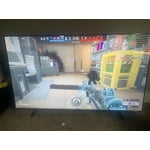
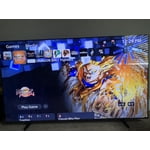
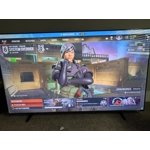
Screen has perfect brightness and color is amazing. Seems to be very good responsiveness when scrolling. Contrast and upscaling are as expected

Review from Samsung US
Helpful?5E42PT4DC65117304274207
Jul 21, 2026
Kensung
5 out of 5 stars review

Easy set up and pairing

I only buy Samsung products everyone says your tv looks so clear. And my 2 older Samsung tvs are Samsung and not a problem with them.

Review from Samsung US
Helpful?5E42PT4DC65117304274207
Jul 5, 2026
Matt
5 out of 5 stars review

Everything is great on it
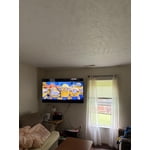
[This review was collected as part of a promotion.] Good tv love it an The graphic is great and amazing

Review from Samsung US
Helpful?5E42PT4DC65117304274207
Jul 20, 2026
swmortgage
3 out of 5 stars review

Poor brightness

The picture quality is only adequate and the sound is not great. The remote does not have voice control and would probably look at other models .

Review from Samsung US
Helpful?5E42PT4DC65117304274207
reply from Samsung Advisor

Hi swmortgage, We appreciate your feedback on the picture quality of Samsung’s U7900F TV. If the image doesn’t quite match your preferences, there are several adjustments you can make to better suit your viewing environment and content type. First, please ensure your TV is running the latest firmware, as updates may include important picture quality enhancements. Go to: Home > Left directional button > Settings > Support > Software Update > Update Now To explore picture mode options, navigate to: Home > Left directional button > Settings > All Settings > Picture > Picture Mode. Options include: • Standard – Ideal for general viewing • Dynamic – Brighter and more vibrant for well-lit spaces • Eco – Optimized for energy efficiency • Movie – Best for viewing in low light • Filmmaker Mode – Preserves the content creator’s intent and disables motion smoothing for supported content You can further customize your image by going to: Settings > All Settings > Picture > Expert Settings, where you can adjust Brightness, Contrast, Color Tone, Sharpness, Contrast Enhancer and more. To improve your sound, try different Sound Modes (Standard, Optimized, Amplify), or fine-tune your setup in Expert Settings under: Settings > All Settings > Sound If you still need help, please call Samsung Support at 1-800-SAMSUNG ((8AM – 9PM EST Mon – Fri, 8AM – 6PM Sat – Sun)). Our LiveChat agents are also available through the Support link on our website. ~Samsung Advisor