Skip to Main Content
Sam's Club
Sam's Club
All Departments
All Services
Customer reviews for SAMSUNG 75” Class U7900F Series 4K Crystal UHD Smart TV for
SAMSUNG 75” Class U7900F Series 4K Crystal UHD Smart TV
4.6 out of 5 stars
stars
3,311 ratings3,284 reviews
  1. 5 stars75% (2,472)
  2. 4 stars15% (501)
  3. 3 stars5% (179)
  4. 2 stars2% (66)
  5. 1 star3% (93)

Member photos

  • +1328 images
Sort by |
Showing 1,101-1,110 of 3,284 reviews
Jul 20, 2026
Sheebs
3 out of 5 stars review

Some remote problems but otherwise we like the TV

The TV picture is fine but the remote is difficult to use and flip from HDMI1 to 2, and we get frustrated. Got to figure out one remote for all.

Review from Samsung US
Helpful?5E42PT4DC65117304274207
reply from Samsung Advisor

Hi Sheebs, Thank you for sharing your review. Please know you can control your connected devices (like cable boxes, Blu-ray players, or game consoles) using your U7900FD TV’s remote by following these steps: 1. Connect & Power On the Device Connect the external device to one of your TV’s HDMI ports and power it on. Your TV may automatically detect the device and switch inputs. If it doesn’t, continue with the steps below. 2. Launch Universal Remote Setup. On your TV, navigate to: Home > left directional key > Connected Devices > Universal Remote Setup. When the connected device appears, select it to begin setup. 3. Start the Setup. Select Universal Remote on the Home screen, choose Start, and ensure your device is powered on. When your desired device appears, select it and follow the on-screen instructions. Setup may vary slightly based on device type. 4. Finalize and Test. Once complete, your Samsung TV and remote will remember the connected device and its HDMI port. If the device doesn’t respond after setup, you may need to re-register it or adjust its position for better signal reception. Helpful Tips: • If your external device is a Samsung product, Anynet+ (HDMI-CEC) may let you control it automatically using your TV remote with no extra setup. • Make sure nothing blocks the IR signal between your TV and external devices. • If you’re having difficulty, try adjusting the device’s position for better remote signal reception. • This feature may not be supported on all external devices or setups. For further support with setup or compatibility questions, please don’t hesitate to contact Samsung Customer Support at 1-800-SAMSUNG (8AM – 9PM EST Mon – Fri, 8AM – 6PM Sat – Sun). LiveChat agents are also available at the ‘Support’ link on our website. ~ Samsung Advisor

Jul 5, 2026
Angel39206
5 out of 5 stars review

Great product

[This review was collected as part of a promotion.] TV shows great picture however the volume is a little slow.

Review from Samsung US
Helpful?5E42PT4DC65117304274207
Jul 5, 2026
Anonymous
1 out of 5 stars review

Terrible sound

The speakers in the TV blew within 6 months. My family and I never go past 30 volume. Honestly ridiculous

Review from Samsung US
Helpful?5E42PT4DC65117304274207
reply from Samsung Advisor

Hi Dillon Lee Cassell, Thank you for sharing your experience with your U7900F TV. If you're not hearing sound or if the sound cuts out and you're using only the TV’s built-in speakers (no soundbar or external device), try the following steps: 1. Check volume and mute settings, and make sure the Sound Output is set to TV Speaker: Settings > All Settings > Sound > Sound Output > TV Speaker 2. Run a Sound Test to help diagnose the issue: Settings > Support > Device Care > Self Diagnosis > Sound Test 3. Cold boot your TV by holding the power button on the remote until the TV turns off and back on (Or unplug the TV from power for 30 seconds, then plug it back in) 4. Reset sound settings to default: Settings > All Settings > Sound > Expert Settings > Reset Sound 5. Update your TV’s software in case a firmware issue is affecting audio: Settings > Support > Software Update > Update Now If none of these steps restore your sound, please contact us for further assistance. You can reach Samsung Support at 1-800-SAMSUNG (8AM – 9PM EST Mon – Fri, 8AM – 6PM Sat – Sun). LiveChat and additional support resources are also available through the Support link on our website. ~ Samsung Advisor

Jul 10, 2026
Brian g
5 out of 5 stars review

Wow what a awesome tvs

[This review was collected as part of a promotion.] Love my tv it's the best picture and easy to use i have a 55" and a 70"and 75" love them all

Review from Samsung US
Helpful?5E42PT4DC65117304274207
Jul 11, 2026
Beau
5 out of 5 stars review

Great picture!

The perfect size for a good living room. The smart TV features are always useful when I want to find something easy to watch.

Review from Samsung US
Helpful?5E42PT4DC65117304274207
Jul 23, 2026
Rizz
5 out of 5 stars review

Clear as live
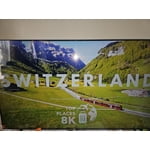
Best colors, give quick response smoothly, brightness is amazing, upscaling AI doing great job in contrast to other this is best

Review from Samsung US
Helpful?5E42PT4DC65117304274207
Jul 5, 2026
Carol
5 out of 5 stars review

Love it

I love my TV. The picture is perfect. I also love how easy it is to navigate the settings and accessing streaming services.

Review from Samsung US
Helpful?5E42PT4DC65117304274207
Jul 5, 2026
HollyPolly
5 out of 5 stars review

Great tv
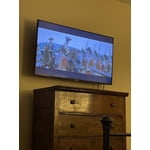
We've been very happy with the tv. Clear picture and sound and easy to navigate through apps and channels.

Review from Samsung US
Helpful?5E42PT4DC65117304274207
Jul 6, 2026
Power
5 out of 5 stars review

Great features!!!

Great tv!!! The picture is crystal and the features are great. I love i can tap my s24 ultra on the side to share.

Review from Samsung US
Helpful?5E42PT4DC65117304274207
Jul 20, 2026
Milo
5 out of 5 stars review

Great features already installed

[This review was collected as part of a promotion.] it's a great TV has great contrast a lot of apps on it as well

Review from Samsung US
Helpful?5E42PT4DC65117304274207