
 Customer reviews for SAMSUNG 75” Class U7900F Series 4K Crystal UHD Smart TV for
Member photos









 +1528 images
Nice TV
This is our Primary Bedroom TV. It is fine for its purpose. Sound is not good on its own. With TV getting so slim, they could eliminate the speakers all together except maybe one for setup only. Also setup for wireless tv service could be easier. Most of us have our own streaming service and sometimes it's hard to make that the primary or go-to.
Horrible network issues
The tv is nice… when it works. More than half the time, it refuses to connect to our WiFi, but none of our other Samsung TVs seem to have this problem. This tv is the closest to the router, but it never stays connected. And of course it's our main tv in the living room so this is highly inconvenient.
Hi Britters, Thank you for sharing your experience with Wi-Fi connectivity. If your TV is having trouble connecting to the network, the following steps may help resolve the issue: Signal & Setup Tips: 1. Check TV-to-router distance – Your TV should be within 50 feet of the modem or access point for reliable signal strength. 2. Minimize interference – Turn off nearby wireless devices and make sure there are no physical barriers (stone walls, fireplaces, appliances) between the TV and router. Power Cycle Devices: 3. Restart both your TV and router – Unplug both devices for at least 30 seconds, then plug them back in and allow them to reboot fully. Connection Type: 4. Evaluate your connection method – o If using Wi-Fi, move your router closer to the TV and eliminate any obstructions. o For a more stable connection, we strongly recommend using a wired Ethernet cable. o If already using Ethernet, verify the cable is working by testing it with another device. Run Built-In Diagnostic Tools: 5. Network Test: Settings > Support > Device Care > Self Diagnosis > Smart Hub Connection Test 6. Wi-Fi Check: Settings > Support > Device Care > Self Diagnosis > Wi-Fi Last Resort: 7. Perform a Factory Reset (if issues persist): Settings > All Settings > General & Privacy > Reset > Factory Data Reset. Note that this will return all settings to their original defaults. If these steps don’t resolve the issue, please reach out to Samsung Support at 1-800-SAMSUNG (8AM – 9PM EST Mon – Fri, 8AM – 6PM Sat – Sun). LiveChat support and additional help are available at the ‘Support’ link on our website. ~ Samsung Advisor
Awesome Features
The tvs brightness is excellent all the user interface features work vary smoothly and transfer or stream from my galaxy devices so easily. This TV works everytime with never any issues I would definitely recommend this model or any samsung product really.
Excellent Picture and Great Value
[This review was collected as part of a promotion.] The Samsung TV delivers exceptional picture quality with vibrant colors, deep contrasts, and sharp details, making every program and movie feel immersive. Its sleek, minimalist design complements modern living spaces while maintaining a premium feel. The user interface is intuitive and responsive, offering seamless navigation and quick access to content. Connectivity options are comprehensive, ensuring compatibility with a wide range of devices. Overall, it combines performance, design, and usability into a compelling package.
SAMSUNG
this TV was so impressive , I could not believe the resolution the sound and picture quality . every TV I have owned has been Samsung . if you ask me I would prefer Samsung over any model only because the quality of the picture , sound , sound, and how easy it was to set up . Samsung ever!
Great TV with a Couple of Remote Limitations
I've been very happy with my 65" Crystal UHD U7900F 4K Smart TV (2025) overall. The picture quality is excellent, the screen size is perfect for a great home-theater experience, and I really like the variety of smart features that come with the TV. There's a lot to love about this television, and it has been a great addition to my home. The 4K picture quality is one of my favorite things about the TV. Images are sharp, clear, and detailed, and the large 65-inch screen makes movies, shows, and other content much more enjoyable to watch. The colors and overall picture quality are impressive, especially considering the price point. I also really like the smart TV features. Having access to streaming apps and other smart functions built directly into the TV makes it very convenient. The TV is easy to use, and I appreciate being able to switch between different types of entertainment without needing multiple devices or complicated setups. The one feature I was disappointed with is the remote control. I was surprised that the remote does not have a dedicated “speak to Alexa” button. I like using voice commands with Alexa, and having a microphone/voice button directly on the remote would make the experience much more convenient. It would be nice to be able to simply press a button and speak to Alexa instead of having to use another method to access voice functionality. I also had an issue when trying to set up my DVD player. I was not able to add the DVD player so that it could be controlled using the TV's remote. Being able to control the DVD player directly from the TV remote would have made the setup much cleaner and more convenient, especially since I prefer having as few remotes as possible. Despite those two frustrations, I still love the TV overall. The picture quality, screen size, smart features, and overall viewing experience are excellent. The remote-control limitations are worth mentioning, but they don't take away from how much I enjoy using the television. Overall, I would definitely recommend this TV. If Samsung improves the remote by adding a dedicated Alexa voice button and makes it easier to connect and control devices such as DVD players with the TV remote, it would be an even better product. For me, the TV itself is fantastic—the remote functionality is really the only area where I feel it could be improved.
Horrible remote
Bought this TV. It came with no user manual. The remote is horrible. They took away most of the functions. Can't figure out how to use it. Can't put in a specific channel, no previous channel button. Trying to find a user manual here. Not too easy. We are using a remote from another Samsung TV. Only way we can make it work. Very hard to navigate once you are in.
Hi Ginat, We appreciate you sharing your experience. To help you get the most from your TV and remote functions, you can download the full e-Manual and more by visiting Samsung’s website then navigating to: Support > Manual & Software > TVs & Home Theater. From there, you can search for and select your U7900F TV model to view or download the available guides. The e-Manual & Remote Control Guide are also conveniently built into your TV: Settings > Support > Tips and User Guides. For additional guidance, your TV also includes Accessibility features designed to assist with navigation and remote use. • Learn Menu Screen provides audio guidance for on-screen menus by announcing the name and function of each item as you scroll – without making any changes. This is especially helpful for users who are visually impaired or new to Smart TV menus. Enable via: Settings > All Settings > General & Privacy > Accessibility > Learn Menu Screen. To exit, press the Return key twice. • Learn TV Remote helps users become familiar with the layout and function of each button on the Samsung remote. Pressing a button (other than Power) will prompt the TV to announce its name and purpose, again without affecting TV operation. Enable via: Settings > All Settings > General & Privacy > Accessibility > Learn TV Remote. To exit, press the Return key twice. If you’d like more assistance with these features, please reach Samsung Support at 1-800-SAMSUNG, available 8AM – 12AM EST, 7 days a week. LiveChat agents are also available through the ‘Support’ link on our website. ~ Samsung Specialist
Missing a very important feature
This 50" was a birthday gift from our son to my wife. It replaces our 44-yr old 600 lb set that just would not die. While we love the improved picture, the big drawback is that it doesn't automatically jump to the HD channel when you input the SD channel number that we have used forever. I needed to make a conversion chart we have to refer to whenever we turn it on or change the channel. Even our old cheapo sets can do this useful task automatically.
Hi Apollo11guy, We appreciate your purchase and for sharing your experience with us. Please know your feedback will be shared with our internal teams. If you have any questions or need help, we’re always here. Call 1-800-SAMSUNG from 8AM - 12AM EST, seven days a week, or connect with a LiveChat agent anytime by selecting ‘Support’ on our website. ~Samsung Advisor
NO HOOK UP FOR HEARING AIDS
is there any way to hook up my hearing aids to this TV it has no digital audio connection has no connection for cable wires has no connection for headphones how can I connect my hearing aids to this TV
Hi RALPH, Thank you for reaching out to us. You can connect the U7900F TV to external audio devices via HDMI, Bluetooth, or Wi-Fi connection. Specifically, hearing aids can be connected via Bluetooth. We recommend reaching out to your specific hearing aid manufacturer to confirm compatibility. If you need an optical output to connect your external device, we recommend the QN70H TV Series and above. Should you have any questions, please do not hesitate to reach out to us. Call us at 1-800-SAMSUNG (8AM – 9PM EST Mon – Fri, 8AM – 6PM Sat – Sun), or reach us via text anytime. You can also visit ‘Support’ on our website for: • LiveChat with an agent • Manuals, Software, and Warranty Info • Creating a Service ticket ~ Samsung Solutions
Large screen without the large cost
[This review was collected as part of a promotion.] I'm really happy with this TV overall. The 75-inch screen is huge, and the picture is clear and bright when watching movies, shows, and sports. It was easy to set up, and the smart features are simple to use. The sound is okay, but a soundbar would definitely make it better. The TV also occasionally freezes while using the apps, which can be frustrating, but it usually starts working again after a moment or after restarting it. Overall, it's a good TV for the price and a great option for anyone who wants a large screen without spending a fortune.
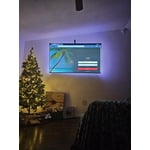
Thanks JAYITSBEPOPPIN, It's great to hear you are enjoying your U7900F TV. For the best performance, please ensure the latest firmware version is installed: Home > left directional key > Settings > Support > Software Update To further optimize performance, try running Device Care, which checks memory, clears unused cached data, and closes background apps: Home > left directional key > Settings > Support > Device Care > Start Device Care To improve your sound, try different Sound Modes (Standard, Optimized, Amplify), or fine-tune your setup in Expert Settings under: Settings > All Settings > Sound If you have any questions or need help, call 1-800-SAMSUNG (8AM – 9PM EST Mon – Fri, 8AM – 6PM Sat – Sun), or reach us via text 24/7. You can also visit ‘Support’ on our website for: • Live Chat • Manuals, Software, & Warranty Info ~ Samsung Advisor