Skip to Main Content
Sam's Club
Sam's Club
All Departments
All Services
Customer reviews for LG 65” Class G5 Series OLED evo AI Smart TV for
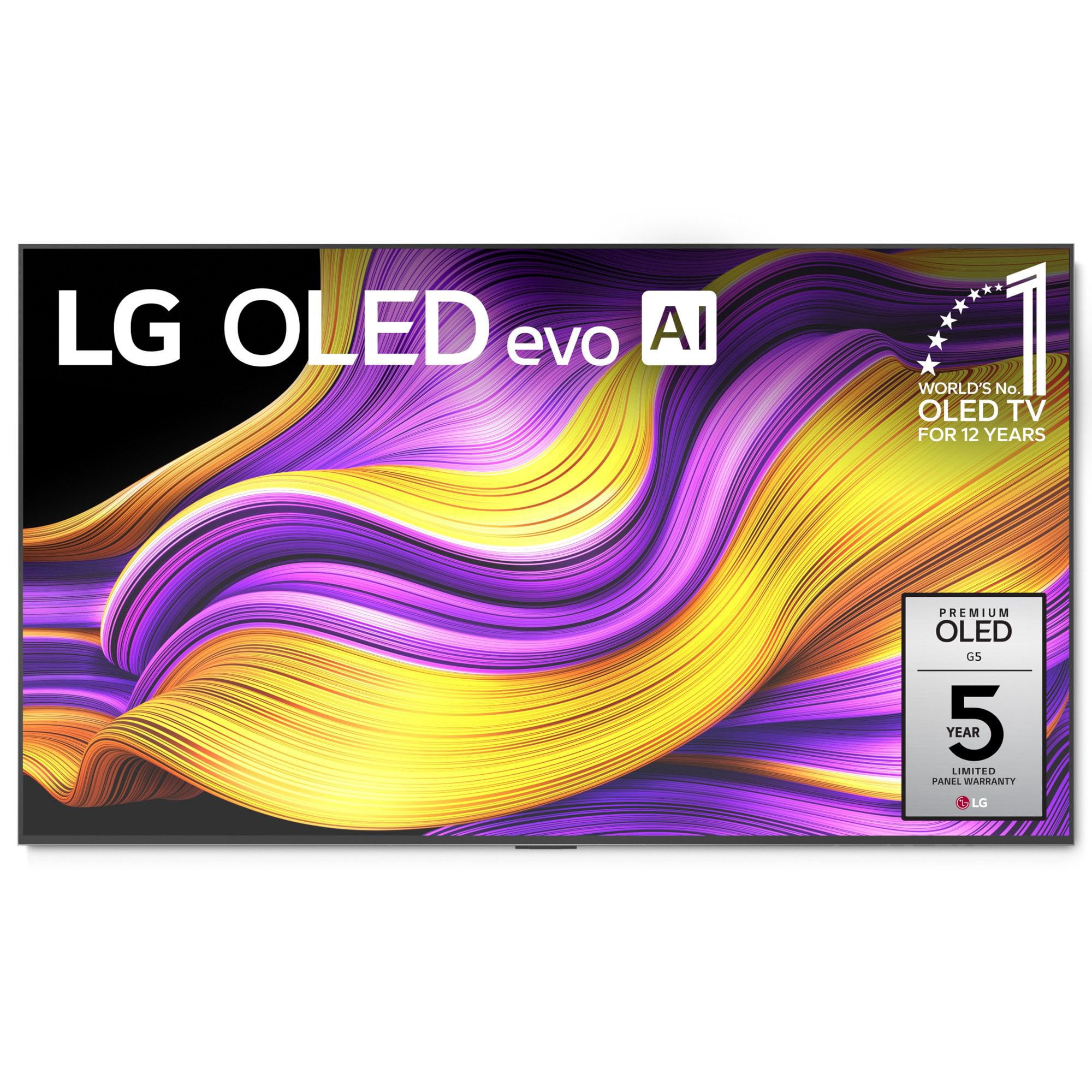
LG 65” Class G5 Series OLED evo AI Smart TV
4.8 out of 5 stars
stars
786 ratings786 reviews
  1. 5 stars88% (690)
  2. 4 stars8% (65)
  3. 3 stars1% (11)
  4. 2 stars1% (6)
  5. 1 star2% (14)

Member photos

Sort by |
Showing 81-90 of 786 reviews
Sep 30, 2025
Reviewer name: Adrian S
4 out of 5 stars
4 out of 5 stars review

Verified Purchase

Adequate

It’s an excellent TV - but you expect that for the price. I’ve taken a star off because: 1) the screen is very glossy and reflective - makes it hard to get the best except in pitch black conditions. 2) the brushed aluminium trim round the outside of the bezel is ‘meh’ given the bezel is black, the TV is black, the trim should also be black. As it is, it catches the eye and not in a good way. 3) the screen is not flat. Nothing that effects the performance as a TV and I’m sure it’s within tolerance, but side on you can see the distortions in the reflections from the slight ‘hills and valleys’ in the screen. It does the job, and I won’t be sending it back, but next time I’ll probably try the Samsung equivalent.

Review from lg.com/uk
Helpful?62WJA96T223N17272124983
May 15, 2026
Reviewer name: Nick JH
5 out of 5 stars
5 out of 5 stars review

Verified Purchase

an excellent TV and price too

[This review was collected as part of a promotion.] A great upgrade, the brightness is a game changer over my older model

Review from lg.com/uk
Helpful?62WJA96T223N17272124983
May 11, 2026
Reviewer name: Anonymous
5 out of 5 stars
5 out of 5 stars review

Verified Purchase

Television

[This review was collected as part of a promotion.] Excellent product really pleased with it just what we wanted.

Review from lg.com/uk
Helpful?62WJA96T223N17272124983
Jun 4, 2026
Reviewer name: sharpy
5 out of 5 stars
5 out of 5 stars review

Verified Purchase

Fantastic TV

[This review was collected as part of a promotion.] This was a major upgrade from our 1st gen 4K telly.

Review from lg.com/uk
Helpful?62WJA96T223N17272124983
Jun 1, 2026
Reviewer name: Crash
5 out of 5 stars
5 out of 5 stars review

Verified Purchase

LG OLED65G54LW

Stunning picture after upgrading from a 55g1, panel uniformity is crystal clear at 5% gray scale and brightness is off the charts

Review from lg.com/uk
Helpful?62WJA96T223N17272124983
Jul 12, 2026
Reviewer name: MatttttttT
3 out of 5 stars
3 out of 5 stars review

Great TV brought down by OS and remote

[This review was collected as part of a promotion.] Picture quality is phenomenal, but for as much as this TV costs I would expect a better operating system than webOS and a more functional remote. Picture quality, especially with 4K content and games is gorgeous to look at. Watching the IMAX scenes from the 4K version of Interstellar left me speechless. And the TV took games from my PS5 and made them look new again. For webOS it's the small things like an unintuitive home screen, not being able to change the screen saver, and all the unnecessary bloat that really leave me scratching my head. WebOS is like Windows Mobile was for smart phones - built by people who don't have the slightest clue what consumers want. For the remote it's the combination of the gimmicky magic feature that always turns on when you least expect them to, buttons that are only there because LG's partners paid for them, and buttons that you actually would use missing.

Review from lg.com
Helpful?62WJA96T223N17272124983
reply from LG

Hi. We appreciate your time sharing your review and rating regarding your LG OLED TV, model OLED77G5WUA. We are glad to hear that you are loving the phenomenal 4K picture quality, especially while playing PS5 games and watching cinematic scenes. We recognize your experience with the remote pointer and the home screen interface of webOS. To help make your navigation a bit more seamless, you can temporarily turn off the pointer on your Magic Remote at any time by simply pressing any of the directional arrow buttons (Up, Down, Left, or Right), which switches the control back to standard button navigation. Additionally, if you find the pointer moves too quickly when it does appear, you can adjust the tracking speed to a more comfortable pace by going to Settings, selecting General, navigating to System, choosing Additional Settings, and adjusting the Pointer Options to "Slow." We want to help ensure your home entertainment setup operates perfectly and comfortably for your household. Please send us an email at lgdigitalcare@lg.sprinklrsupport.com if you need further support. ^James

Apr 14, 2026
Reviewer name: Scott6873
5 out of 5 stars
5 out of 5 stars review

Verified Purchase

OLED G5

[This review was collected as part of a promotion.] Lg OLED 65 inch G5 is the flag ship OLED in LG line up and wow 🤩 is it good

Review from lg.com/uk
Helpful?62WJA96T223N17272124983
Feb 10, 2026
Reviewer name: vioLGa
5 out of 5 stars
5 out of 5 stars review

Verified Purchase

The best

[This review was collected as part of a promotion.] The best TV in the world, 55’ pretty big screen .

Review from lg.com/uk
Helpful?62WJA96T223N17272124983
Jan 28, 2026
Reviewer name: Anonymous
5 out of 5 stars
5 out of 5 stars review

Verified Purchase

LG65G5 stand version

[This review was collected as part of a promotion.] G5 has a glorious bright picture the best I have seen in my 72 years

Review from lg.com/uk
Helpful?62WJA96T223N17272124983
Feb 25, 2026
Reviewer name: Simonn
5 out of 5 stars
5 out of 5 stars review

Verified Purchase

G5

[This review was collected as part of a promotion.] Replacement for CX - superior picture and now has adjustable stand option. Excellent TV.

Review from lg.com/uk
Helpful?62WJA96T223N17272124983