Skip to Main Content
Sam's Club
Sam's Club
All Departments
All Services
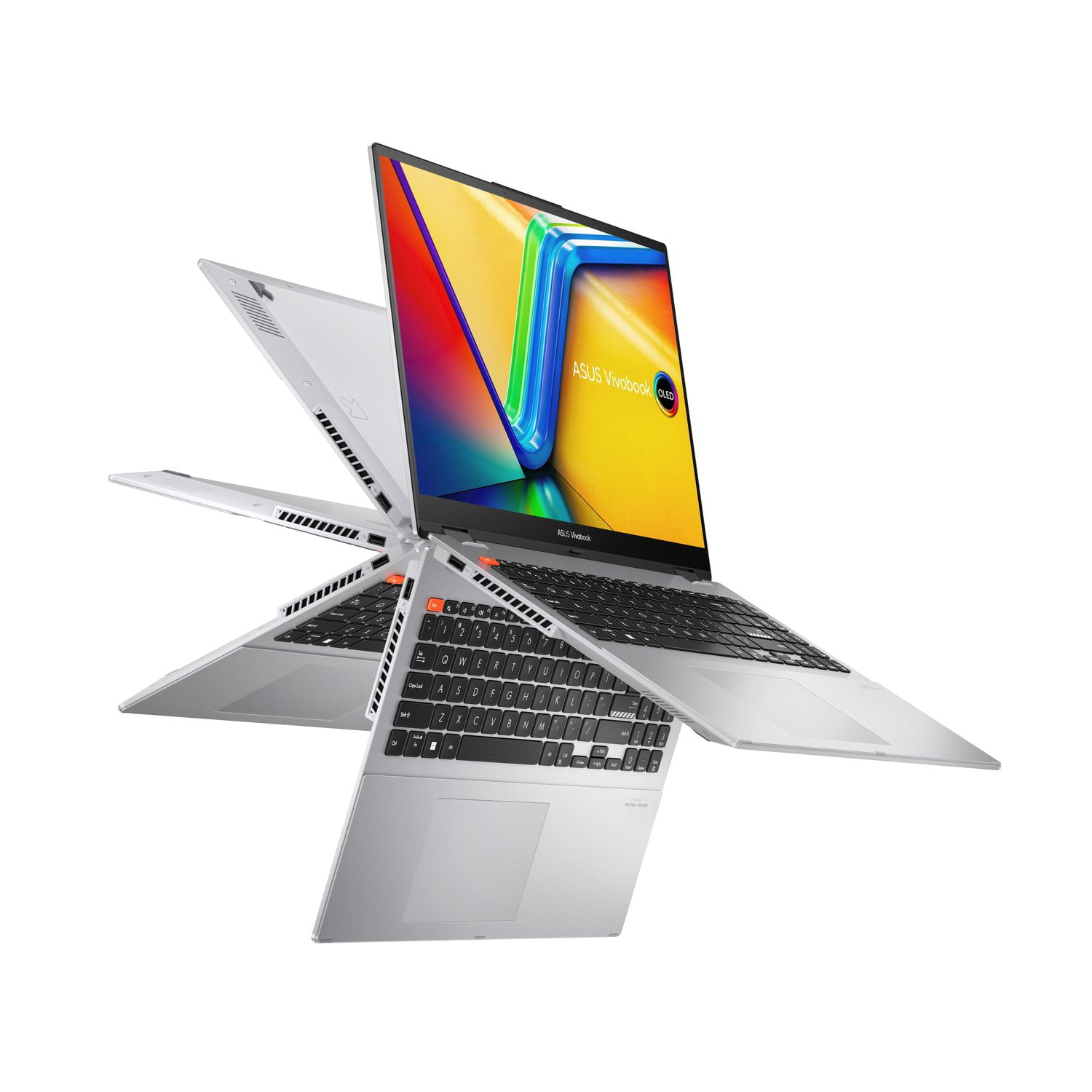
Customer reviews for ASUS Vivobook Flip 16" WUXGA Touchscreen 2 in 1 Windows 11 Laptop | Intel Core i5-13420H | 8GB RAM | 512GB SSD | 2-Year Warranty for
ASUS Vivobook Flip 16" WUXGA Touchscreen 2 in 1 Windows 11 Laptop | Intel Core i5-13420H | 8GB RAM | 512GB SSD | 2-Year Warranty
4.6 out of 5 stars
stars
37 ratings26 reviews
  1. 5 stars81% (30)
  2. 4 stars5% (2)
  3. 3 stars11% (4)
  4. 2 stars0% (0)
  5. 1 star3% (1)
Sort by |
Showing 1-10 of 26 reviews
Aug 3, 2026
Reviewer name: JJ...
5 out of 5 stars
5 out of 5 stars review

Verified Purchase

In a class by itself

This laptop is on a class by itself, not only is it a latop but you can use it as a tablet. The clarity of the picture from a video is top of the line. It's easy to navigate and I am sold on Asus. I am a first time user of rhis product, and I will recommend to all my friends and colleagues.

Review from https://www.asus.com
Helpful?179BPL5PNCOD16565459876
Aug 11, 2026
Reviewer name: Vicki
5 out of 5 stars
5 out of 5 stars review

Verified Purchase

Bigger screen & touch screen.

I like the bigger screen & the intel i5 speed. The set up process was very easy since I already had a Microsoft account. I wanted a touch screen and several other brands that I compared it to didn't offer that option.

Review from https://www.asus.com
Helpful?179BPL5PNCOD16565459876
Sep 29, 2026
Reviewer name: jhsr
5 out of 5 stars
5 out of 5 stars review

Verified Purchase

Best laptop of 2026

Best laptop I've ever purchased. When the time comes to replace it. I will definitely look into another Asus.

Review from https://www.asus.com
Helpful?179BPL5PNCOD16565459876
Aug 5, 2026
Reviewer name: Kasey
5 out of 5 stars
5 out of 5 stars review

Verified Purchase

Love the touchscreen & tablet mode

Excellent laptop. I love the touchscreen and the ability to flip it over and use as a tablet. I have never been a fan of my MacBook. So it is the touchscreen and the tablet abilities “like a MacBook” that operates in a windows system. Perfection!!

Helpful?179BPL5PNCOD16565459876
Dec 31, 2025
Reviewer name: Mike.RF
5 out of 5 stars
5 out of 5 stars review

Verified Purchase

Best user friendly laptop

Im going to he honest im not really huge into laptops but needed one. With this vivobook S16 flip i can just use the touch screen instead of using the mouse and the key board. I love this laptop definitely recommending to all of my friends and family.

Review from https://www.asus.com
Helpful?179BPL5PNCOD16565459876
Dec 22, 2025
Reviewer name: Kari2026
5 out of 5 stars
5 out of 5 stars review

Verified Purchase

Love My New Laptop

I'll give it 5 stars on its functionality factor. I love the touch screen ability. I love how simple it is to use and I can even install and configure my own virtual machine and operating system inside of Windows 11. This laptop is amazing for students in IT courses. Thank you for making a great laptop.

Review from https://www.asus.com
Helpful?179BPL5PNCOD16565459876
Sep 24, 2026
Reviewer name: MelM
4 out of 5 stars
4 out of 5 stars review

Verified Purchase

Almost Perfect

The set up seemed slightly difficult, as the initial update took a long time, then it didn't finish and prompted to try again with the same result. Also, the screen went black for 15 minutes and that was a little scarry when a laptop is brand new. Though I like the laptop overall, there are still some glitches while diving in and learning the laptop, and I'm apprehensive about something else going wrong.

Review from https://www.asus.com
Helpful?179BPL5PNCOD16565459876
Aug 13, 2026
Reviewer name: Gary
3 out of 5 stars
3 out of 5 stars review

Verified Purchase

ASUS S 16 Flip

Like the large screen. The keyboard is only backlit when the laptop boots. It is not backlit while using it. The letters and numbers on the keyboard are hard to see. The letters and numbers need to be a brighter white. They are more of a grey color which makes them harder to see. It appears to function well in the limited time I have had it.

Review from https://www.asus.com
Helpful?179BPL5PNCOD16565459876
reply from CLM

Dear Gary, Thank you for your comment. We do understand the inconvenience this may have caused if the keyboard backlit is not working while using it. To resolve this, press the hotkeys, " Fn + F7" repeatedly to enable and increase the brightness level of the backlit. Should you need further assistance with the product, please email me at cl-rodel@asus.com and I would be more than happy to help. Or, you are most welcome to call Product Support Hotline at: 1(888) 678-3688. Also, you can chat with an ASUS live support agent from the link: https://www.asus.com/us/support/article/1135/. Thank you for choosing an ASUS product. Rodel ASUS Customer Loyalty

Sep 8, 2026
Reviewer name: Buddys mom
3 out of 5 stars
3 out of 5 stars review

Verified Purchase

You'll need an IT PERSON AFTER YOU turn it on!!

Imbedded into to software is built in pop ups for two antivirus software programs! Annoying ads and tougher to bypass without a purchase! Once this is resolved, by removing edge as your browser, you find the system friendly.

Review from https://www.asus.com
Helpful?179BPL5PNCOD16565459876
reply from CLM

Dear Buddy Mom, Thank you for your comment. We do understand the annoyance from the pop ups for two antivirus programs and the inconvenience this may have caused. These preinstalled software can easily be removed if not needed for added security protection while surfing the web. To uninstall, click the Start Menu and open Settings (the gear icon), go to Apps > Installed apps, look through the list for any pre-installed antivirus programs (usually McAfee) and click the three dots (...) next to the software and select Uninstall.Follow the on-screen prompts and restart your laptop. For more helpful tips, visit the Microsoft Knowledge Base: https://learn.microsoft.com/en-us/answers/questions/5843738/how-to-remove-virus-pop-ups . Should you need further assistance with the product, please email me at cl-rodel@asus.com and I would be more than happy to help. Or, you are most welcome to call Product Support Hotline at: 1(888) 678-3688. Also, you can chat with an ASUS live support agent from the link: https://www.asus.com/us/support/article/1135/. Thank you for choosing an ASUS product. Regards, Rodel ASUS Customer Loyalty

Sep 27, 2026
Reviewer name: Doug
3 out of 5 stars
3 out of 5 stars review

They got it so good and so bad at the same time

A well thought out, designed and build machine. well worth the money. BUT... It's 2026, to not have a functional fingerprint reader or any biometric security is a bewilderment. Trying to access ASUS tech support in any way (phone, web, text, email) defies all human logic and taxes ones soul

Helpful?179BPL5PNCOD16565459876
reply from ASUS Answers

Dear Doug, Thank you for sharing your feedback regarding the ASUS Vivobook Flip 16 Laptop. While we are pleased to hear that you find the device well‑designed and built, we sincerely apologize for the inconvenience you have experienced with the absence of a functional fingerprint reader and biometric security, as well as the difficulty encountered when attempting to contact ASUS Support. To further investigate this matter, we kindly ask that you email us directly at customerloyalty@asus.com and include the case number "N2609027862-0001" as a reference. Our team will be able to review the issue in detail and assist you with the most effective solution. We stand behind our products and continuously strive to improve our products and processes to achieve customer service excellence. We will do our best to resolve your case quickly. Your feedback is very important to us, and it enables us to improve our support channels. Thank you for choosing ASUS. Best Regards, Chantae ASUS Customer Loyalty US Support