Skip to Main Content
Sam's Club
Sam's Club
All Departments
All Services
Customer reviews for SAMSUNG 50" Class U7900F Series 4K Crystal UHD Smart TV for
SAMSUNG 50" Class U7900F Series 4K Crystal UHD Smart TV
4.6 out of 5 stars
stars
3,370 ratings3,306 reviews
  1. 5 stars74% (2,510)
  2. 4 stars15% (511)
  3. 3 stars5% (180)
  4. 2 stars2% (68)
  5. 1 star3% (101)

Member photos

  • +1338 images
Sort by |
Showing 2,211-2,220 of 3,306 reviews
Jul 20, 2026
KDawg11
5 out of 5 stars review

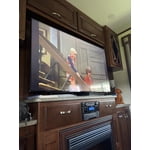
Wonderful TV for Outdoor Living Area

Best TV I've ever owned. Picture quality and Color is awesome.

Review from Samsung US
Helpful?5C20ZRAZZ46Q16498555478
Jul 20, 2026
Gale
5 out of 5 stars review

very nice, exceptional price

~very lovely tv, everything seems to be perfect and nice size for our room.

Review from Samsung US
Helpful?5C20ZRAZZ46Q16498555478
Jul 21, 2026
John
4 out of 5 stars review

operation

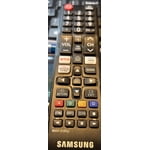
For elderly persons it is hard to understand the operation with the remote.

Review from Samsung US
Helpful?5C20ZRAZZ46Q16498555478
Jul 5, 2026
Jmmartin
3 out of 5 stars review

Slow response time needs more memory or sd slot

TV is very slow. Needs more memory of sd slot to improve processing

Review from Samsung US
Helpful?5C20ZRAZZ46Q16498555478
reply from Samsung Advisor

Hi Jmmartin, We appreciate your feedback regarding response time. For optimal performance, please ensure your xxx TV is running the latest firmware. You can check this by going to: Home > left directional key > Settings > Support > Software Update To further optimize performance, try running Device Care, which checks memory, clears unused cached data, and closes background apps: Home > left directional key > Settings > Support > Device Care > Start Device Care If issues continue, please reach Samsung Support at 1-800-SAMSUNG, available 8AM – 9PM EST Mon – Fri, 8AM – 6PM Sat – Sun. LiveChat is also available via the ‘Support’ link on our website. ~ Samsung Advisor

Jul 5, 2026
Tiffmb
5 out of 5 stars review

Impeccable Color

Color is impeccable. Very nice tv. Got the 85 to fit in my spot.

Review from Samsung US
Helpful?5C20ZRAZZ46Q16498555478
Jul 6, 2026
SEV212
5 out of 5 stars review

BEAUTIFUL COLOR!!!

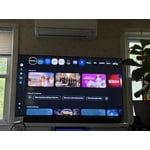
The TV is fantastic!!! The apps are extremely easy to navigate / The color is absolutely AMAZING!!!

Review from Samsung US
Helpful?5C20ZRAZZ46Q16498555478
Jul 20, 2026
John lobo
4 out of 5 stars review

Some problems with Samsung 55"

picture sometime blurry and take about minute to get sharp and we loose connection at times...

Review from Samsung US
Helpful?5C20ZRAZZ46Q16498555478
Jul 20, 2026
Nene
5 out of 5 stars review

Great selection . Excellent picture quality

great quality, picture of excellent quality selection Channels Are Are exc ell ent

Review from Samsung US
Helpful?5C20ZRAZZ46Q16498555478
Jul 27, 2026
TOOT
5 out of 5 stars review

LOVE MY TV

I WOULD LIKE TO SEE DOLBY VISION AVAILABLE ON SAMSUNG TV'S

Review from Samsung US
Helpful?5C20ZRAZZ46Q16498555478
Jul 6, 2026
Mac1
1 out of 5 stars review

Poor remote

The remote sucks, gave TV to our grandson not user friendly for the elderly!

Review from Samsung US
Helpful?5C20ZRAZZ46Q16498555478
reply from Samsung Advisor

Hi Mac1, Thank you for sharing your experience with your U7900F TV. Samsung’s accessibility features Learn TV Remote and Learn Menu Screen are designed to help users get familiar with the remote and menu layout – without affecting normal TV operation. • Learn TV Remote: Pressing any button (except Power) will announce the button name and function, helping users learn their location and purpose. Enable via: Settings > All Settings > General & Privacy > Accessibility > Learn TV Remote; Exit by pressing the Return key twice. • Learn Menu Screen: As you navigate your TV menus, the TV will announce each menu item and its function - without applying any changes. Enable via: Settings > All Settings > General & Privacy > Accessibility > Learn Menu Screen; Exit by pressing the Return key twice. If you need additional assistance, please don’t hesitate to contact Samsung Support at 1-800-SAMSUNG, available from 8AM – 9PM EST Mon – Fri, 8AM – 6PM Sat – Sun. You can also visit the Samsung website and click on ‘Support’ for: • Live Chat • Manuals, Software, & Warranty Info ~ Samsung Advisor