Skip to Main Content
Sam's Club
Sam's Club
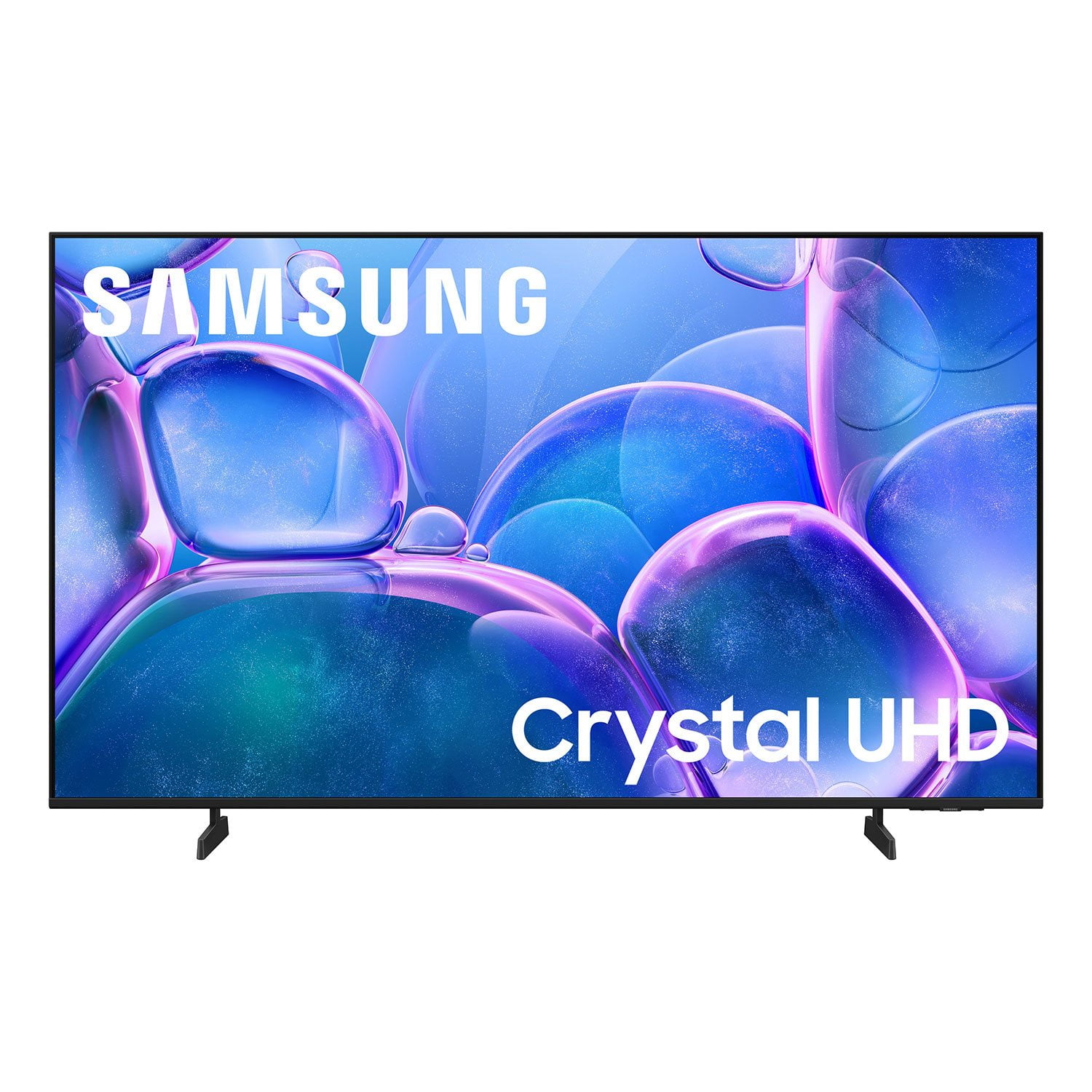
Customer reviews for SAMSUNG 50" Class U7900F Series 4K Crystal UHD Smart TV for
SAMSUNG 50" Class U7900F Series 4K Crystal UHD Smart TV
4.6 out of 5 stars
stars2,352 ratings2,288 reviews
  1. 5 stars76% (1,783)
  2. 4 stars15% (344)
  3. 3 stars5% (113)
  4. 2 stars2% (44)
  5. 1 star3% (68)

Member photos

  • +886 images
Sort by |
Showing 1,661-1,670 of 2,288 reviews
Jul 20, 2025
Philly1
5 out of 5 stars review

This tv is great technology

[This review was collected as part of a promotion.] I have not bought a tv in last was missing out on the new technology.i love this tv ,the features are awesome .my last tv it was Samsung and i had it for years,still going strong but needed something new .no other tv compares to Samsung.the features on this television is mind blowing,never regret my purchase.thanks Samsung

Review from Samsung US
Helpful?5C20ZRAZZ46Q16498555478
Sep 26, 2025
Kimiv96
5 out of 5 stars review

Clear images, good tv volume, and quick.

[This review was collected as part of a promotion.] My games, Netflix, and YouTube look great on my TV. I have my TV in my room and I use it so much. It's a great device for film fanatics and gamers who want a good an inexpensive TV with great quality.

Review from Samsung US
Helpful?5C20ZRAZZ46Q16498555478
Aug 23, 2025
Lalford73
5 out of 5 stars review

This product is great has several features.

[This review was collected as part of a promotion.] We usue our Samsung smart TV primarily for streaming TV shows and movies. We watch both new and old content. The features on this TV make it very easy to locate whatever We are looking for. There is plenty of space to add all the apps we use to the home screen.

Review from Samsung US
Helpful?5C20ZRAZZ46Q16498555478
Jul 20, 2025
Mema1110
5 out of 5 stars review

Great Purchase

[This review was collected as part of a promotion.] I hesitated on purchasing this Samsung 55 inch TV. I've purchased two Samsung TV's prior to this one but, both are 65 inches. I thought the 55 inch TV would lack in picture color, clarity and sound. I was totally wrong. When I say the color is beautiful, I mean it's beautiful! The colors are true to life and clear. The sound quality is amazing! I'll never hesitate on Samsung again. This is a great purchase for me!

Review from Samsung US
Helpful?5C20ZRAZZ46Q16498555478
Aug 19, 2025
Wayjust2
5 out of 5 stars review

Great product for price!!

[This review was collected as part of a promotion.] I honestly expected the quality to be pretty underwhelming for the price, but I was genuinely shocked by how sharp and vibrant the image turned out to be. For gaming especially, the clarity is far beyond what I thought I’d get at this budget—it feels like I got way more than I paid for!

Review from Samsung US
Helpful?5C20ZRAZZ46Q16498555478
Aug 28, 2025
Iron580
5 out of 5 stars review

This product has it all

[This review was collected as part of a promotion.] In this new world of streaming this is the TV to have. From the moment you turn it on it automatically knows if ypu have an existing account and logs you in if you prompt it to. With in 30 seconds your all set up and ready to watch.

Review from Samsung US
Helpful?5C20ZRAZZ46Q16498555478
Aug 20, 2025
Teachit
1 out of 5 stars review

Not the Samsung I’m used to!

Bought this tv yesterday. Did the setup and it was confusing to say the least. I’ve set up many TVs and most are straightforward and intuitive. I’ve even set up other Samsungs and this was by far the worst for set up. Now for the actual picture. Right out of the box the picture was not very good. Picture was “washed out” and just didn’t look right compared to our other TVs. Tried online suggestions for correcting colors and sharpness of image. Nothing improves the picture. So disappointed in this Samsung!!! Our cheapy TV, all our other TVs (all 6) are so much better. Our other Samsung (older set) is fine. Plus it has a mind of its own. After turning it off and then returning to watch tv it goes into Samsung plus instead of our satellite provider. This issue just started. At first at least when set was turned on we had our satellite on. And I HATE the remote. Even had our son over to help with adjustments and settings with no luck. Very disappointing product!

Review from Samsung US
Helpful?5C20ZRAZZ46Q16498555478
reply from Samsung Advisor

Hi Teachit, We appreciate your feedback and are glad you reached out to us. There are a few adjustments you can make that may improve your experience. First, let's ensure you are running the latest Firmware. Go to Settings> Support> Software Update. If the picture appears unclear, dull, or lacks definition, there are several settings you can adjust to improve clarity and overall image quality. Go to: Settings > All Settings > Picture > Expert Settings, and review these key settings: Picture Clarity Settings: While originally intended for motion handling, these can also impact overall clarity • Off: Disables motion enhancements • Auto: Automatically adjusts based on content • Custom: Lets you fine-tune: o Judder Reduction – Helps smooth out uneven motion o LED Clear Motion – Boosts sharpness in fast-moving content o Noise Reduction – Reduces distortion and enhances detail in lower-resolution sources Core Picture Settings • Brightness – Controls overall screen brightness • Contrast – Enhances the difference between bright and dark areas • Sharpness – Adjusts edge definition; closer to 20 increases detail • Color – Enhances depth and intensity of colors Finally, while your TV may currently default to Samsung TV Plus when powered on, you can customize what your TV does at startup by adjusting the Start Screen Options. To do this, navigate to: Settings > All Settings > Advanced Features > Start Screen Option and choose from the following: 1. Start with Smart Hub Home – Automatically launches Smart Hub when the TV is turned on. You can enable or disable this option based on your preference. 2. Autorun Multi View Casting – If you cast YouTube content from your mobile device, the TV will automatically display the content using Multi View. 3. Autorun Multi View Mirroring – When you screen mirror your mobile device, Multi View will automatically open to show your device’s screen. If you need help adjusting these settings or have any other questions, please contact Samsung Support at 1-800-SAMSUNG, 8AM – 12AM EST, 7 days a week. LiveChat agents are also available by clicking on the ‘Support’ link on our website. ~ Samsung Advisor

Aug 22, 2025
Juanchos12
5 out of 5 stars review

This TV is awesome, it works fast and versatile.

[This review was collected as part of a promotion.] I use my Samsung TV in many ways, first to watch series, is very good, there are never any failures, it has good lighting and resolution, I also use it in computer, very good and I like its functions, I also use it with video games that connect with my PS4, I love this product.

Review from Samsung US
Helpful?5C20ZRAZZ46Q16498555478
Sep 6, 2025
Peeksy
5 out of 5 stars review

The Tzv is amazing!!!

[This review was collected as part of a promotion.] I’m a huge NFL fan. This is the main reason I purchased it and the TV has not disappointed!! Great picture quality. There is an amplified version of sound which makes the TV sound very clear and high quality without the need of a sound bar to get the audio I like. Well worth every penny!!

Review from Samsung US
Helpful?5C20ZRAZZ46Q16498555478
Jun 21, 2025
VisPerR
5 out of 5 stars review

Samsung TVs - Are My Fave

[This review was collected as part of a promotion.] Samsung TV - This is my 3rd - different sizes - for different rooms. My favorite tv's ever and love all the features, especially having channels and music, including the ocean channels for relaxing background ambiance.

Review from Samsung US
Helpful?5C20ZRAZZ46Q16498555478