Skip to Main Content
Sam's Club
Sam's Club
All Departments
All Services
Customer reviews for SAMSUNG 50" Class U7900F Series 4K Crystal UHD Smart TV for
SAMSUNG 50" Class U7900F Series 4K Crystal UHD Smart TV
4.6 out of 5 stars
stars
3,418 ratings3,354 reviews
  1. 5 stars74% (2,533)
  2. 4 stars15% (525)
  3. 3 stars5% (186)
  4. 2 stars2% (71)
  5. 1 star3% (103)

Member photos

  • +1324 images
Sort by |
Showing 1,471-1,480 of 3,354 reviews
Apr 7, 2026
MrsC
5 out of 5 stars
5 out of 5 stars review

Love the picture quality

[This review was collected as part of a promotion.] Picture quality is exceptional. The television setup was relatively easy. It took a little while to get used to the simplified remote. Overall very pleased with the product. Excellent fro both streaming and OTA broadcasts. Love that I didn't need to use and additional streaming device.

Review from Samsung US
Helpful?5C20ZRAZZ46Q16498555478
Apr 5, 2026
Fussygirl
3 out of 5 stars
3 out of 5 stars review

Tizen OS Needs Work

[This review was collected as part of a promotion.] It’s a TV. Gets the job done. Three stars are because the Tizen operating system is glitchy with respect to our home network. It seems overly sensitive whereas other brand TVs aren’t. We have to reset the network often for no reason.

Review from Samsung US
Helpful?5C20ZRAZZ46Q16498555478
reply from Samsung Advisor

Hi Fussygirl, Thank you for reaching out to us. Please ensure your TV is running the latest Firmware, version 1132.0. Go to Settings> Support> Software Update. If this firmware version is not yet available on your TV, you can download the update on a USB drive and manually update your TV: 1. On Samsung's website (upper right corner), go to: Support > Manual & Software > Find your TV model, and click on the Firmware – Upgrade File. 2. When the file has finished downloading, locate it and then unzip it. There is normally one folder inside but there may be multiple files. 3. Copy or move all of the files that were included in the zip file to a USB flash drive, but do not place them inside any other folders. If you place the software folders inside a folder on the USB flash drive, the TV or monitor will not find them. 4. Connect the USB drive containing the software upgrade into a USB port on your device. 5. Using your device's remote, navigate to and select Settings, then select All Settings, and then select Support. Select Software Update, select Update Now, and then select Yes if prompted. Your device will search the USB drive for update files. Follow the on-screen instructions to install the updated software. Updates usually take a few minutes; please do not turn off the TV until the update is complete. When the update is finished, it will restart automatically. If you need additional support, Samsung is here to help. Please call us -800-SAMSUNG, available daily 8AM – 9PM EST Mon – Fri, 8AM – 6PM Sat – Sun. You can also chat with a LiveChat agent by clicking the ‘Support’ link on our website. ~ Samsung Advisor

Mar 23, 2026
CLinCO
5 out of 5 stars
5 out of 5 stars review

Really like this TV

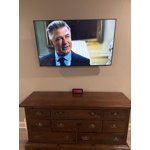
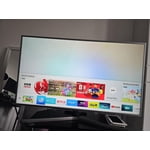
[This review was collected as part of a promotion.] I really like this TV. Picture is very clear and vibrant. operating system updates regularly , which maintains quick download and update speeds. I like that you can change the settings for added security . The main menu is easy to navigate and give me all the important information I need up front. And the TV looks really great on the wall.

Review from Samsung US
Helpful?5C20ZRAZZ46Q16498555478
Mar 23, 2026
Jorem93
5 out of 5 stars
5 out of 5 stars review

Best sports and video game TV of all time

[This review was collected as part of a promotion.] Best picture and clearest quality on a TV that I have ever owned, the colors of the screen are incredibly vibrant. I own a Samsung tv in each of my bedrooms. Well worth the purchase. Also really easy to use with the Samsung soundbar.

Review from Samsung US
Helpful?5C20ZRAZZ46Q16498555478
Mar 23, 2026
Cary2Peg
5 out of 5 stars
5 out of 5 stars review

Great features

[This review was collected as part of a promotion.] The aesthetics of this tv are premium. It has fantastic color and the resolution makes everything look like you're right there! I've tried cutting the cord in favor of streaming and i couldn't be happier with this TV. I'm also quite pleased at the security this unit enables. Definitely a winner for samsung!

Review from Samsung US
Helpful?5C20ZRAZZ46Q16498555478
Mar 23, 2026
Johnnyo
5 out of 5 stars
5 out of 5 stars review

Big

[This review was collected as part of a promotion.] always had a Samsung I really like the TV the product's great never had a problem this picture is crystal clear always had a Samsung I really like the TV the product's great never had a problem this picture is Crystal Clear I really enjoy it nice big picture 75-in how can I not like it

Review from Samsung US
Helpful?5C20ZRAZZ46Q16498555478
Jan 20, 2026
Cristian
2 out of 5 stars
2 out of 5 stars review

network issues and lag on two tvs

Replaced two TCL smart tvs with these and I was disappointed to say the least. There is hardly and storage space on there (less than 2gb free space with just the default apps). But thats not what bothered me. The real issue is the network connectivity error I get every other time I start the tv. It's infuriating and happens all the time. It must be an issue with this model because it happens on both my tvs, not just one. It takes several restarts and/or network configurations in settings before it starts workingn again. I never had connectivity issues with my old TCLs and no other device in my home has network connection issues. To add to this, the button lag is super slow, and the home screen interface isnt very convient to get to your streaming apps easily. I was expecting more from Samung but after these go I probably wont stick with their brand.

Review from Samsung US
Helpful?5C20ZRAZZ46Q16498555478
reply from Samsung Advisor

Hi Cristian, Thank you for your feedback. Please ensure you are running the latest Firmware Update 1132. To do so, go to Settings> Support> Software Update. If this firmware version is not yet available on your TV, you can download the update on a USB drive and manually update your TV: 1. On Samsung's website (upper right corner), go to: Support > Manual & Software > Find your TV model, and click on the Firmware – Upgrade File. 2. When the file has finished downloading, locate it and then unzip it. There is normally one folder inside but there may be multiple files. 3. Copy or move all of the files that were included in the zip file to a USB flash drive, but do not place them inside any other folders. If you place the software folders inside a folder on the USB flash drive, the TV or monitor will not find them. 4. Connect the USB drive containing the software upgrade into a USB port on your device. 5. Using your device's remote, navigate to and select Settings, then select All Settings, and then select Support. Select Software Update, select Update Now, and then select Yes if prompted. If you need additional support, Samsung is here to help. Please call us at 1-800-SAMSUNG, available daily from 8AM - 12AM EST. You can also chat with a LiveChat agent by clicking the ‘Support’ link on our website. ~ Samsung Advisor

Mar 24, 2026
Mems
5 out of 5 stars
5 out of 5 stars review

Value beyond the price

[This review was collected as part of a promotion.] The resolution is fantastic, at this price point very worth the money , the vibrancy is spectacular. The sound isnt the absolute best but again this price point makes up its value well over the mark. The Television itself is very stylish and sits well on our entertainment center and is ready to mount to a wall or fixture if need be... very useful practical and sleek!. Its security features are both user friendly and work seamlessly within my other smart devices network.

Review from Samsung US
Helpful?5C20ZRAZZ46Q16498555478
Feb 18, 2026
TruckerChick
5 out of 5 stars
5 out of 5 stars review

HOLY CANOLI WHAT A TV

[This review was collected as part of a promotion.] you want to talk about an amazing television Samsung for the win as always. it's almost like they can't not win at everything that they make. the brightness of this television screen is phenomenal vibrant colors are absolutely amazing. I swear i literally never want to sit and watch any other TV for the rest of my life. Ill be replacing the Samsung that is in bedroom with one of these bad boys next month. 100% TEAM SAMSUNG BABY ALL DAY EVERY DAY IYKYK

Review from Samsung US
Helpful?5C20ZRAZZ46Q16498555478
Jan 20, 2026
Exfed
5 out of 5 stars
5 out of 5 stars review

Far cry from the 21 inch TV of my childhood.

While the TV has great color and sound it does see to have a mind of its own. The remote takes some getting use to. Just when I think I have it figured out something changes. I am a fan of Samsung though and I will keep working with it. This is my third Samsung TV and probably not my last. My children have my older TVs and they are still going strong. I just like to keep up with technology. I am 81 years old.

Review from Samsung US
Helpful?5C20ZRAZZ46Q16498555478