Skip to Main Content
Sam's Club
Sam's Club
All Departments
All Services
Customer reviews for SAMSUNG 50" Class U7900F Series 4K Crystal UHD Smart TV for
SAMSUNG 50" Class U7900F Series 4K Crystal UHD Smart TV
4.6 out of 5 stars
stars
3,357 ratings3,293 reviews
  1. 5 stars74% (2,496)
  2. 4 stars15% (512)
  3. 3 stars5% (179)
  4. 2 stars2% (70)
  5. 1 star3% (100)

Member photos

  • +1322 images
Sort by |
Showing 1,081-1,090 of 3,293 reviews
Jul 27, 2026
stingerhuayra
5 out of 5 stars review

Great Reasonably Priced TV

[This review was collected as part of a promotion.] Great Tv. Technically the one I have is the 43 inch, which didn't show as an option. It is great tv with great resolution and very user-friendly interface. Definitely would buy a tv like this again

Review from Samsung US
Helpful?5C20ZRAZZ46Q16498555478
Jul 5, 2026
Poofb
3 out of 5 stars review

You asked

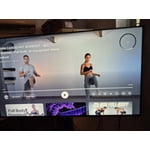
Honestly for sports quality seems low. Picture distorted and doesn’t look HR. Cant seem to pin common apps like Fubo and always have to go to recent searches to pull them up.

Review from Samsung US
Helpful?5C20ZRAZZ46Q16498555478
reply from Samsung Advisor

Hi Poofb, Thank you for sharing your experience with us. To add downloaded apps to your U7900F, go to App Settings (these can be found at the bottom of the Apps screen) and select the app you want to move. The following options will be available: a. Add to Home: Move the app to your desired location on the Home screen. b. Delete: Delete app. c. Lock/Unlock: Lock the app with a PIN so only you can use it. When the app is selected again, you will be prompted to enter the PIN to unlock it. d. Reinstall: Reinstall the app. e. View Details: View the app’s information and details. If your picture appears blurry or unnatural during high-speed scenes, there are several settings you can adjust to improve motion clarity. Go to: Home > left directional key > Settings > All Settings > Picture > Expert Settings, and review these key settings: Picture Clarity Settings • Off: Disables all motion enhancement • Auto: Automatically adjusts motion clarity based on content • Custom: Enables manual control of: o Judder Reduction: Smooths motion in film-based content o LED Clear Motion: Increases sharpness during fast movement o Noise Reduction: Helps reduce distortion in lower-quality sources Additional Picture Controls • Brightness – Adjust overall image brightness • Contrast – Controls the difference between light and dark areas • Sharpness – Enhances the definition of object edges • Color – Adjusts color intensity for more natural or vivid tones We hope these settings help improve your viewing experience, especially with fast-moving content. If you'd like further assistance, feel free to reach out to Samsung Support at 1-800-SAMSUNG, (8AM – 9PM EST Mon – Fri, 8AM – 6PM Sat – Sun), or reach us via text anytime. You can also visit ‘Support’ on our website for: • Live Chat • Manuals, Software, & Warranty Info ~ Samsung Advisor

Jul 22, 2026
JenJen
5 out of 5 stars review

Review of tv

Our Samsung tv has a great picture with bright colors.I didn’t know that I was missing so much detail from my old tv. Now we just need to get 2 more Samsung tv. Thanks for the great product!!

Review from Samsung US
Helpful?5C20ZRAZZ46Q16498555478
Jul 10, 2026
Fanfan
5 out of 5 stars review

Samsung reviews

The view of Samsung is great my colors are vibrant, the brightness is clear I can adjust my contrast as desired when I need to upscaling is available and the picture is always responsive when I make need adjustments. I love my Samsung display

Review from Samsung US
Helpful?5C20ZRAZZ46Q16498555478
Jul 10, 2026
Smitty0906
4 out of 5 stars review

Great quality picture/sound

[This review was collected as part of a promotion.] Overall very pleased with the quality and capabilities of the tv. Would prefer if when turning on a connected device, like a game console, it would turn on to that source.

Review from Samsung US
Helpful?5C20ZRAZZ46Q16498555478
Jul 20, 2026
Daramas64
4 out of 5 stars review

Responsiveness

I have had this TV. about a month, zero issues. Adjusted the screen to my liking, Enjoy my sports. One small critique is the remote, not the best but works.

Review from Samsung US
Helpful?5C20ZRAZZ46Q16498555478
Jul 5, 2026
Missy
5 out of 5 stars review

Great TV

I love it the picture is amazing so crystal clear I am so happy that I purchased it I have double vision and I used to have a hard time watching TV and with the brightness it is so nice I can actually enjoy watching TV I am so glad I purchased this

Review from Samsung US
Helpful?5C20ZRAZZ46Q16498555478
Jul 20, 2026
DaleK
5 out of 5 stars review

Very satisfied.

The picture clarity is wonderful. However, I would have enjoyed a better speaker system. At times, depending on the channel, the sound had a bit of a "tinny" sound. The remote is very easy to use, not overloaded with buttons.

Review from Samsung US
Helpful?5C20ZRAZZ46Q16498555478
Jul 22, 2026
Ash31
5 out of 5 stars review

Best purchase ever!

It was a great purchase. This TV was my first TV and I absolutely love it! The colors are great. I can adjust the brightness very easily and it's really fast! I would buy more Samsung products for sure.

Review from Samsung US
Helpful?5C20ZRAZZ46Q16498555478
Jul 20, 2026
Honest Jon
4 out of 5 stars review

Clear picture

The picture is great and work best with a hard wire from my wifi router. The sound is great I love this TV but I wish I could find out how to turn off onscreen pop up notifications.

Review from Samsung US
Helpful?5C20ZRAZZ46Q16498555478