Skip to Main Content
Sams Club
Sams Club
Customer reviews for SAMSUNG 3.1 Channel Soundbar w/Dolby Digital 5.1 for
SAMSUNG 3.1 Channel Soundbar w/Dolby Digital 5.1
4.5 out of 5 stars
stars75 ratings48 reviews
  1. 5 stars73% (55)
  2. 4 stars16% (12)
  3. 3 stars4% (3)
  4. 2 stars4% (3)
  5. 1 star3% (2)

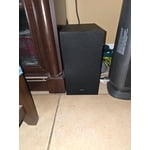
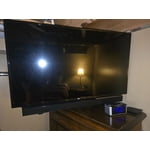
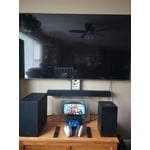
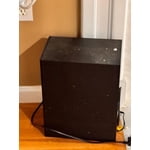
Member photos

  • +38 images
Sort by |
Showing 41-48 of 48 reviews
Dec 30, 2025
Shopper
5 out of 5 stars review

Great sound and slim but powerful

[This review was collected as part of a promotion.] Great sound especially with the subwoofer. Brings all movies and tv shows to life! Pairing it with the Samsung TV as well makes the whole experience fantastic

Review from Samsung US
Helpful?2PBVKFGY754316491701025
Jul 10, 2025
misadvmom
5 out of 5 stars review

Theater Sound at HOme

[This review was collected as part of a promotion.] I recently bought a massive flatscreen tv for my game/sitting room. The only problem was that it’s very hard to hear it when the other tv in the living room is on. I was very excited to get a chance to test out this Samsung B-Series soundbar. I wanted to see how well the sound quality was and if it would be audible over all of the other background noise in the house. A big plus for this soundbar is that it is Bluetooth-enabled. I don’t have to have a bunch of extra chords running all over the place. The bar connects wireless to the tv, and the subwoofer also connects wirelessly. The setup was really quick, like two minutes max. It took me longer to clear off the top of my entertainment console. There are controls on both the soundbar and a very handy remote. There are a ton of settings, however I was most interested in cranking up the subwoofer. I have it sitting next to the couch so I can feel the vibrations. The sound quality is excellent. In fact, when I have it turned up it drowns out everything else in the house…which is great. Between the sound and the vibrations from the subwoofer, it feels just like being at the move theater. I highly recommend this soundbar.

Review from The Insiders
Helpful?2PBVKFGY754316491701025
Aug 15, 2025
victor252
5 out of 5 stars review

Packs a punch

[This review was collected as part of a promotion.] I love how I can play my music and hear it from every corner of the house. Movie nights are unmatched with the amazing sound quality and deep base that this sound bar offers. My family and friends have all her about how much I enjoy this sound bar.

Review from The Insiders
Helpful?2PBVKFGY754316491701025
Sep 5, 2025
Poor quality sound
3 out of 5 stars review

Verified Purchase

Poor sound quality

Poor sound quality

Helpful?2PBVKFGY754316491701025
reply from Samsung

Hi Poor quality sound,<br /><br />We appreciate you taking a moment to review the Samsung HW-B620F Soundbar.<br /><br />You can optimize your audio performance to your liking by pressing the SOUND MODE button on your soundbar remote, and then selecting the desired sound effect by choosing SURROUND SOUND, BASS BOOST, GAME, ADAPTIVE, DTS VIRTUAL:X, STANDARD.<br /><br />By pressing the TONE CONTROL button, you can adjust the volume of the treble or bass sound. Press the button to select TREBLE or BASS and then adjust the volume between -6~&#43;6 by using the Up/Down buttons.<br /><br />Press and hold the SOUND CONTROL button for about 5 seconds to adjust the sound for each frequency band. 150Hz, 300Hz, 600Hz, 1.2kHz, 2.5kHz, 5kHz, and 10kHz are selectable using the Left/Right buttons and each can be adjusted to a setting between -6 to &#43;6 using the Up/Down buttons. (Make sure the Sound mode is set to “STANDARD”.<br /><br />Additionally, using the WOOFER button on the remote, you can adjust the subwoofer’s volume between -6 to &#43;6 by toggling the button up or down. To set the subwoofer volume level to 0, press the button down.<br /><br />I hope this tip helps improve your enjoyment. For more help, please call us at 1-800-SAMSUNG (Ask for Soundbars), 8 AM – 12 AM EST, 7 days a week. Live Chat with an agent as well as manuals, software, creating a service ticket, and warranty info can be found at the ‘Support’ link on our Samsung website.<br /><br />~ Samsung Solutions

Mar 14, 2026
Colima342
5 out of 5 stars review

Fantastic features

[This review was collected as part of a promotion.] Clarity, amplification, directionality, immersion, soundstage

Review from Samsung US
Helpful?2PBVKFGY754316491701025
Oct 4, 2025
Anonymous
3 out of 5 stars review

Great sound, little to no static

[This review was collected as part of a promotion.] Used for music and movies for personal use. Might try using it for business use as well

Review from Samsung US
Helpful?2PBVKFGY754316491701025
reply from Samsung Solutions

Hi Soundbar, Thank you for purchasing the Samsung HW-B620F and for your review. I am glad to hear that you are happy with the performance of your new soundbar. If you are experiencing specific issues that caused you to give this a 3-star rating, please know Samsung Customer Support is here to help. Call us at 1-800-SAMSUNG (ask for Soundbars), available 8 AM – 12 AM EST, 7 days a week. LiveChat with an agent by clicking the ‘Support’ link on the Samsung website. ~Samsung Solutions

Oct 18, 2025
Carlosclof
5 out of 5 stars review

The best on the market

[This review was collected as part of a promotion.] Excellent sound, for movies and music, a great balance between mids and bass.

Review from Samsung US
Helpful?2PBVKFGY754316491701025
Dec 14, 2025
Anthony
1 out of 5 stars review

It doesn’t work when Bluetooth connects with Samsung tv

Helpful?2PBVKFGY754316491701025
reply from Samsung

Hello Anthony,<br /><br />Thank you for taking a few moments to review the HW-B620F Samsung Soundbar.<br /><br />If available, we recommend using the HDMI connection to your TV. <br /><br />Connecting your soundbar to a TV through HDMI will provide the best audio and user experience, often eliminating any connection or delay issues you may be experiencing. There are 2 ways to connect your soundbar with HDMI: you can connect a device to your soundbar (like a Blu-ray player) and then connect the soundbar to the TV, or you can use HDMI ARC. The first method will give you the best possible sound from external devices you regularly use. ARC is the way to go if you want great sound from streaming apps on your TV and a soundbar.<br /><br />There are a few things you may want to check:<br /><br />1) The maximum wireless signal transmission distance is about 33 ft. <br />2) Electronic devices may cause radio interference. Devices that generate electromagnetic waves should be kept away from the Soundbar main unit - e.g., microwaves, wireless LAN devices, etc.<br />3) Also, please be sure you have the latest firmware update. You can update your firmware by Auto Update, using the SmartThings app, or by using a USB device. You can find the update on the product page of your HW-B620F on the Samsung website.<br /><br />Should you need further assistance with this issue or have any questions about features or operation, please know that Samsung is here to help. Just give us a call at 1-800-SAMSUNG (Ask for Soundbars), 8AM - 12AM EST, 7 days a week. Our Live Chat agents are also available by clicking on the ‘Support’ link on our website.<br /><br />~ Samsung Solutions